

TheSuno now supportslyricandstylelimits in the table above are the upper limits in custom mode (customistrue). The non-custom inspiration mode (customisfalse) only requires filling inprompt, with a maximum length of 500 characters (consistent across all models).
chirp-v6, chirp-v6-wild, and chirp-v6-mini. It is recommended to use chirp-v6; old model names remain compatible.
However, Suno officially does not provide an API. AceDataCloud provides a set of Suno APIs that simulate integration with the official Suno platform, making it convenient and fast to generate the music you want.
Application and Usage
To use the Suno Audios Generation API, first go to the Ace Data Cloud Console to obtain your API Token for later use. If you have not yet logged in or registered, you will be automatically redirected to the login page and invited to register and log in. After completion, you will automatically return to the current page.
One API Token can call all platform services; there is no need to apply separately for each service. Your first application will receive free credits for a free trial; when credits are insufficient, you can top up your general balance in the Console.
If you have not yet logged in or registered, you will be automatically redirected to the login page and invited to register and log in. After completion, you will automatically return to the current page.
One API Token can call all platform services; there is no need to apply separately for each service. Your first application will receive free credits for a free trial; when credits are insufficient, you can top up your general balance in the Console.
📘 Full documentation: Suno Audios Generation API →
Basic Usage
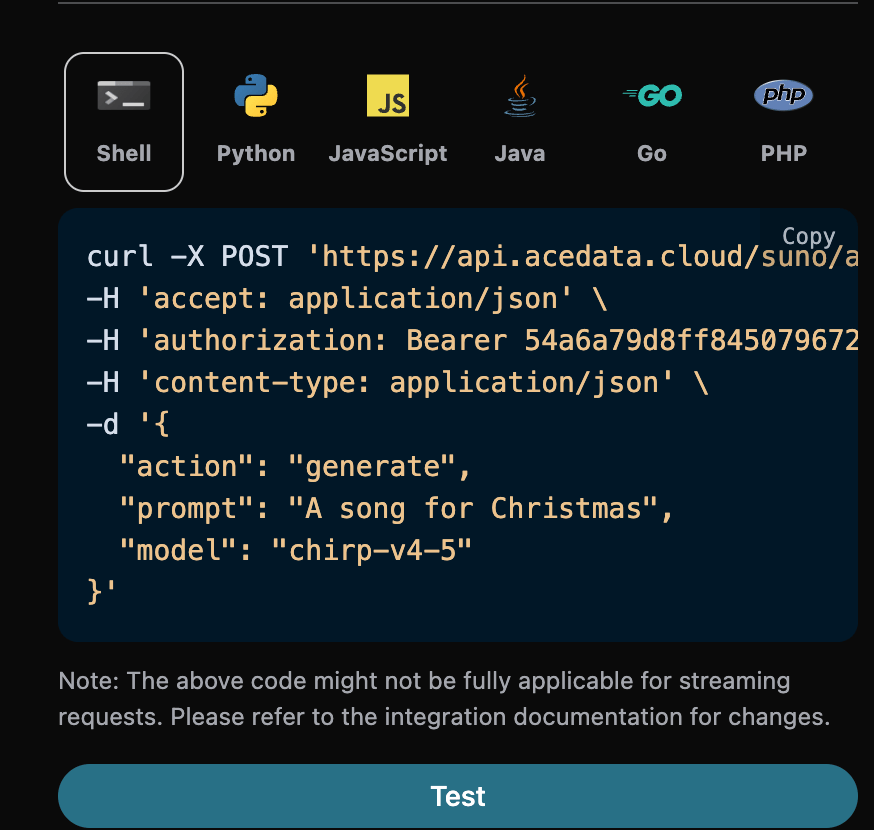
For whatever song you want, you can enter any text. For example, if I want to generate a song about Christmas, I can entera song for Christmas, as shown below:
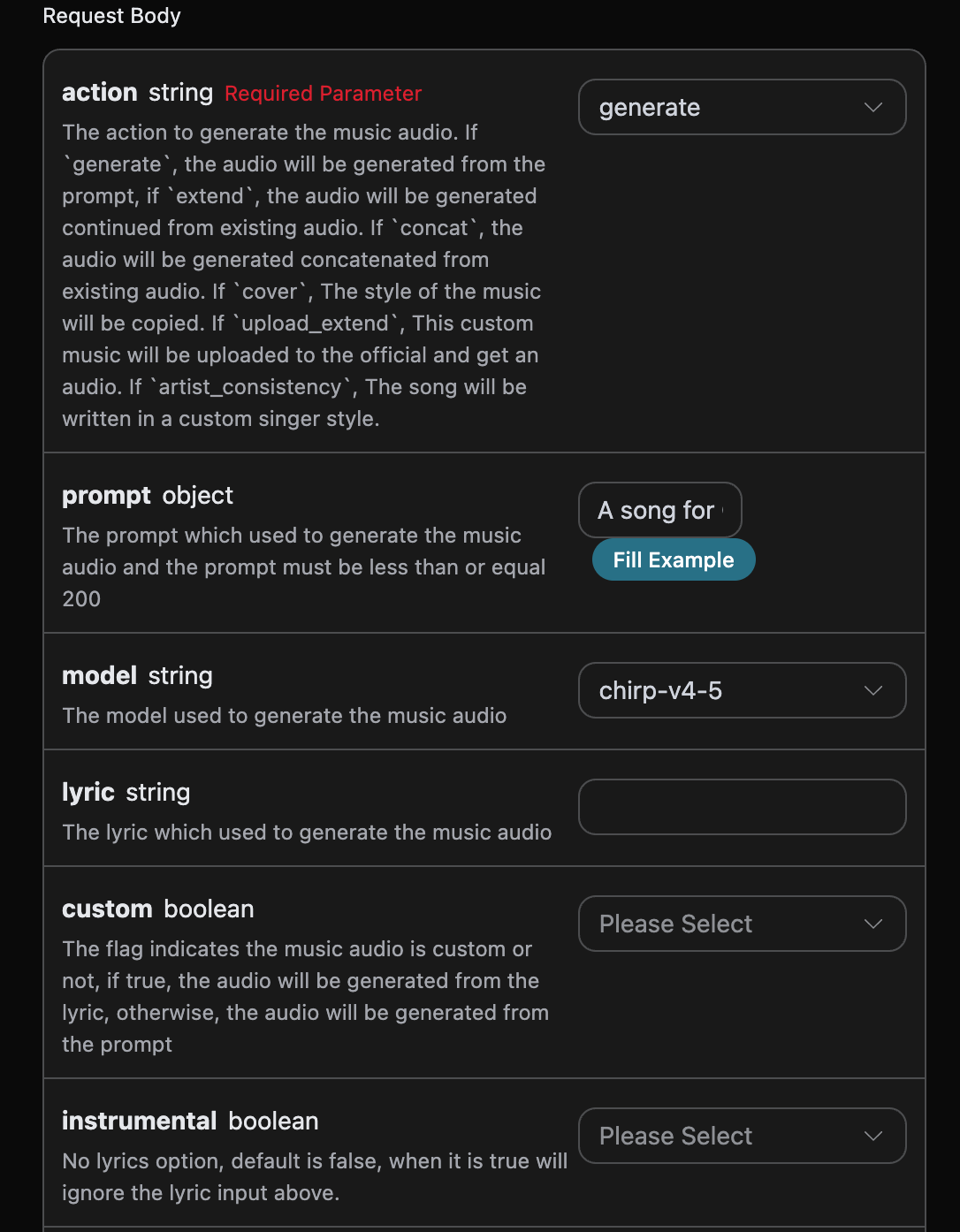
accept: The format of the response result you want to receive. Here it is set toapplication/json, which is JSON format.authorization: The key for calling the API. After applying, you can directly select it from the dropdown.
action: Audio task type, default isgenerate. Supports operations such as generation, continuation, cover, concatenation, stem separation, adding tracks, extracting specified tracks, generating sound effects, and adjusting speed, all through the unifiedPOST /suno/audioscall.prompt: Suno official inspiration mode prompt (customisfalsefor it to take effect), with a maximum of 500 characters.model: The model used for this music generation task. The v6 series includeschirp-v6,chirp-v6-wild, andchirp-v6-mini; old model names remain compatible.max_mode: Enhanced generation mode.generateis only enabled when bothcustomandmax_modearetrue, with a cost of 1.12 Credits;add_stemcan be enabled directly, with a cost of 1.344 Credits. When disabled or omitted, the costs are 0.56 and 0.672 Credits respectively.variety: The diversity intensity of generated results, optional values areoff,normal,high,extra,max. Only used forgenerateandadd_stem; passing it with other actions will return 400.lyric: Suno official custom mode lyrics content.chirp-v3-5andchirp-v4support a maximum of 3000 characters;chirp-v4-5and above (includingchirp-v5,chirp-v5-5) support a maximum of 5000 characters.custom: Whether to use custom mode, default is:false.instrumental: Suno official inspiration mode instrumental music option.title: Suno official custom mode music title.chirp-v3-5andchirp-v4support a maximum of 80 characters;chirp-v4-5and above support a maximum of 100 characters.style: Suno official custom mode music style.chirp-v3-5andchirp-v4support a maximum of 200 characters;chirp-v4-5and above (includingchirp-v5,chirp-v5-5) support a maximum of 1000 characters.negative_tags: Music styles or genres that should be excluded from the generated result in custom mode (customistrue).audio_weight: The influence weight of audio or sound features, range 0-1, where0is also a valid value. It can be used for operations such as generation, continuation, cover, adding tracks, and voice consistency; without reference audio or sound features, the model may weaken or ignore this value.audio_id: The ID of the reference music.overpainting_start/overpainting_end: The start and end time for adding vocals to existing instrumental music, in seconds.underpainting_start/underpainting_end: The start and end time for adding accompaniment to acapella vocals, in seconds.persona_id: The artist’s song ID.continue_at: Continuation boundary, in seconds. For example, 213.5 means generating the following segment starting from 3 minutes and 33.5 seconds.lyricandstyleonly guide new content after the boundary and will not replace lyrics or vocals before the boundary in the source audio.style_influence: The style influence in custom mode, range 0-1. The higher it is, the more closely it usually follows the selected style;0will be passed as a valid value.replace_section_end: The final time of the replacement segment.replace_section_start: The starting time of the replacement segment.vocal_gender: Controls male/female voice preference, female voicef, male voicem, effective for 4.5 and above models; it is a preference option and does not guarantee strict adherence.weirdness: The weirdness level in custom mode, range 0-1. The higher it is, the more creative and experimental it usually becomes;0will be passed as a valid value.duration: Expected song duration, in seconds, must be an integer, range from 10 to 360. This parameter is used for song generation in custom mode (customistrue). It is a tendency hint rather than a strict constraint: the model will refer to it but does not guarantee achieving it. The actual finished duration is based on thedurationfield in the response and is usually shorter than the expected value.
Advanced Parameter Scope
The platform will validate parameter types and value ranges, but will not reject these optional adjustment parameters solely because of different actions; the specific effects are determined by the operation, mode, and model.
lyric_prompt: The prompt for generating lyrics, takes effect only whencustomistrueandlyricis not provided.callback_url: The URL that requires result callbacks.async: Optional. When set totrue, the interface immediately returns atask_id, nocallback_urlis required, and the result can then be obtained by polling through the corresponding task query interface.
- success: Whether the generation was successful. If successful, it is
true; otherwise, it isfalse - data: A list containing the detailed information of the generated songs.
- state: The song generation status, mainly including four types, specifically as follows:
- succeeded: Generation succeeded
- pending: In queue
- running: In progress
- error: Failed
- id: Song ID
- title: The title of the song
- image_url: The cover image of the song
- lyric: The lyrics of the song
- audio_url: The final audio URL of the song. The platform will preferentially return an Ace Data Cloud CDN URL; if persistence fails, it may return the original media URL, so please download it promptly.
- video_url: The video file of the song, which is an mp4 video when opened.
- created_at: The creation time
- model: The model used, generally the latest v3 model
- style: Style
- state: The song generation status, mainly including four types, specifically as follows:
Custom Generation
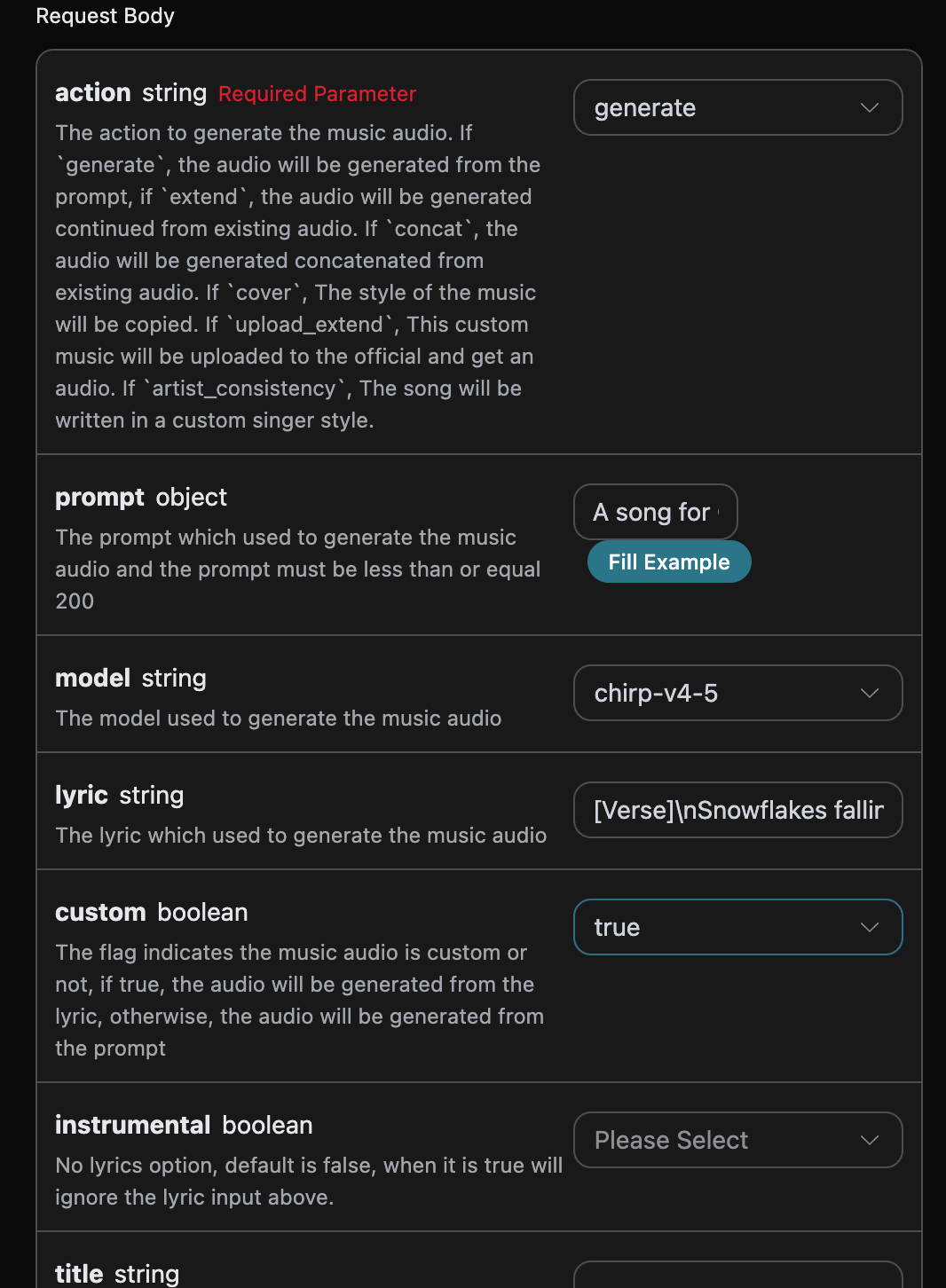
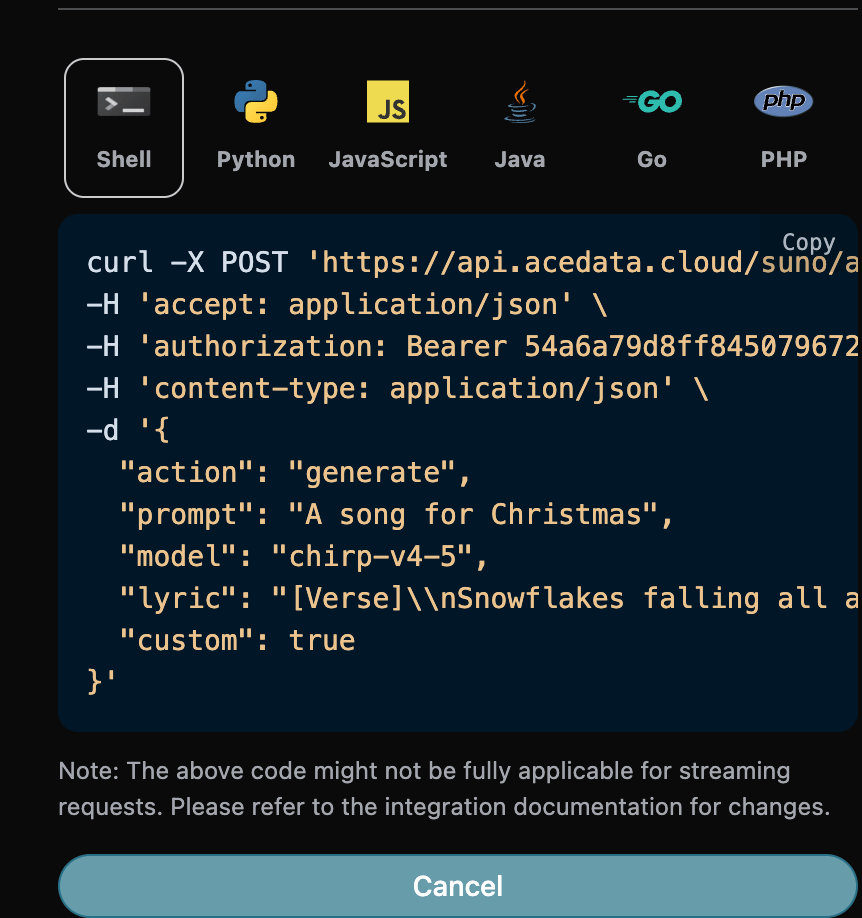
If you want to customize the generated lyrics, you can enter lyrics: At this point, thelyric field can be passed content similar to the following:
Note that \n in the lyrics here is a line break. If you do not know how to generate lyrics, you can use the lyrics generation API provided by AceDataCloud to generate lyrics through a prompt. The API is Suno Lyrics Generation API.
Next, to custom-generate a song based on lyrics, title, and style, you can specify the following content:
- lyric: Lyrics text
- custom: Set to
true, representing custom generation. This parameter defaults to false, representing generation usingprompt. - title: The title of the song.
- style: The style of the song, optional.
Custom Singer Style Generation Feature
If you want to use a singer style to generate a song, first generate a song through the basic usage above,finally, you need to set this song as a singer style, then you need to go to Suno Persona API to generate a singer-style ID parameter
persona_id based on the music ID audio_id generated officially. The specific parameters are shown in the image below:
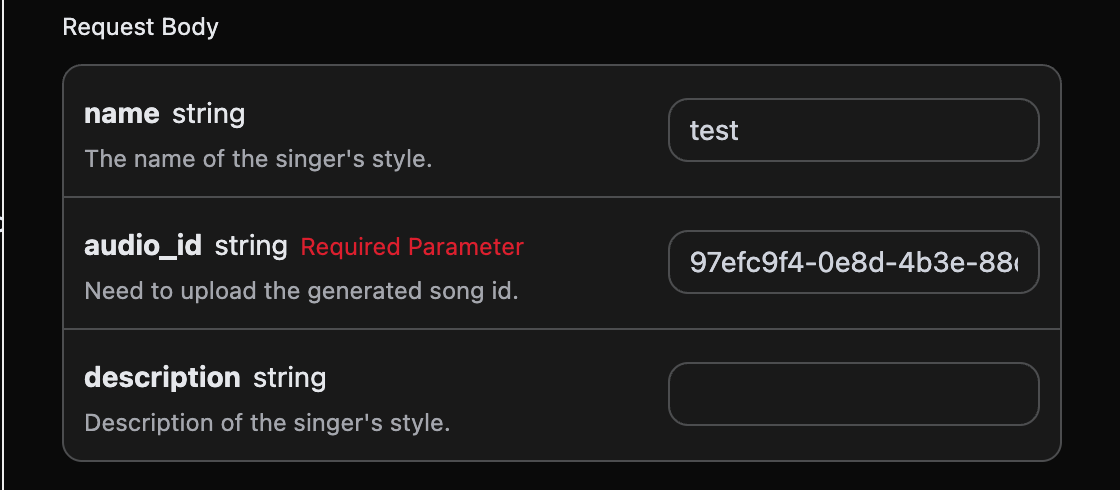
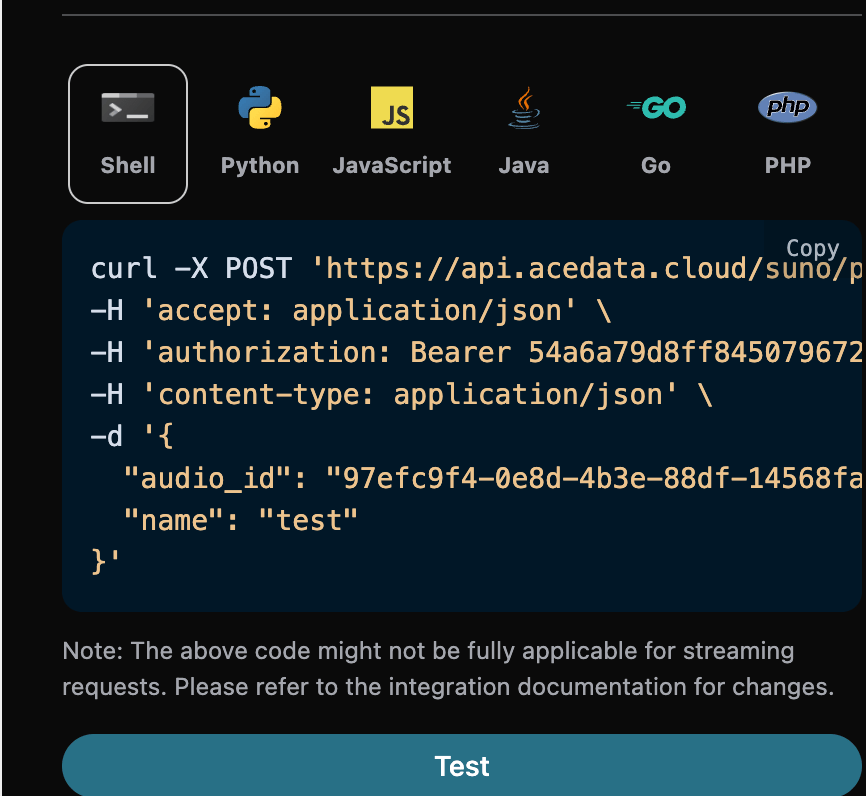
audio_id and persona_id, namely 97efc9f4-0e8d-4b3e-88df-14568fa1b11f and e0d7319e-aa2a-44cb-b00a-916218d7cb0b, as the example data this time. Then you can set the parameter action to artist_consistency (if it is the new singer style Persona-v2-vox, action must be set to artist_consistency_vox), and input the ID of the song that needs to continue generating and the singer style ID. An example of filling it out is as follows:
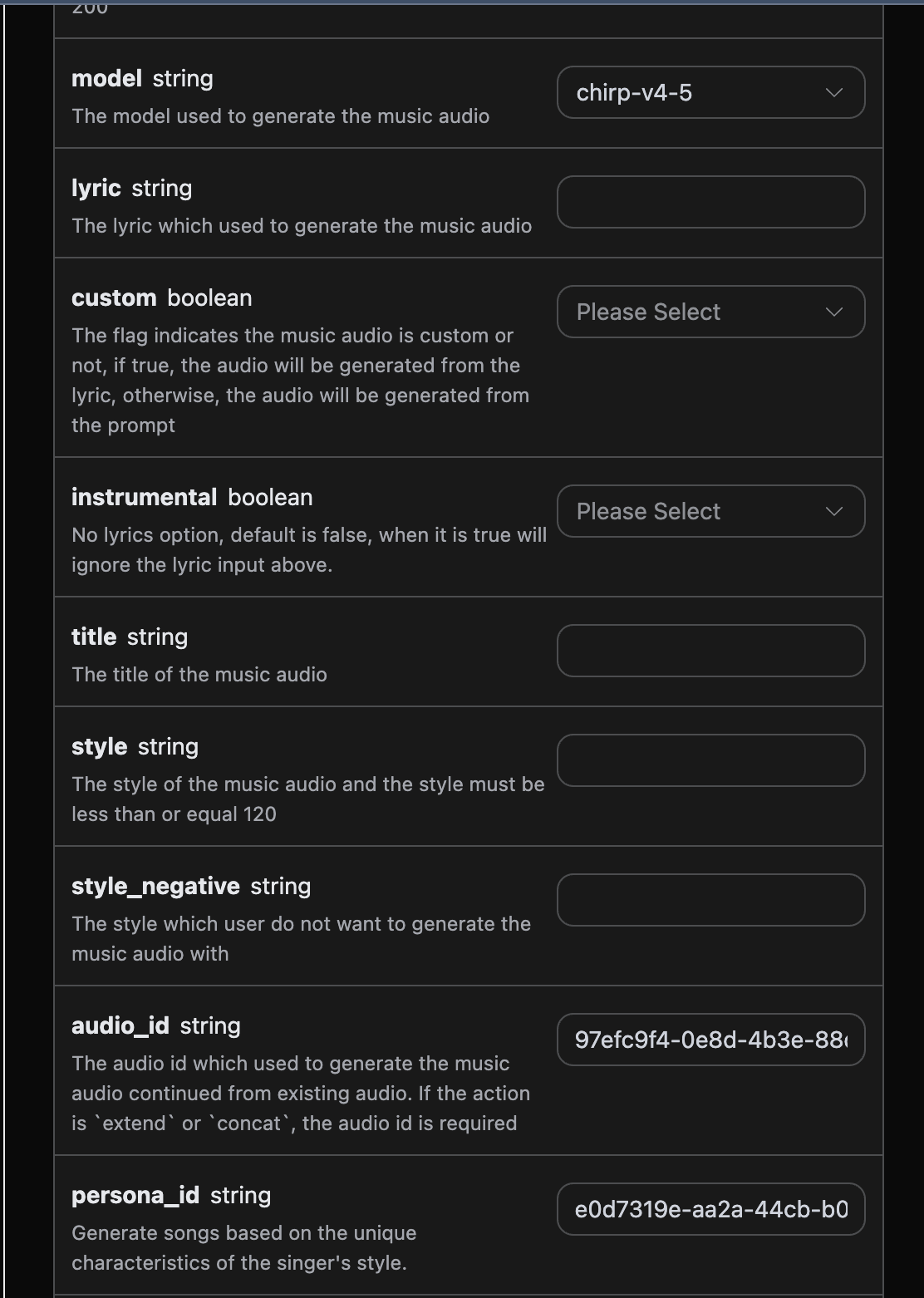
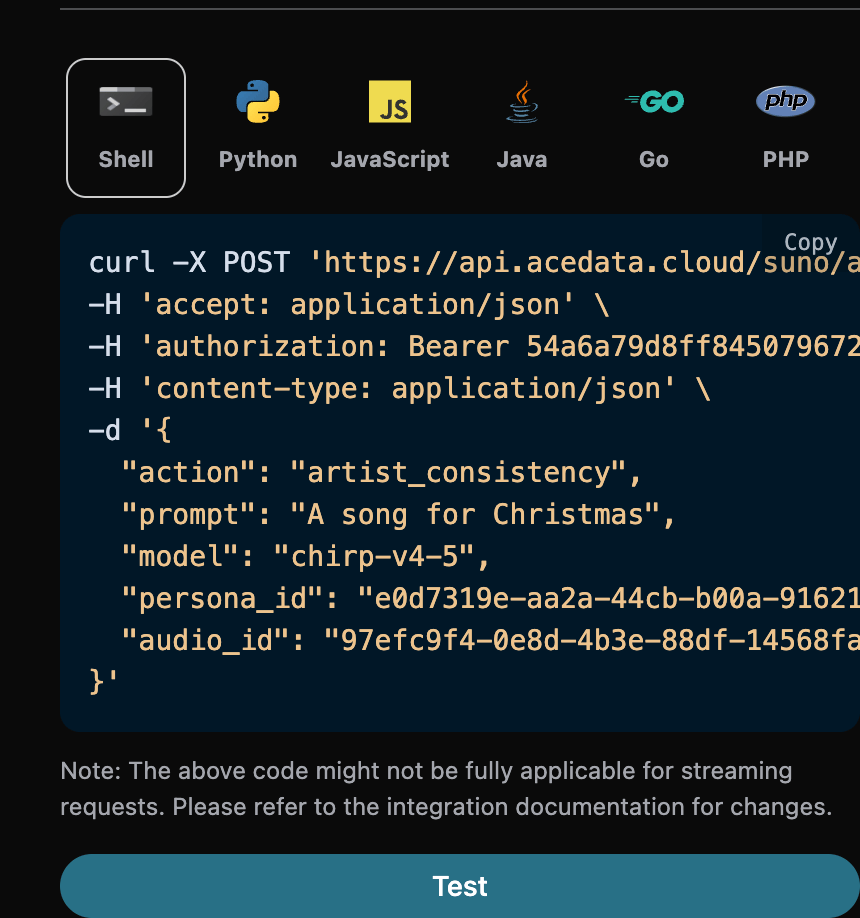
Continue Generation Feature
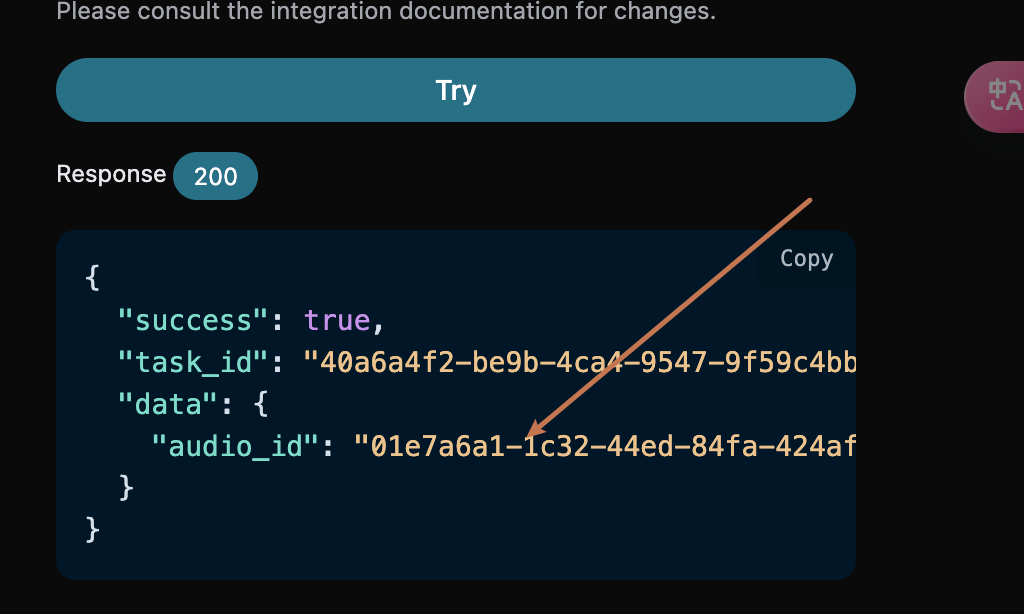
If you want to continue generating an already generated Suno song, you can set the parameteraction to extend, and input the ID of the song that needs to continue generating. The song ID is obtained according to the basic usage. From the above, you can see that the song ID at this time is:
Note that the id in the lyrics here is the ID of the generated song. If you do not know how to generate a song, you can refer to the basic usage above to generate a song.
If you want to continue generating a song you uploaded yourself, you can set the parameter action to upload_extend, and input the ID of the custom uploaded song that needs to continue generating. The song ID is obtained using Suno Upload Generation API, as shown in the image below:
- lyric: Only used to guide the lyrics of the newly generated segment after
continue_at, and will not replace the lyrics before that time point in the source audio. - custom: Fill in
true, which represents custom generation. This parameter defaults to false, which represents generation usingprompt. - style: The song style of the continuation segment, optional.
- continue_at: The continuation boundary, in seconds. For example, 213.5 means generating the subsequent segment starting from 3 minutes 33.5 seconds.
An example of filling it out is as follows:extendis used to continue creating from an existing song onward, not to replace the lyrics of the entire song. If you want to use new lyrics from the beginning for the entire song, please usegenerateto generate it again; if you want to reinterpret based on an existing song, you can usecover. When passing in an entire set of new lyrics, the original lyrics beforecontinue_atwill still not be replaced.
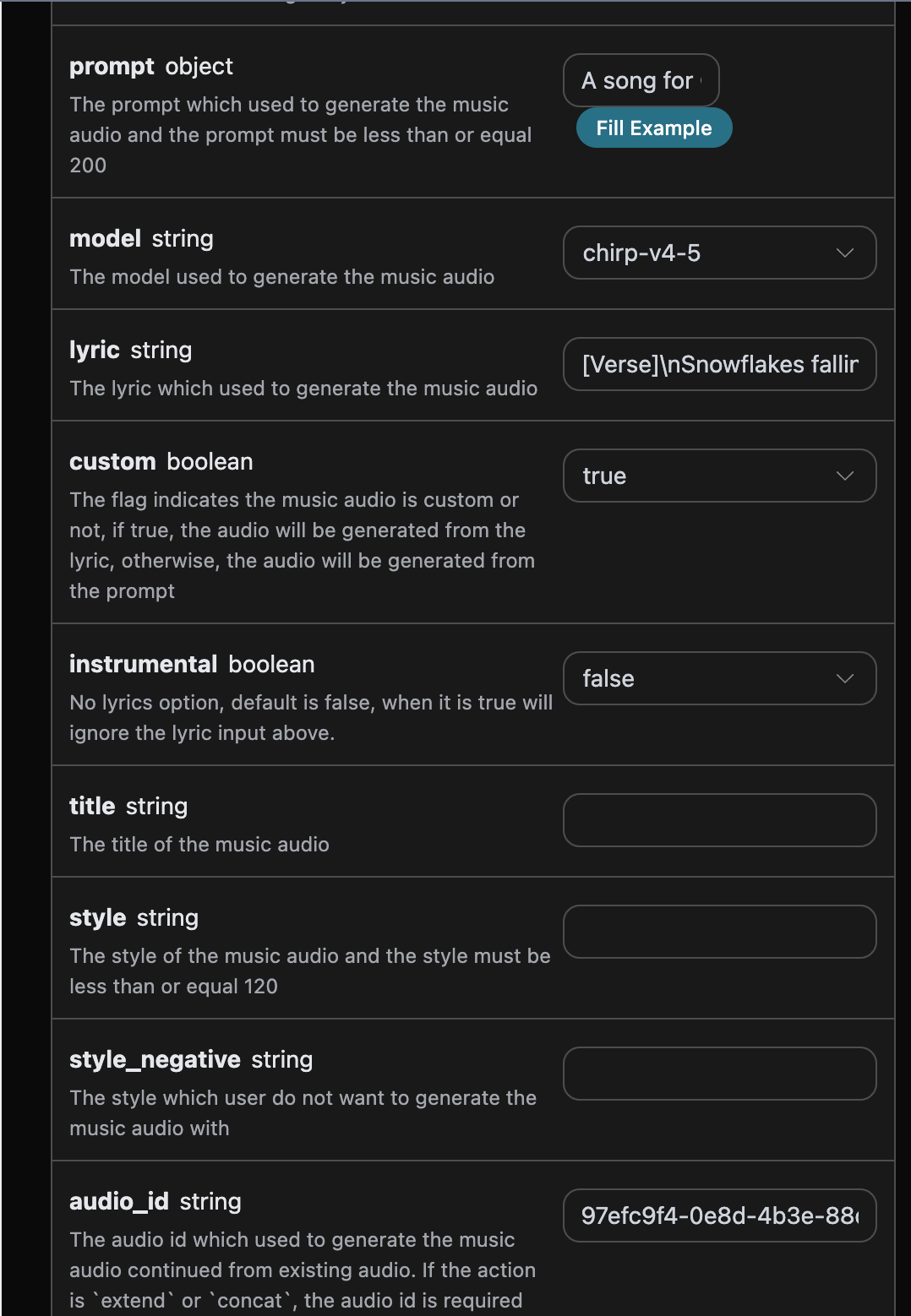
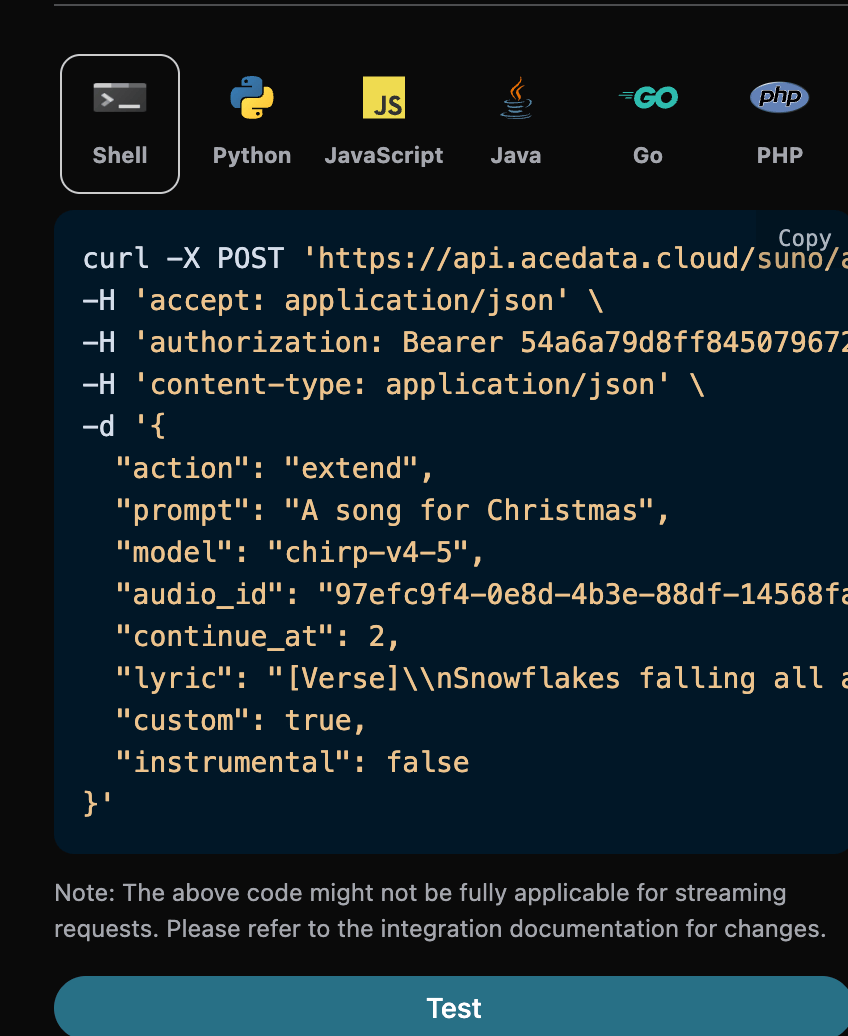
continue_at is 2 seconds, so only the first 2 seconds belong to the original content before the continuation boundary. When actually continuing near the end of a song, this value should be set to the second at which continuation is expected to begin, and only the new section to be sung after the boundary should be provided in lyric.
The corresponding Python code:
lyric in the result returns the lyrics text used for this continuation task. This field is not a verbatim transcription of the complete finished audio; for extend, the source audio before continue_at still uses the original lyrics, and the new lyrics are used only to guide the continuation segment.
Get the Complete Song
The current model’sextend result usually already includes the source audio before continue_at and the new content after the boundary. Please first determine whether it is already a complete song based on the actual duration and content of the returned audio. If what is returned is an independent continuation segment, or if multiple continuation histories need to be explicitly merged into one song, then use the concatenation feature:
- action: the value is
concat. - audio_id: the ID of the last continuation segment.
Music Cover
After continuing to generate a song based on the original song, the style of the returned song may not be quite suitable. If you want to create a cover version of a previously generated song (custom uploaded music is also supported), you need to use the music cover method, and you can specify the following content:- action: The value is
cover; when performing a cover operation on custom uploaded music, the value must be specified as:upload_cover. - audio_id: The ID of the previously generated song.
Replace Section
When a secondary creation requires separately replacing a song section after generating a song, you can perform a replacement operation on a certain section of the song.⚠️ Note:The parameter descriptions are as follows:replace_section_result_modedefaults tofull_song: the system will respectively concatenate 2 newly generated candidates and return 2 complete songs. If only the un-concatenated replacement section candidates are needed, please explicitly set it tocandidates, then select a candidate to call Music Concatenation.
- action: The value is
replace_section. - audio_id: The ID of the original song (the source song being replaced).
- model: The song generation model.
- lyric: The complete lyrics after replacement (including the replaced section and its context, consistent with the content in
prompt). - prompt: The new lyrics for the section that needs to be replaced.
- style: The style of the song, optional.
- replace_section_start: The start time of the replaced section in the original song (seconds).
- replace_section_end: The end time of the replaced section in the original song (seconds).
- replace_section_result_mode: The return mode, defaulting to
full_song.full_songrespectively concatenates 2 candidates and returns 2 complete songs;candidatesreturns 2 un-concatenated candidate sections.
Step 1: Initiate a Replace Section Task
For example, if the ID of the originally generated song is: 18db7ed0-2b8a-41db-91c1-b0781dcca0d4 (duration 94.12 seconds), and you want to replace the chorus from the 30th second to the 60th second with new lyrics, then you can set the parameters as follows:replace_section_result_mode is set to candidates, 2 unstitched replacement segments are returned, with a structure consistent with the example below:
candidates mode, the durations of the two returned audio files (45.16 seconds and 33.8 seconds) are much shorter than the original song (94.12 seconds). They are replacement segments containing a small amount of context, and are not complete songs. You can select a satisfactory candidate and continue stitching it manually. The default full_song mode completes two stitching operations and directly returns 2 complete songs.
Directly return complete songs
If you want to directly obtain complete songs, you can setreplace_section_result_mode to full_song in step one. The API will stitch the two candidates separately and return 2 complete songs; in this case, there is no need to call concat again.
Step Two: Stitch the replacement segment back into the original song
For the selected segment above (for example,364f9d8b-ca25-463b-9a5e-d0b7139e2d6a), initiate a concat task according to the method in the Music Stitching section:
duration has been restored to the full song length (105.28 seconds, approximately equal to the original song length), and the audio_url points to the entire song after the replacement is completed. This completes the secondary creation process of “generation → segment replacement → full song stitching”.
Vocal and Instrumental Separation
When secondary creation requires separate operations on the accompaniment and vocals after generating a song, pure instrumental accompaniment and a cappella vocals can be separated. The following content can be specified:- action: The value is
stems. - audio_id: The ID of the previously generated song.
Full-Track Vocal and Instrumental Separation
When full-track vocal and instrumental separation is required after generating a song, the following content can be specified:- action: The value is
all_stems. - audio_id: The ID of the previously generated song.
Add Stem
add_stem generates a target instrument or vocal track for the specified audio, called via POST /suno/audios.
- Required:
action,audio_id,stem_type. - Optional:
model,prompt,title,style,negative_tags,weirdness,style_influence,audio_weight,max_mode,variety. - Billing: 0.672 Credits in normal mode; 1.344 Credits when
max_modeistrue.
Extract Stem
extract_stem extracts the target track from the specified audio and returns the complementary version with that track removed, called via POST /suno/audios.
- Required:
action,audio_id,stem_type. - Optional:
audio_format; the current public dual-channel contract supports onlymp3. - Billing: 1.12 Credits.
data in the final-state response retains a flat audio list, while stem_sets indicates the correspondence between the target track and the complementary track:
Generate Sound Effects
sounds generates one-shot or loopable sound effects based on text descriptions, called via POST /suno/audios.
- Required:
action,sound,sound_type. - Optional:
model,bpm,key,audio_format;audio_formatcurrently supports onlymp3. sound_type:one-shotorloop.- Billing: 0.112 Credits.
Adjust Audio Speed
adjust_speed adjusts the playback speed of the specified audio, called through POST /suno/audios.
- Required:
action,audio_id,speed_multiplier,title. - Optional:
keep_pitch. speed_multiplier: range 0.25–4.- Billing: 0.28 Credits.
Advanced Parameters for Custom Generation
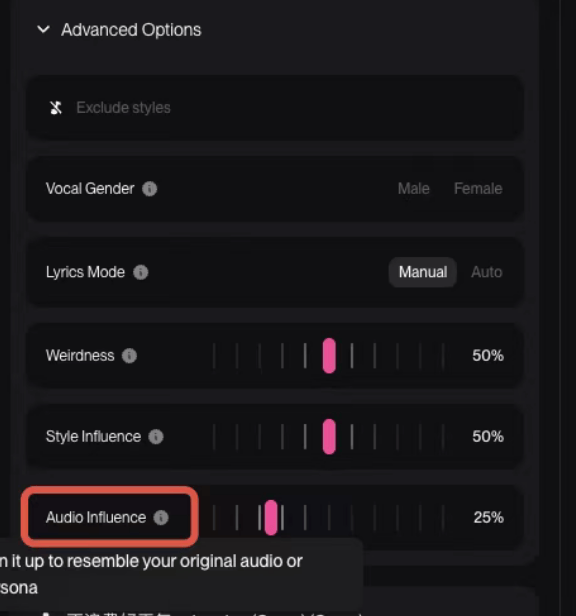
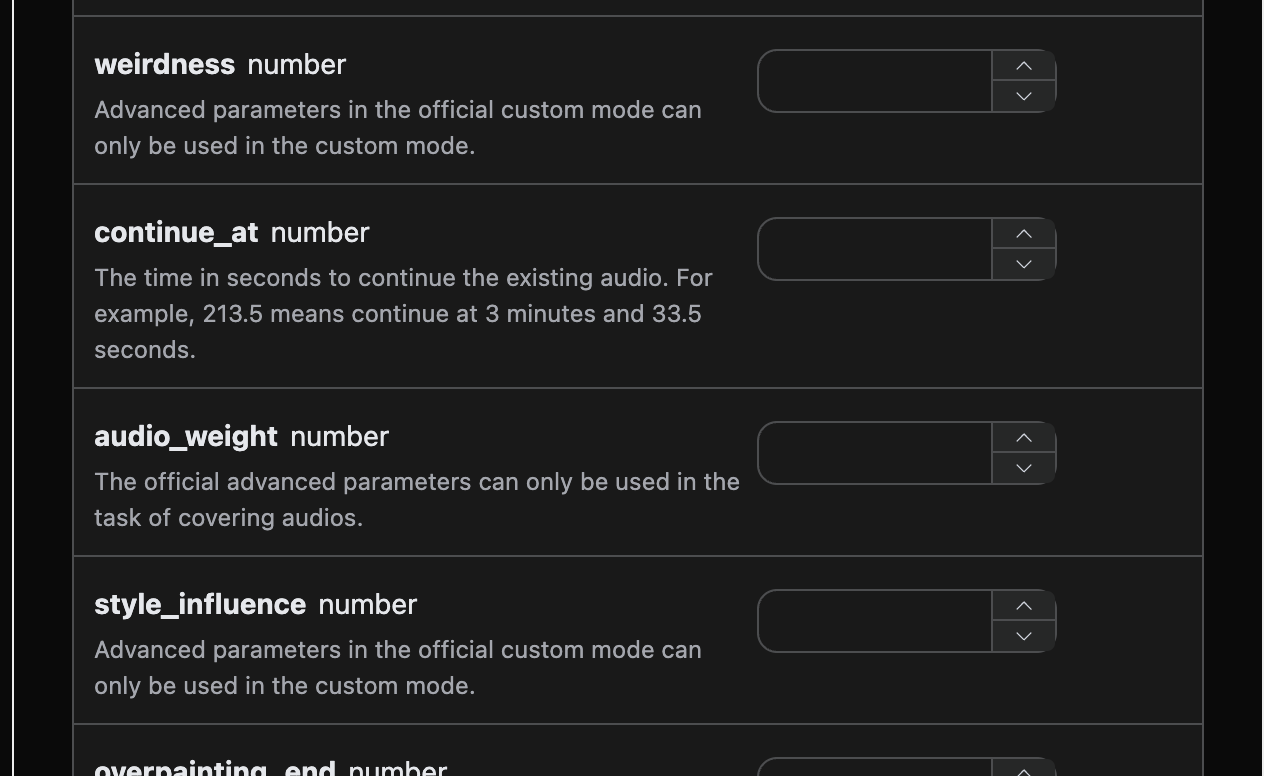
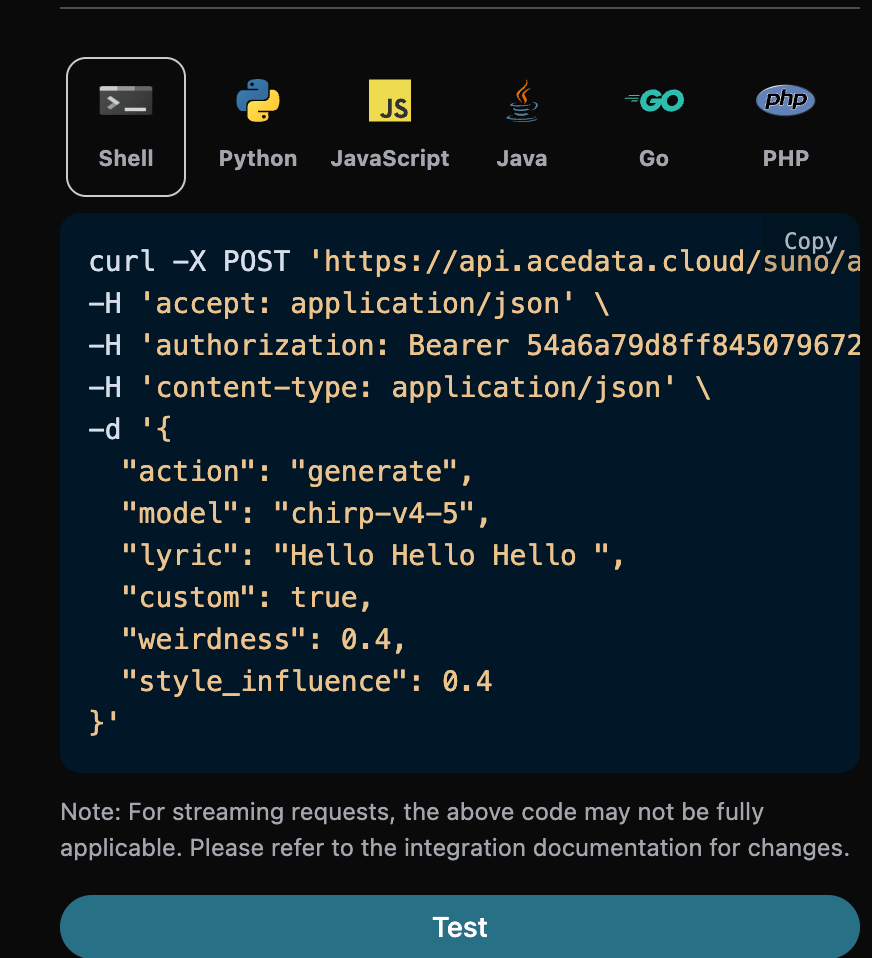
The official platform allows the use of advanced parametersweirdness==>Weirdness, style_influence==>Style Influence, and audio_weight==>Audio Influence for generation in custom mode, corresponding to the following official examples:
Control Song Duration
By default, the duration of the generated song is determined by the model itself, usually between 30 seconds and 4 minutes. If a longer or shorter finished product is needed, the desired duration can be specified through theduration parameter, in seconds, with an integer value between 10 and 360.
This parameter is used for song generation in custom mode (custom is true). It should be particularly noted that duration is a tendency prompt, not a hard constraint: the model will refer to this value when creating, but does not guarantee reaching it. In actual testing, the actual duration is usually significantly shorter than the expected value, and the durations of the two songs returned by the same request may also differ by several times. Even for completely identical requests, the durations obtained from multiple submissions may also vary greatly. Therefore, do not use it as precise duration control; if a fixed duration is required for business purposes, please trim it yourself or retry after obtaining the finished product.
Corresponding Python code:
duration in the request is the desired duration, while the duration field of each song in the response data is the actual duration of that song. They have the same name but different meanings; the actual duration is not guaranteed to equal the desired value. Lyric length is one of the main factors affecting the duration of the final product. If a longer final product is needed, it is recommended to provide more complete lyrics at the same time.
The API validates that duration must be an integer between 10 and 360; it is still only a generation target, not a guarantee of the final product length.
Add Insterumental Feature
In August 2025, Suno introduced the Add Insterumental feature. First, you need to upload a song with a cappella vocals and no backing track, and let Suno add accompaniment for you. First, you can go to Suno Upload API to upload a song with a cappella vocals and no backing track. The corresponding operation is shown in the figure below: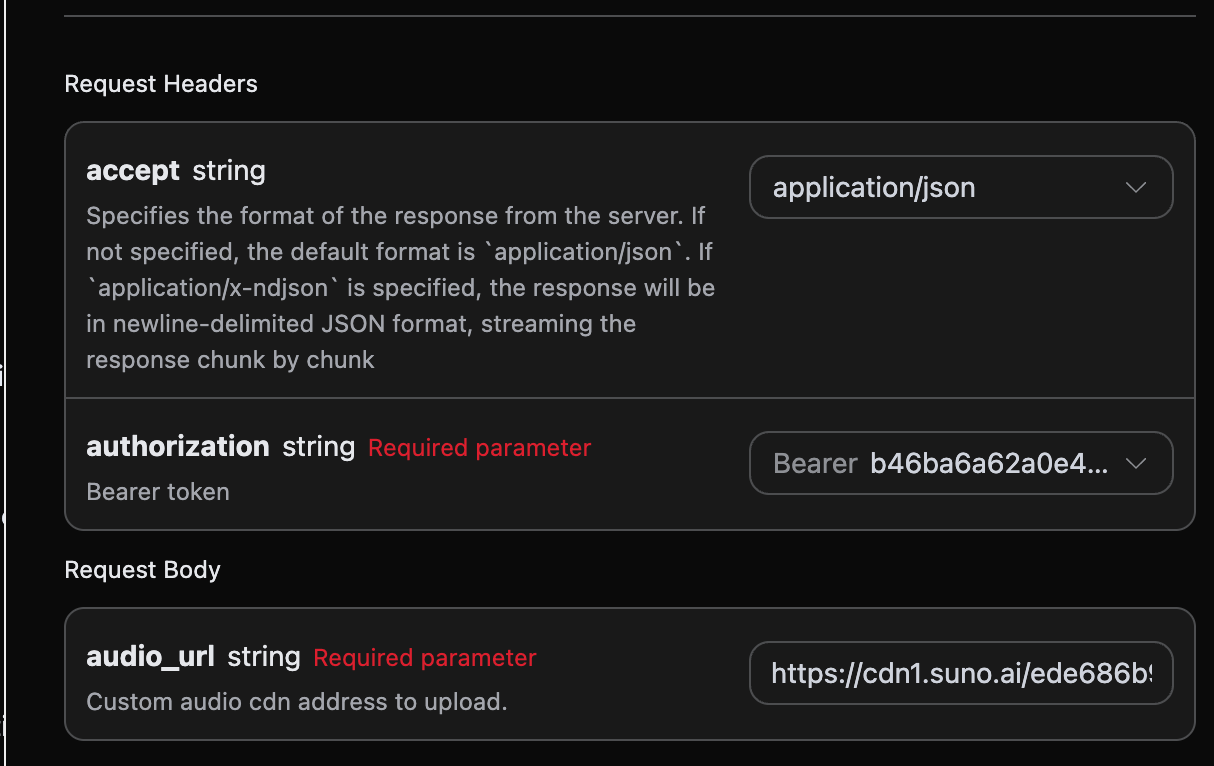
audio_id after uploading. The specific result is shown in the figure below:
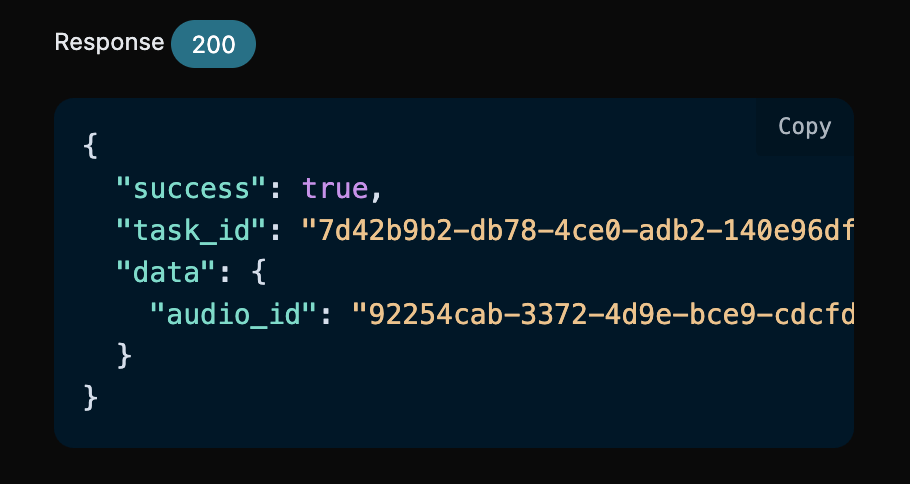
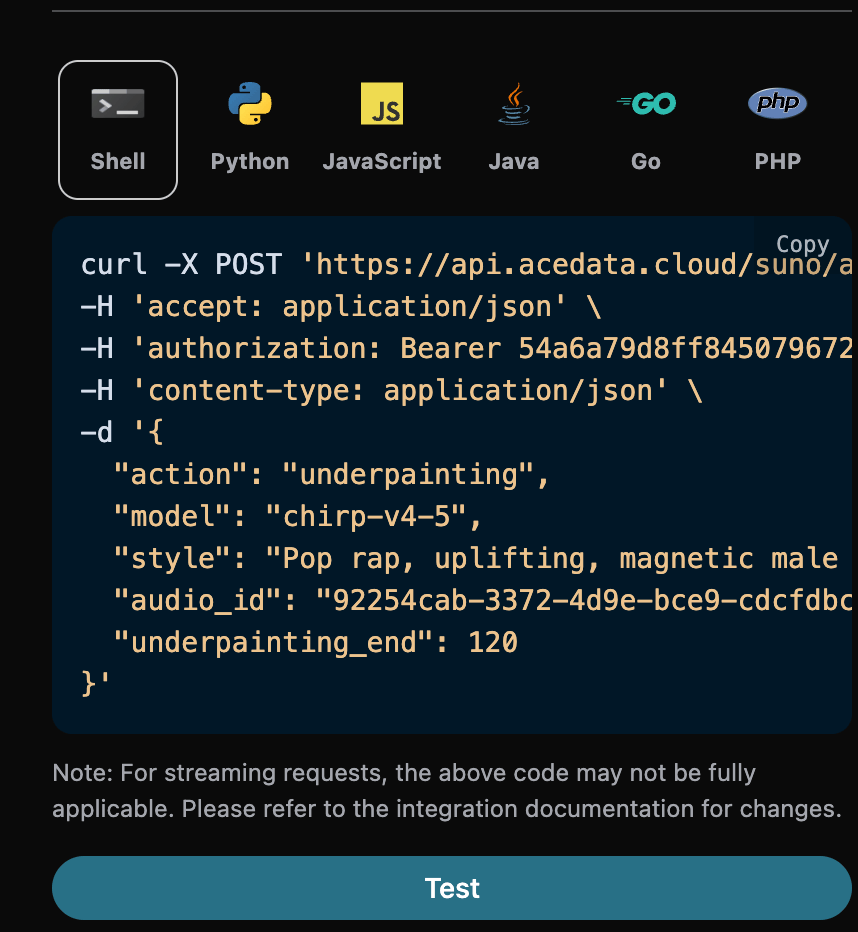
audio_id was obtained: 92254cab-3372-4d9e-bce9-cdcfdbc39070, and then we also need to fill in the following parameters:
- action: The value is
underpainting. - underpainting_start: The start time for adding accompaniment to the uploaded song. The default value is 0.
- underpainting_end: The end time for adding accompaniment to the uploaded song. It must be less than the total duration of the song.
- audio_id: The ID of the uploaded song with a cappella vocals and no backing track.
- style: The style of the accompaniment. It is best not to use lyrics since it is for accompaniment.
Add Vocals Feature
In August 2025, Suno introduced the Add Vocals feature. First, you need to upload a piece of instrumental music and let Suno write lyrics and generate vocal singing. First, you can go to Suno Upload API to upload a song with a cappella vocals and no backing track. The corresponding operation is shown in the figure below:
audio_id after uploading. The specific result is shown in the figure below:
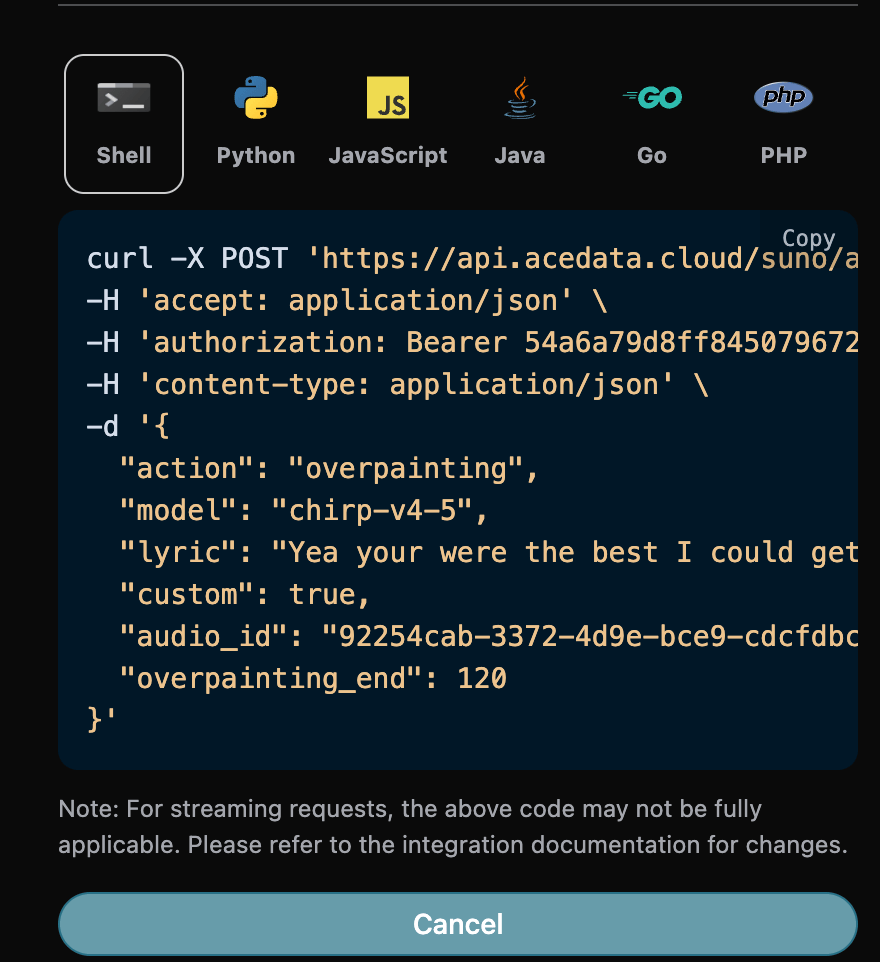
audio_id was obtained: 92254cab-3372-4d9e-bce9-cdcfdbc39070, and then we also need to fill in the following parameters:
- action: The value is
overpainting. - overpainting_start: The start time for adding vocals to the uploaded song. The default value is 0.
- overpainting_end: The end time for adding vocals to the uploaded song. It must be less than the total duration of the song.
- audio_id: The ID of the uploaded song with a cappella vocals and no backing track.
- custom: Custom mode must be used to enter lyrics in this mode.
- lyric: The lyrics entered in custom mode.
- style: The style of the accompaniment.
Remaster Feature
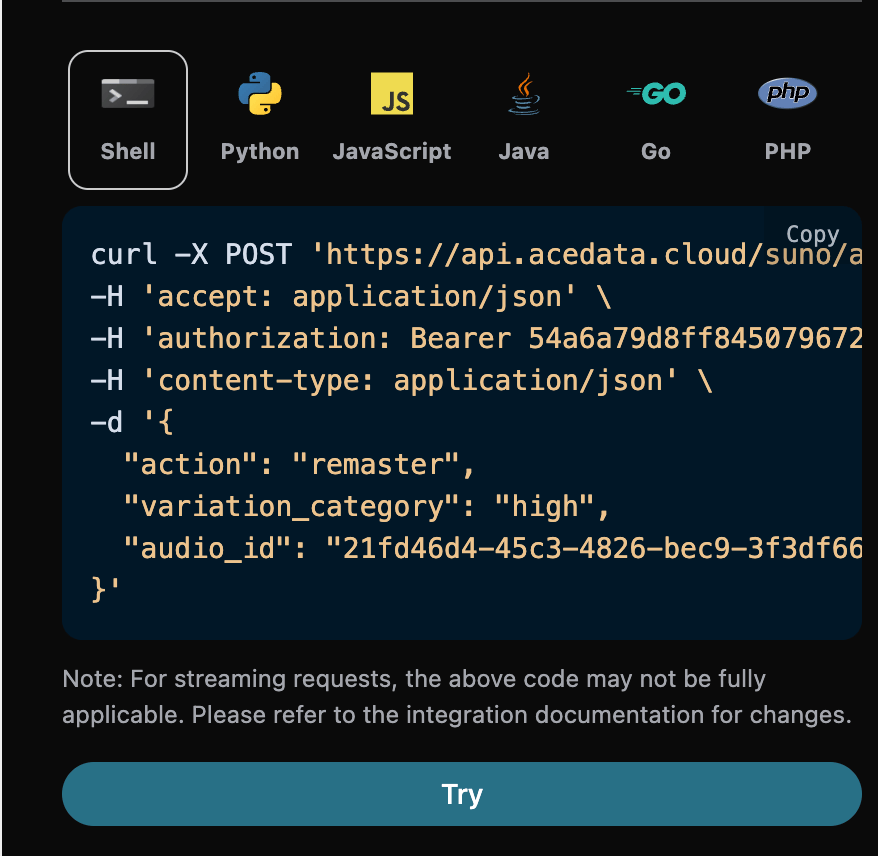
In December 2025, Suno introduced the Remaster feature. This feature can regenerate songs and cannot be used across accounts. Then we also need to fill in the following parameters:- action: The content is
remaster. - audio_id: The ID of the song that needs to be regenerated.
- model: Only supports v4.5+ and v5.
- variation_category: Only supported in v5 and above, and has only 3 values: high, normal, subtle.
Mashup Song Generation Feature
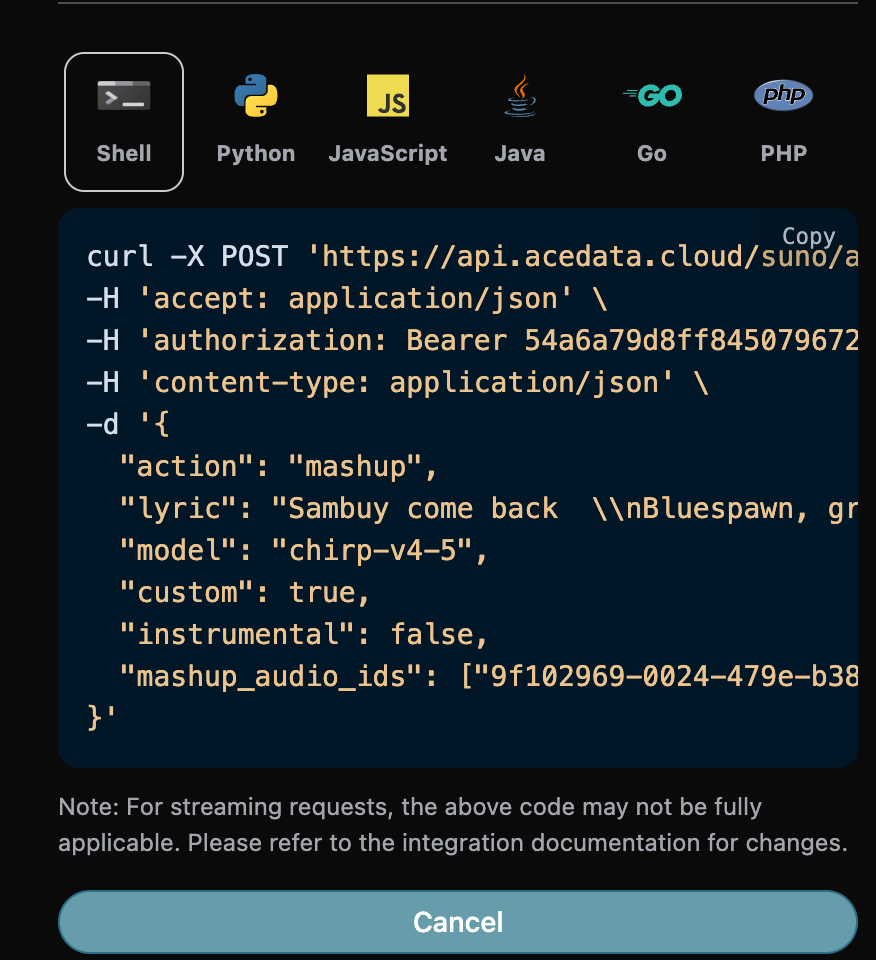
In December 2025, Suno introduced the Mashup feature. This feature can generate a song based on two reference songs. Then we also need to fill in the following parameters:- action: The content is
mashup. - mashup_audio_ids: The IDs of the two reference songs. After completing the form, the code is automatically generated as follows:
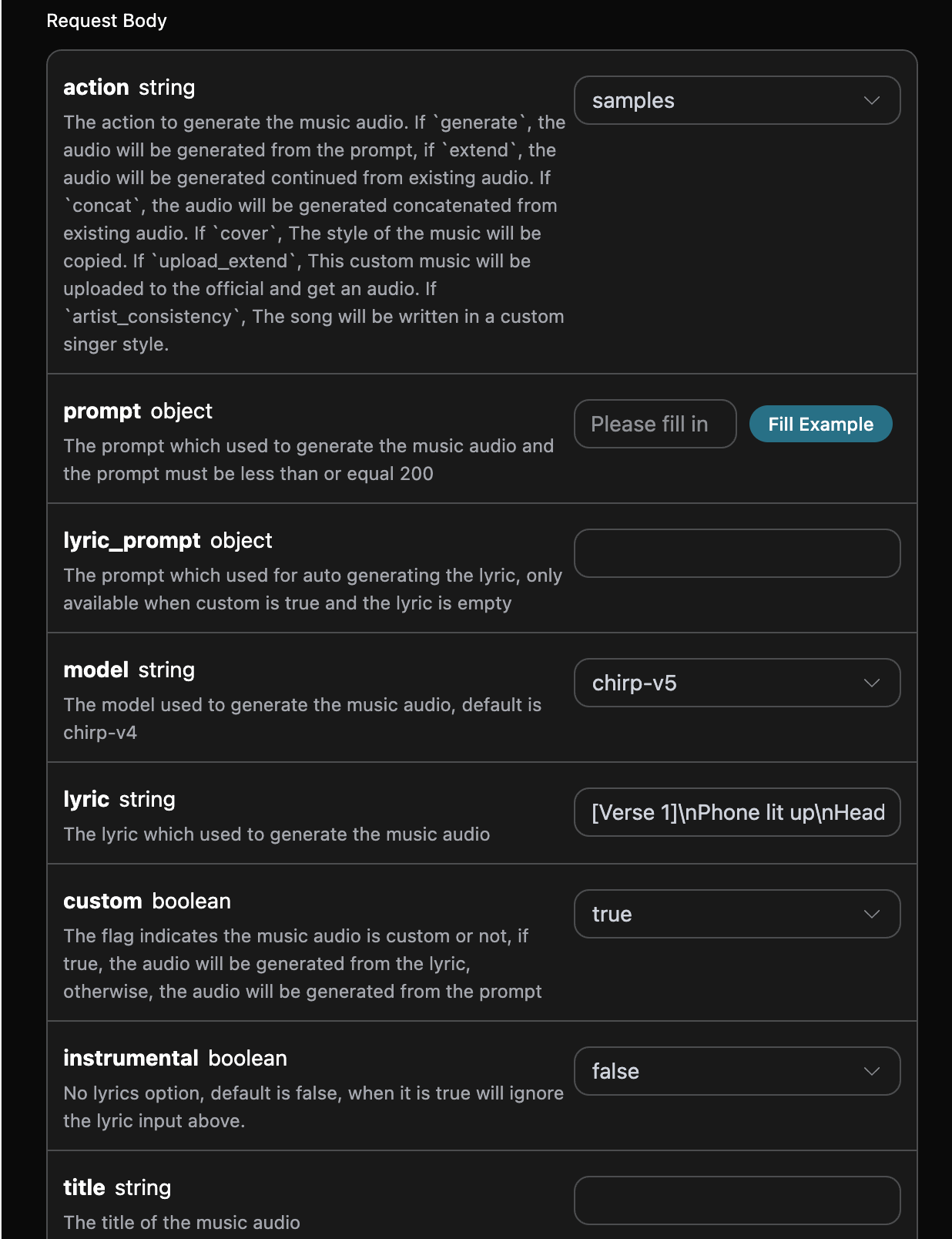
Samples Sampled Song Generation
Thesamples here refers to sampling a segment from a single audio track: selecting the start and end times from an existing audio track, and using that segment as sampling material for creation. It differs from the Inspo inspirational creation feature below, which uses 1 to 4 complete reference audio tracks. The following parameters need to be filled in:
- action: The value is
samples. - samples_start: Sampling start time.
- samples_end: Sampling end time.
- audio_id: The ID of the reference song to be sampled.
Inspo Inspiration Creation Feature
The Inspo inspiration creation feature can generate new music based on 1 to 4 complete reference audio clips, supporting dragging or uploading audio as an inspiration source. The API uses the existinginspo action: the client provides publicly accessible audio URLs, and the service automatically completes reference audio preparation and creation, without requiring the client to separately read lyrics, style, or duration before assembling the request. It differs from the segment sampling above, and also differs from Cover, which replicates the style of the original song. The following parameters need to be filled in when using it:
- action: The content is
inspo. - audio_urls: A list of URLs for reference audio, with 1 to 4 publicly accessible audio addresses required.
- model: The model to use;
chirp-v6is recommended. - prompt: Lyrics or a creation prompt (optional).
Note: The reference audio must be a publicly accessible audio file. If the reference audio exactly matches a known recording in the platform’s music library, Suno may reject generation due to copyright verification. It is recommended to use your own audio or audio generated by Suno as the inspiration source.Corresponding Python code:
chirp-v5 at the time, while the current request example recommends chirp-v6. The returned structure is the same:
Asynchronous Callback
Since Suno takes a relatively long time to generate music, approximately 1–2 minutes, if the API does not respond for a long time, the HTTP request will keep the connection open, resulting in additional system resource consumption. Therefore, this API also provides support for asynchronous callbacks. The overall process is: when the client initiates a request, it additionally specifies acallback_url field. After the client initiates the API request, the API will immediately return a result containing a task_id field, representing the current task ID. After the task is completed, the result of the generated music will be sent in POST JSON format to the callback_url specified by the client, which also includes the task_id field, so that task results can be associated through the ID.
Next, let us understand the specific operation through an example.
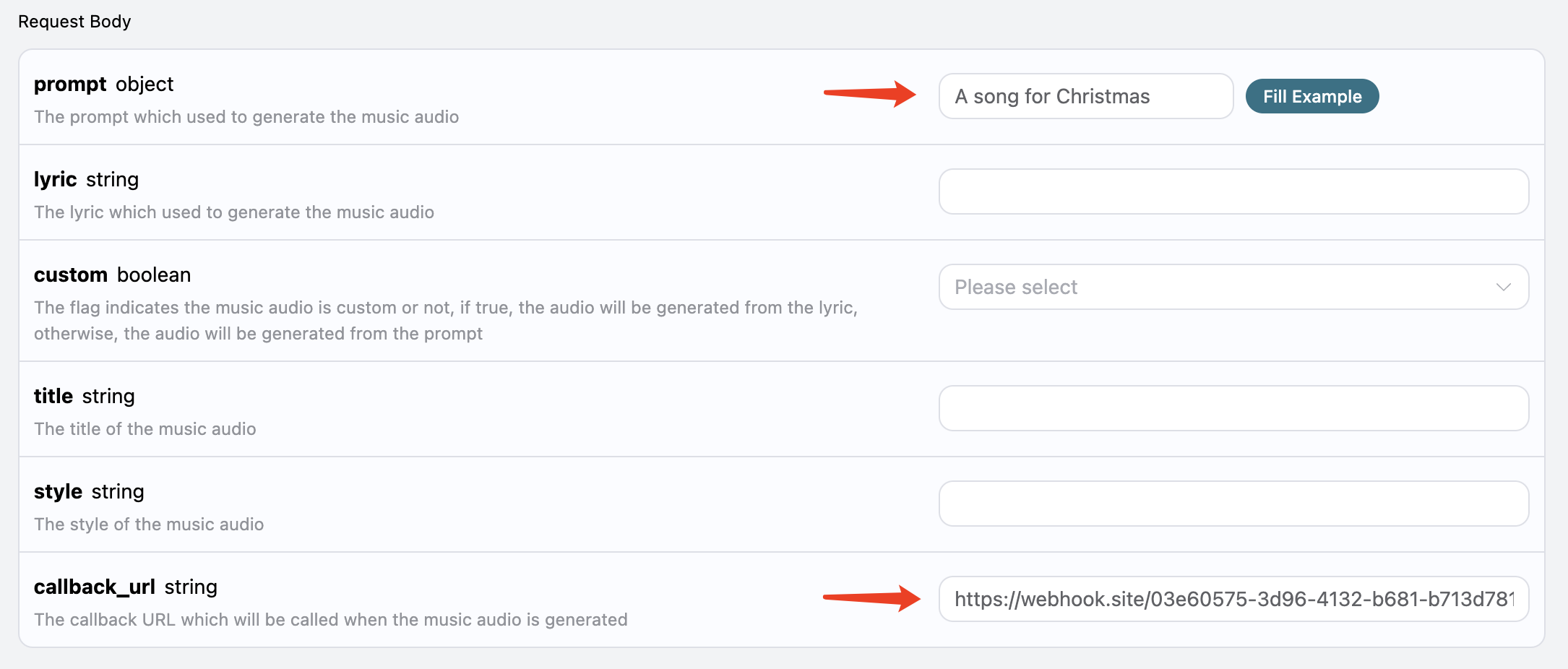
First, a Webhook callback is a service that can receive HTTP requests. Developers should replace it with the URL of their own HTTP server. For convenience of demonstration, a public Webhook example website https://webhook.site/ is used here. Opening this website will provide a Webhook URL, as shown in the image:
 Copy this URL, and it can be used as a Webhook. The example here is https://webhook.site/03e60575-3d96-4132-b681-b713d78116e2.
Next, we can set the field
Copy this URL, and it can be used as a Webhook. The example here is https://webhook.site/03e60575-3d96-4132-b681-b713d78116e2.
Next, we can set the field callback_url to the Webhook URL above, and fill in prompt at the same time, as shown in the image:
 Click Run, and you can see that a result is returned immediately, as follows:
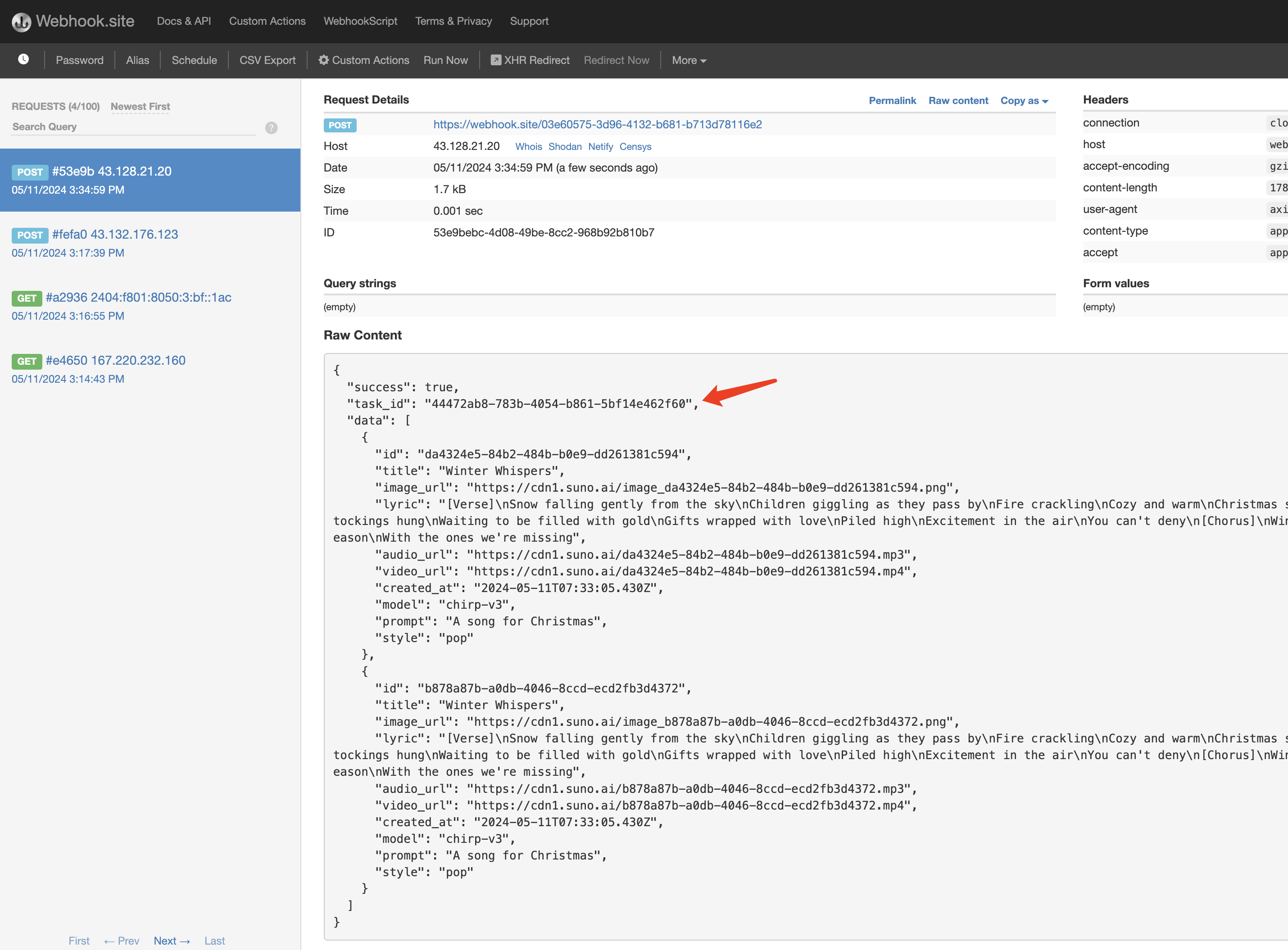 The content is as follows:
task_id field in the result, and all other fields are similar to those above. Task association can be achieved through this field.
Of course, we can also obtain the result through streaming calls. We only need to set the value of accept in the request header to application/x-ndjson. Below, an example input is used as a demonstration:
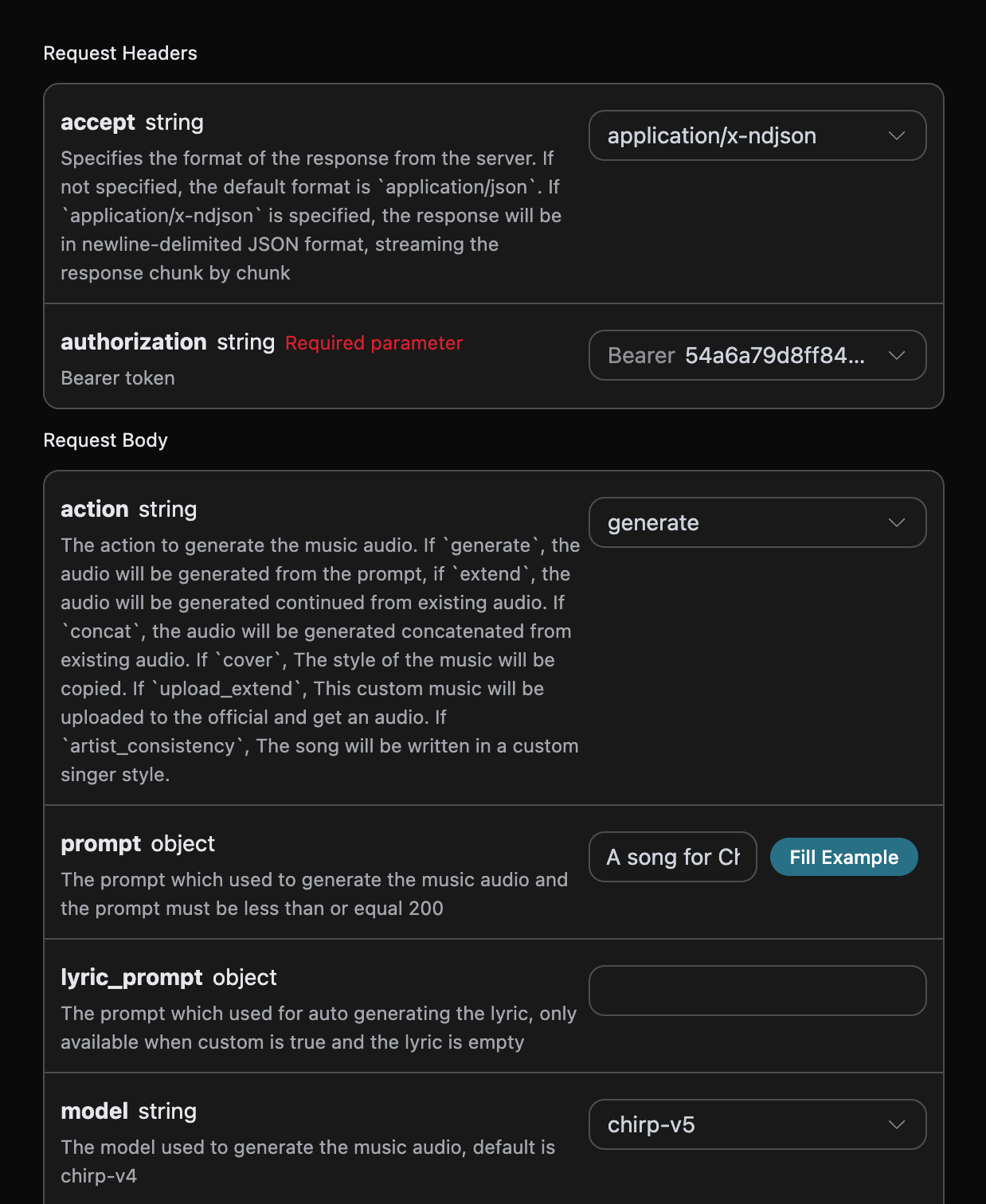
task_id; above, only the first and final two actual responses are retained, with repeated intermediate updates omitted.
Error Handling
If an error occurs, you will receive an error message similar to the following:error.code, and error.message:
Note: Quotas and error messages may vary across different upstream accounts. Usually,chirp-v3-5/chirp-v4have lowerstylelimits (200), whilechirp-v4-5and above usually support up to 1000; when an older upstream is used, compatibility messages such asTags too long.orstyle must be less than or equal 120may appear. | Status Code |error.code|error.message| | ----------- | ------------- | --------------------------------------------------------------- | | 400 |bad_request|The song id does not exist or has been taken offline.| | 400 |bad_request|Prompt too long.| | 400 |bad_request|Tags too long.| | 400 |bad_request|Uploaded audio matches existing work of art.| | 400 |bad_request|instrumental must be a boolean| | 400 |bad_request|Title too long.| | 400 |bad_request|Topic too long.| | 400 |bad_request|style must be less than or equal 120| | 400 |bad_request|custom must be a boolean| | 400 |bad_request|audio_id is required when extend audio| | 400 |bad_request|continue_at is required when extend audio| | 400 |bad_request|continue_at must be a number greater than 0| | 400 |bad_request|lyric is required when extend audio and instrumental is false| | 400 |bad_request|prompt is required when generate audio| | 400 |bad_request|lyric is required when generate custom audio| | 403 |forbidden|Prompt likely malformed| | 403 |forbidden|Prompt likely copyrighted| | 403 |forbidden|Prompt contained inappropriate material| | 403 |forbidden|Song Description flagged for moderation| | 403 |forbidden|Song Description contained artist name| | 403 |forbidden|Tags contained artist name| | 403 |forbidden|Lyrics contained copyrighted material| | 403 |forbidden|Song Description contained producer tag| | 403 |forbidden|Generic openAI error| | 403 |forbidden|Prompt flagged for moderation| | 500 |api_error|Unable to generate lyrics from song description| | 500 |api_error|job failed with unknown error| | 500 |api_error|no available worker in system| | 500 |api_error|service under maintenance, generation paused| | 504 |timeout|timeout while waiting for audio generation|