

kimi-k3 is aimed at long-range programming, agents, complex reasoning, and knowledge work, and can be called via the OpenAI-compatible Chat Completions API.
This document mainly describes the usage process of the Kimi Chat Completion API, allowing us to easily utilize the official Kimi dialogue features.
Application Process
To use the Kimi Chat Completion API, first go to the Ace Data Cloud Console to obtain your API Token for future use. If you are not logged in or registered, you will be automatically redirected to the login page to invite you to register and log in, and will return to the current page automatically after completion.
One API Token can call all services on the platform without needing to apply separately for each service. The first application will grant a free quota for a trial experience; when the quota is insufficient, you can recharge the general balance in the console.
If you are not logged in or registered, you will be automatically redirected to the login page to invite you to register and log in, and will return to the current page automatically after completion.
One API Token can call all services on the platform without needing to apply separately for each service. The first application will grant a free quota for a trial experience; when the quota is insufficient, you can recharge the general balance in the console.
📘 Complete Documentation: Kimi Chat Completion API →
Basic Usage
Next, you can fill in the corresponding content on the interface, as shown in the figure: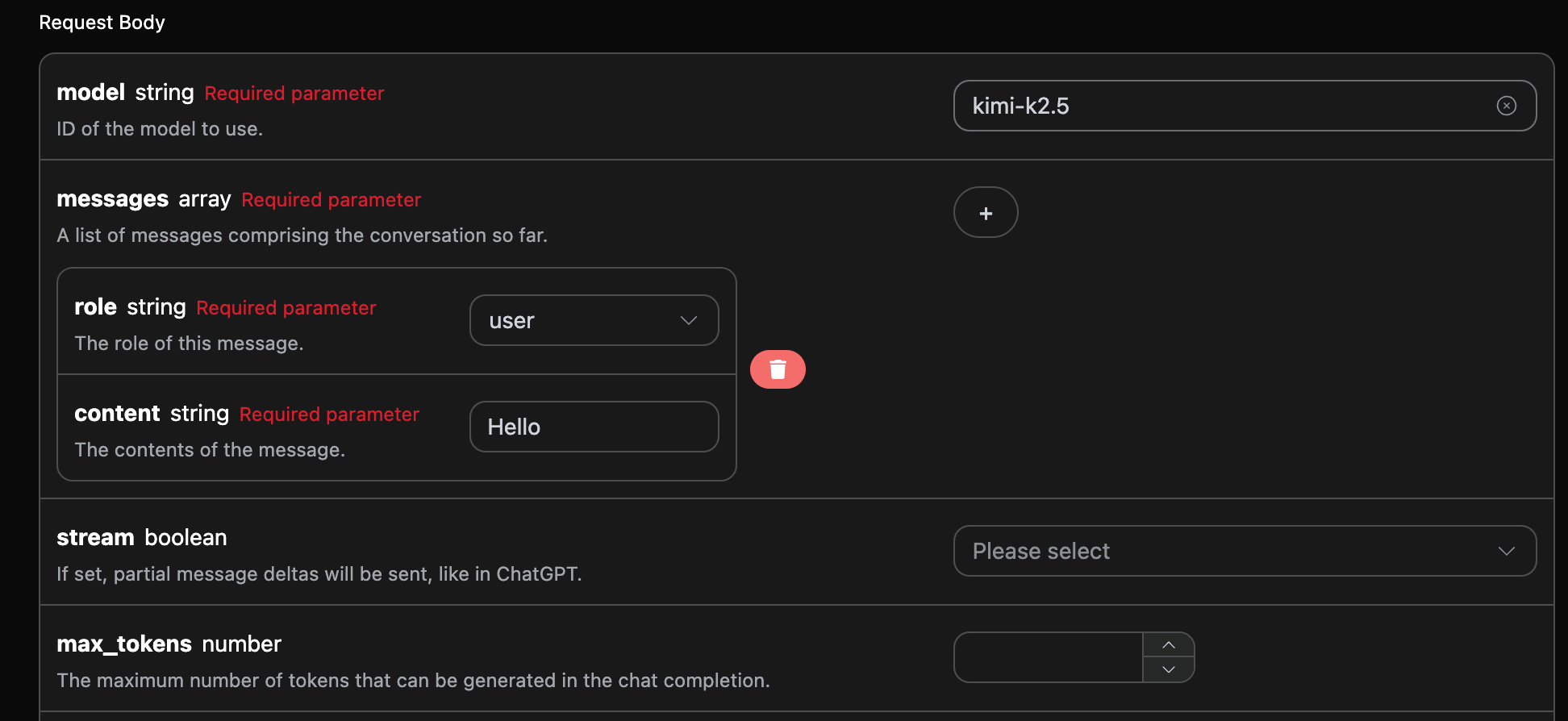
authorization can be selected directly from the dropdown list; model is used to select the Kimi model, and it is recommended to use kimi-k3; messages is an array of dialogue messages, each message contains role and content, where role supports user, assistant, system, and tool.
You can also notice that there is corresponding code generation on the right side, which you can copy to run directly, or you can click the “Try” button for testing.
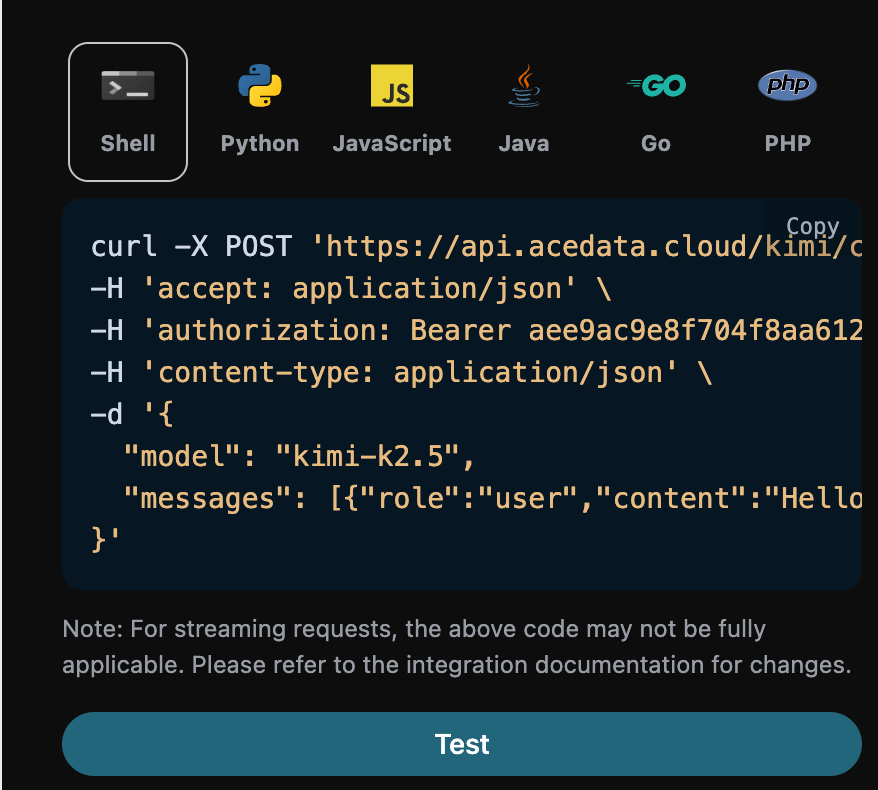
reasoning_effort: max (omitting unused extended fields):
id, the ID generated for this dialogue task, used to uniquely identify this dialogue task.model, the selected Kimi official model.choices, the response information provided by Kimi for the query.usage: statistical information regarding the tokens for this Q&A pair.
choices contains Kimi’s response information, and the choices inside it provides the specific information of Kimi’s response, as shown in the figure.
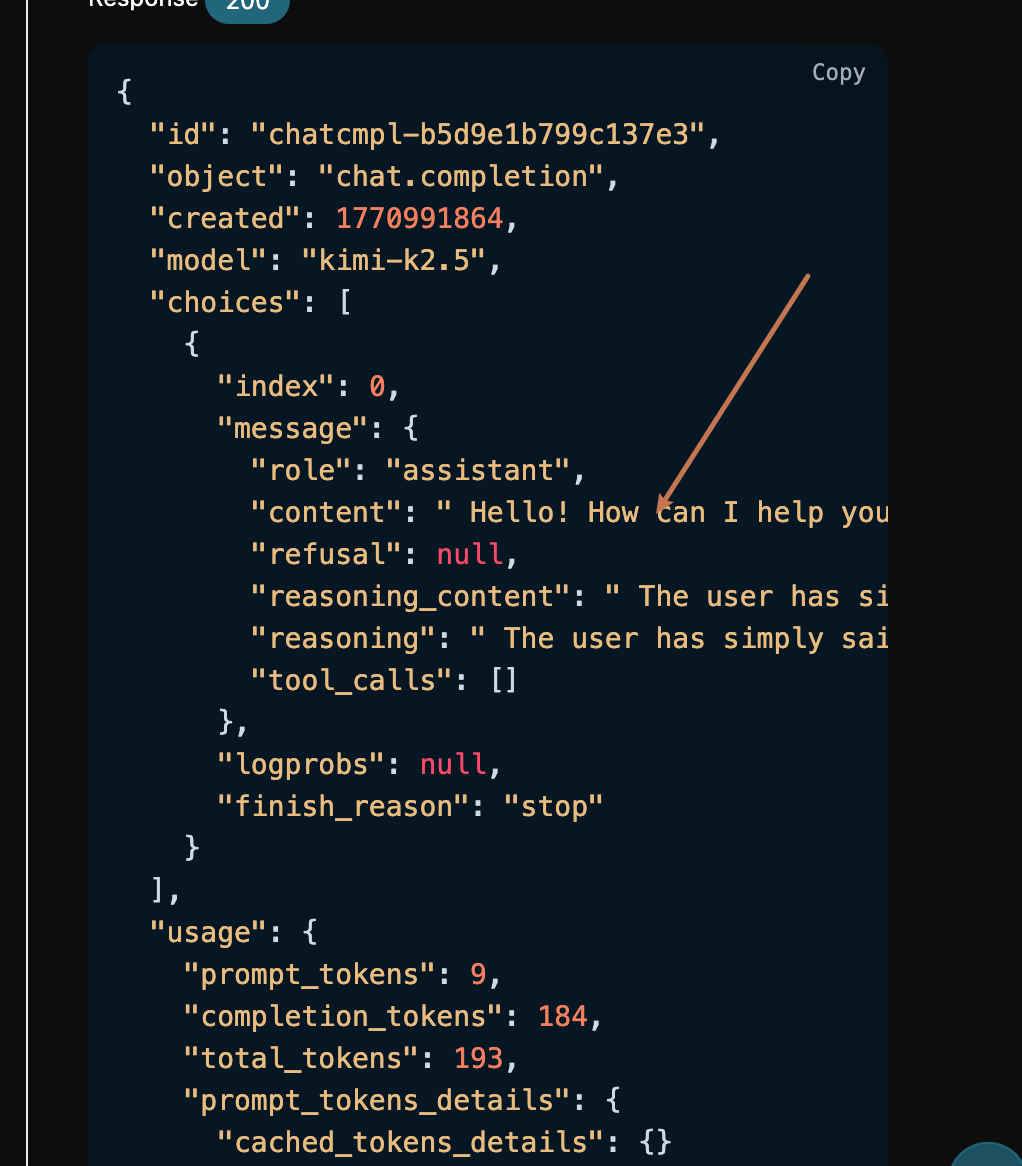
content field inside choices contains the specific content of Kimi’s reply; K3 may also return reasoning_content, which indicates the reasoning process.
K3 Reasoning Intensity
kimi-k3 always enables reasoning. The top-level request body supports the reasoning_effort field, with the currently supported value being max; omitting this field will also use max. standard, high, or other strings may be partially accepted by upstream compatibility but do not guarantee a change in reasoning behavior, so do not rely on them.
messages, including reasoning_content and tool_calls.
Official References
- Thinking Effort: Explains that Kimi K3 always enables reasoning, and the currently supported value for
reasoning_effortismax. - Model Parameter Reference: Compares the reasoning parameters, context window, and tool call differences between K3 and K2 series.
- Create Chat Completion: Official Moonshot Chat Completions request, response, and OpenAPI field definitions.
Streaming Response
This interface also supports streaming responses, which is very useful for web integration, allowing the webpage to achieve a word-by-word display effect. If you want to return responses in a streaming manner, you can change thestream parameter in the request header to true.
Modify as shown in the figure, but the calling code needs to have corresponding changes to support streaming responses.
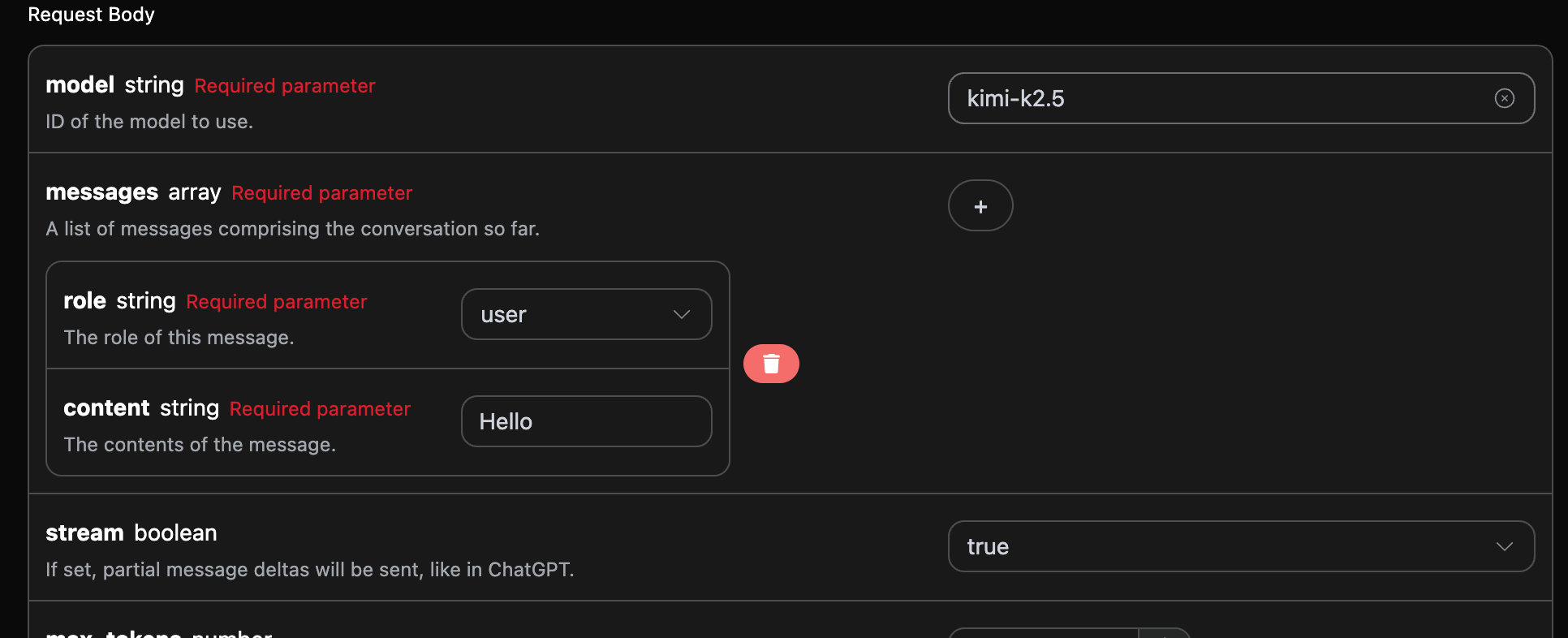
stream to true, the API will return the corresponding JSON data line by line, and we need to make corresponding modifications at the code level to obtain the line-by-line results.
Python sample calling code:
data in the response, and the choices in data are the latest response content, consistent with the content introduced above. choices is the newly added response content, and you can integrate it into your system based on the results. The end of the streaming response is determined by the content of data. If the content is [DONE], it indicates that the streaming response has completely ended. The returned data result has multiple fields, described as follows:
id, the ID generated for this dialogue task, used to uniquely identify this dialogue task.model, the selected Kimi official model.choices, the response information provided by Kimi for the query.
Multi-turn Dialogue
If you want to integrate multi-turn dialogue functionality, you need to upload multiple query words in themessages field. The specific examples of multiple query words are shown in the image below:
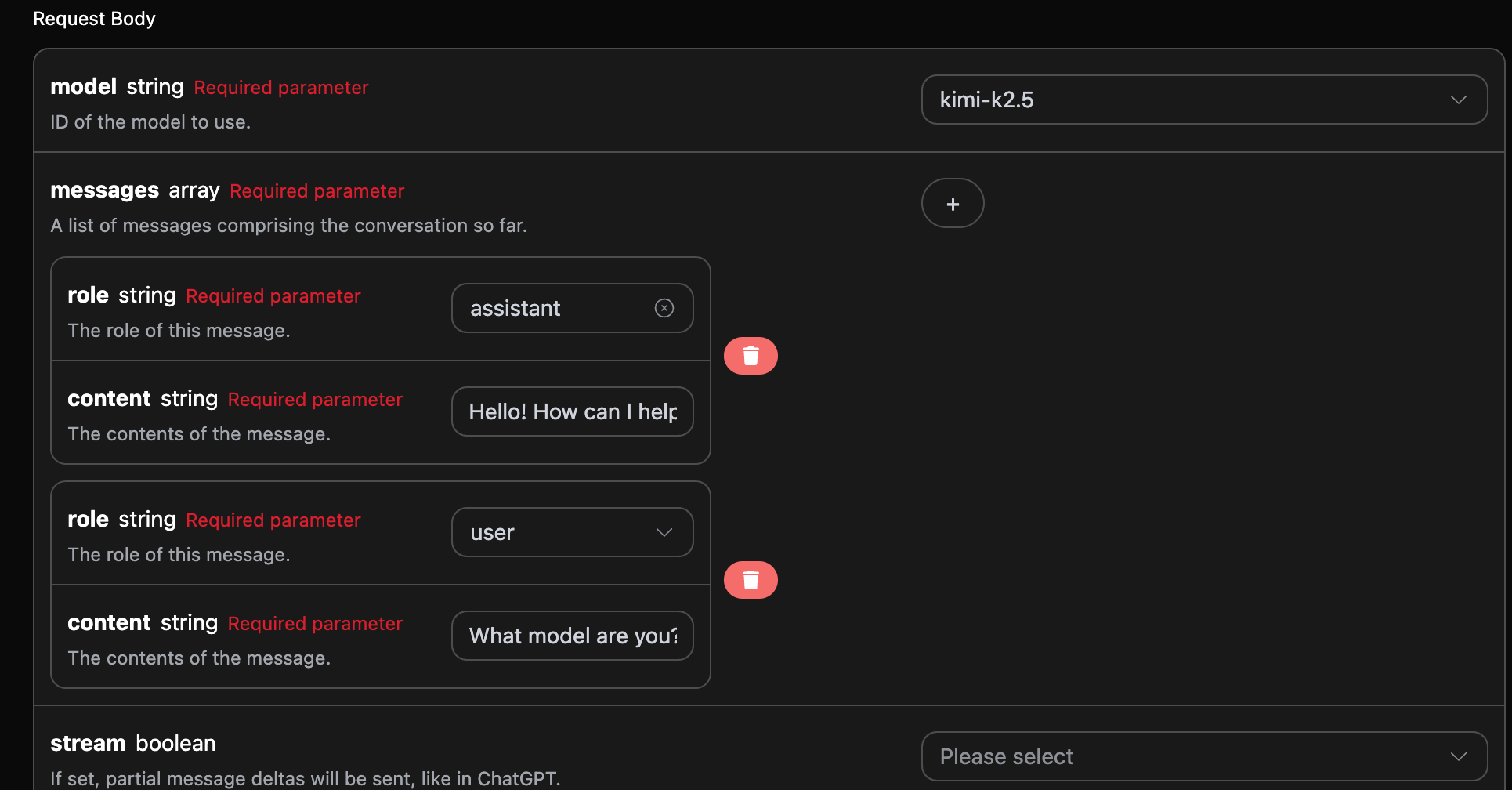
choices is consistent with the basic usage content, which includes Kimi’s specific responses to multiple dialogues, allowing you to answer corresponding questions based on multiple dialogue contents.
Error Handling
When calling the API, if an error occurs, the API will return the corresponding error code and message. For example:400 token_mismatched: Bad request, possibly due to missing or invalid parameters.400 api_not_implemented: Bad request, possibly due to missing or invalid parameters.401 invalid_token: Unauthorized, invalid or missing authorization token.429 too_many_requests: Too many requests, you have exceeded the rate limit.500 api_error: Internal server error, something went wrong on the server.
Error Response Example
Conclusion
Through this document, you have learned how to use the Kimi Chat Completion API to achieve ordinary conversations, streaming responses, multi-turn dialogues, and control the reasoning intensity of K3 throughreasoning_effort.