

ADSL Proxy Introduction
ADSL, which stands for Asymmetric Digital Subscriber Line, is a type of digital subscriber line technology. ADSL connects to the internet via dial-up, requiring an ADSL account and password for each connection, changing the IP address with each dial-up. The IPs are distributed across multiple A segments, and if all IPs are usable, it means the IP pool can reach tens of millions. Compared to ordinary proxies set up in data centers, proxies built on ADSL have two advantages: first, the lines are primarily from mobile, Unicom, and telecom, which are closer to the daily internet lines of residents, thus reducing the probability of IP bans. Second, the larger the IP pool, the smaller the probability of each IP being banned. This proxy service is backed by a large-scale ADSL proxy pool, mainly covering Chinese lines, with lines primarily sourced from dial-up VPS servers of mobile, Unicom, and telecom, covering over 100 cities in China, with approximately 300,000 outbound IPs daily. It supports data requests from almost all websites and apps on the market, with high proxy quality that significantly reduces the risk control probability.Application Method
To use the ADSL service, you can first go to the “Application Page” to apply. The first application comes with a free quota of 1 point, approximately 17.5MB. If you are not logged in, you will be automatically redirected to the login page. After logging in, you can continue with the application.
Once the application is completed, you can check your application results in the “Console,” as shown in the image:
If you are not logged in, you will be automatically redirected to the login page. After logging in, you can continue with the application.
Once the application is completed, you can check your application results in the “Console,” as shown in the image:
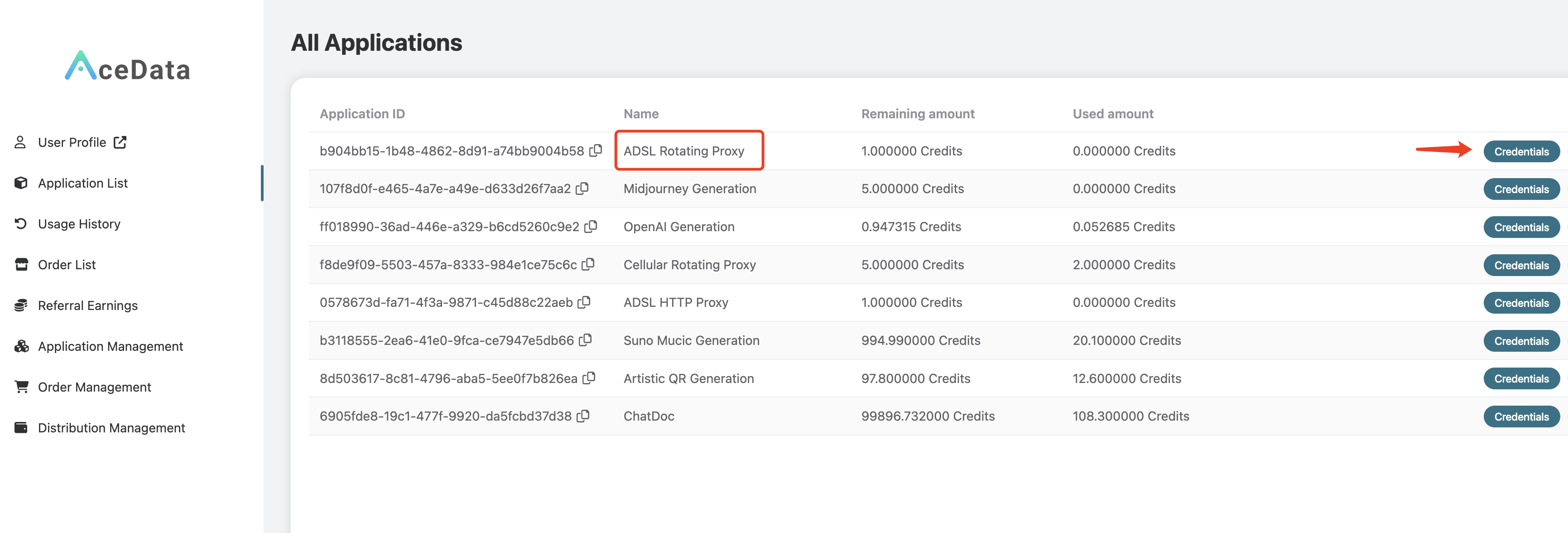 Click on “Credentials” to view the username and password for using the ADSL proxy service, separated by a colon, where the username is 8 characters long and the password is 32 characters long, as shown in the image:
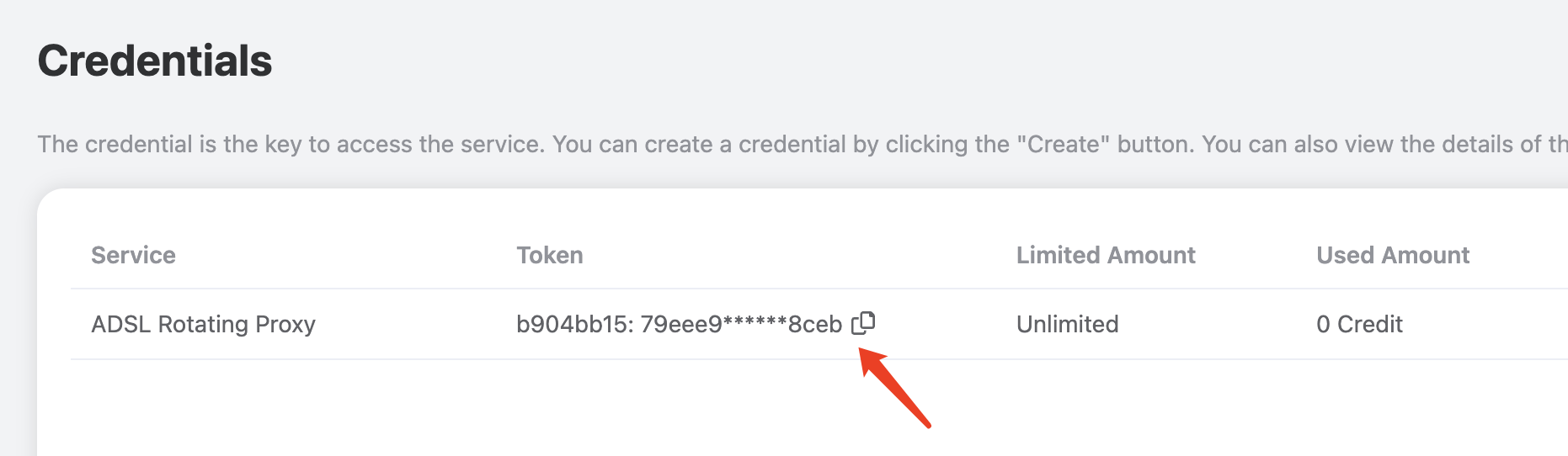 This ADSL proxy is a rotating proxy, so when using it, you only need to set a fixed proxy address and port. The proxy address and port are adsl.proxy.acedata.cloud and 30005, respectively, and it supports HTTP/HTTPS/SOCKS protocols, which can be used to access websites using HTTP and HTTPS protocols.
Command Testing
Once you have the proxy username and password, the easiest way to test is through the curl command line. If you haven’t installed it yet, please refer to https://curl.se/ for installation. If the current proxy username and password are1f78266a:eff0896726224fa2a99fe82dd1f07562, you can test it using the following curl command:
-x parameter to specify the proxy address. The default proxy protocol is HTTP/HTTPS, and the requested URL is https://ipinfo.io, which can return the real IP address and the geographical location of the IP making the request.
The output will be as follows:
Code Integration
Below is an example of how to set up the proxy using Python:@ symbol, and then the proxy address and port.
Next, we declare a proxies variable, configuring two key-value pairs, with the keys being http and https, both pointing to the proxy variable, indicating that for both HTTP and HTTPS websites, requests will be made using the proxy defined in the proxy variable.
Then, we define a loop to test the proxy three times, with the requested URL being https://ipinfo.io, which can return the real IP address and the geographical location of the IP making the request.
The output will be as follows: