

Application Process
To use the Hailuo Videos Generation API, first go to the Ace Data Cloud Console to obtain your API Token for future use. If you are not logged in or registered, you will be automatically redirected to the login page inviting you to register and log in, and after completing this, you will be automatically returned to the current page.
One API Token can call all services on the platform without needing to apply separately for each service. The first application will grant a free quota for a trial experience; when the quota is insufficient, you can recharge the general balance in the console.
If you are not logged in or registered, you will be automatically redirected to the login page inviting you to register and log in, and after completing this, you will be automatically returned to the current page.
One API Token can call all services on the platform without needing to apply separately for each service. The first application will grant a free quota for a trial experience; when the quota is insufficient, you can recharge the general balance in the console.
📘 Complete Documentation: Hailuo Videos Generation API →
Basic Usage
First, understand the basic usage, which involves inputting the promptprompt, the action action, the first frame reference image first_image_url, and the model model to obtain the processed result. You first need to simply pass a field action with the value generate, and then we also need to input the model, which currently mainly includes the image-to-video model minimax-i2v and the text-to-video model minimax-t2v. The specific content is as follows:
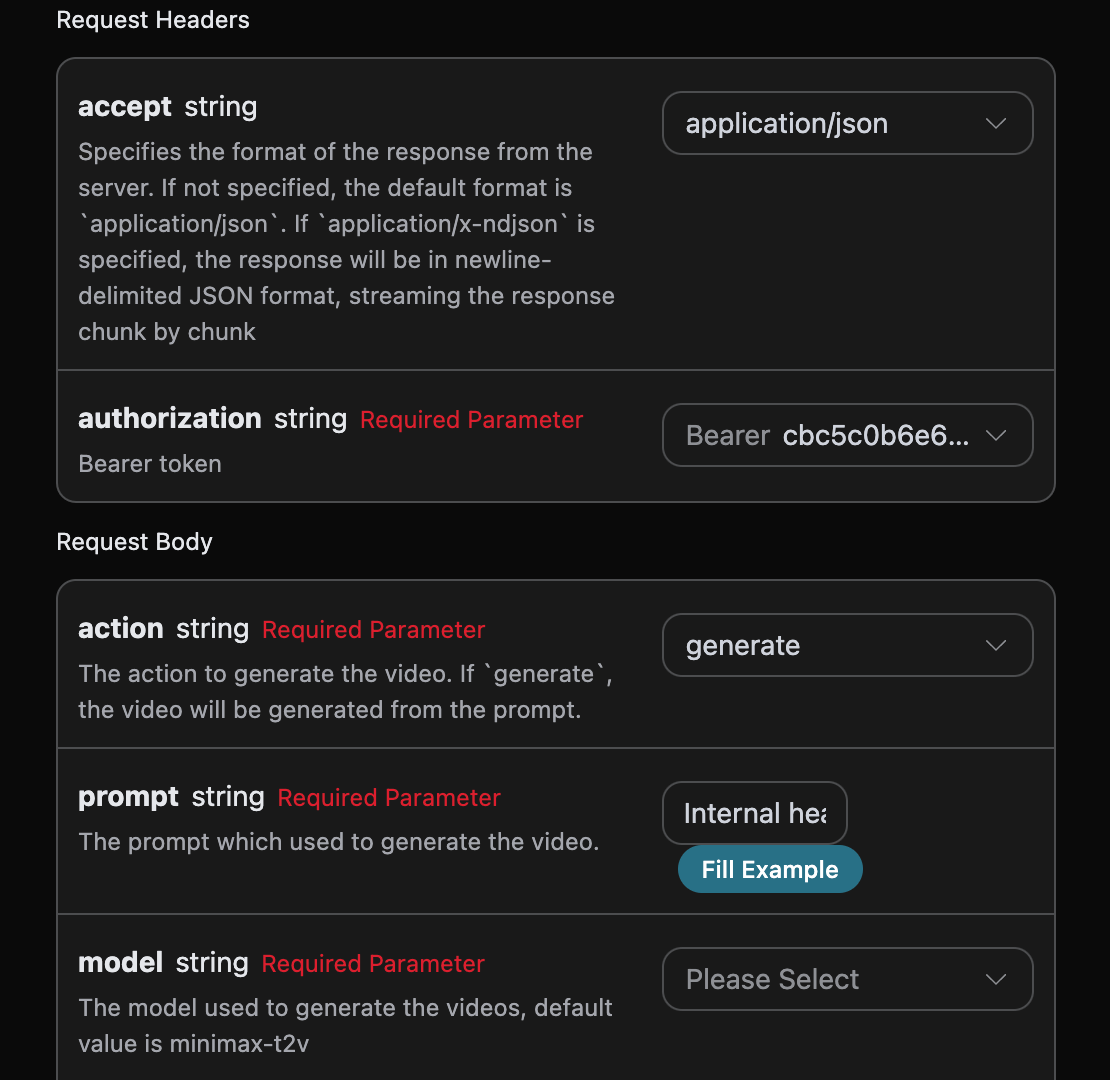
accept: the format of the response result you want to receive, filled in asapplication/json, which means JSON format.authorization: the key to call the API, which can be directly selected after application.
model: the model for generating the video, mainly the image-to-video modelminimax-i2vand the text-to-video modelminimax-t2v.action: the action for this video generation task.first_image_url: the link to the first frame reference image that must be uploaded when selecting the image-to-video modelminimax-i2v, Base64 encoding is not supported.prompt: the prompt.callback_url: the URL to receive the callback result.async: optional, when set totrue, the interface immediately returnstask_id, and there is no need to providecallback_url, then the result can be polled through the corresponding task query interface.
success: the status of the video generation task at this time.task_id: the ID of the video generation task at this time.trace_id: the tracking ID of the video generation at this time.data: the result list of the video generation task at this time.id: the video ID of the video generation task at this time.prompt: the prompt of the video generation task at this time.model: the cover link of the video generation task at this time.video_url: the video link of the video generation task at this time.state: the status of the video generation task at this time.
data.
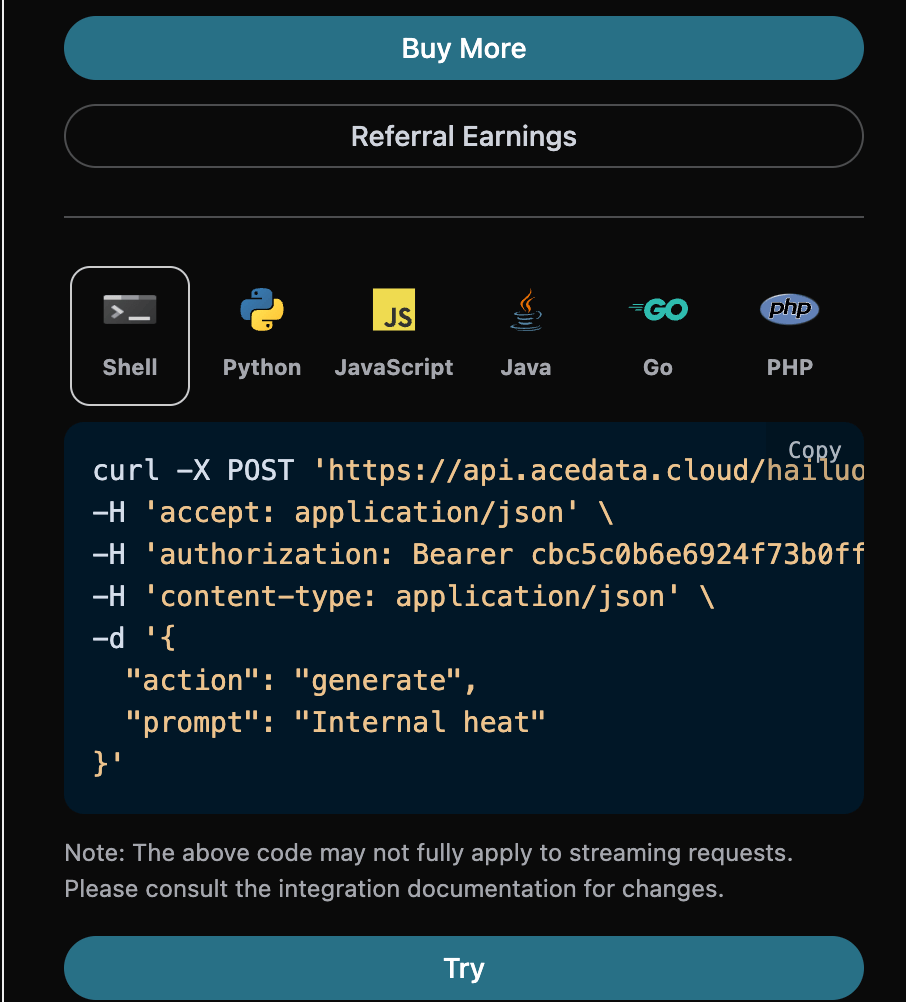
Additionally, if you want to generate the corresponding integration code, you can directly copy the generated code, for example, the CURL code is as follows:
Asynchronous Callback
Since the time taken by the Hailuo Videos Generation API to generate is relatively long, approximately 1-2 minutes, if the API does not respond for a long time, the HTTP request will keep the connection open, leading to additional system resource consumption. Therefore, this API also provides support for asynchronous callbacks. The overall process is: when the client initiates a request, an additionalcallback_url field is specified. After the client initiates the API request, the API will immediately return a result containing a task_id field, representing the current task ID. When the task is completed, the result of the generated video will be sent to the client-specified callback_url in the form of a POST JSON, which also includes the task_id field, allowing the task result to be associated by ID.
Let’s understand how to operate specifically through an example.
First, the Webhook callback is a service that can receive HTTP requests, and developers should replace it with the URL of their own HTTP server. For convenience in demonstration, we use a public Webhook sample site https://webhook.site/, and opening this site will provide a Webhook URL, as shown in the figure:
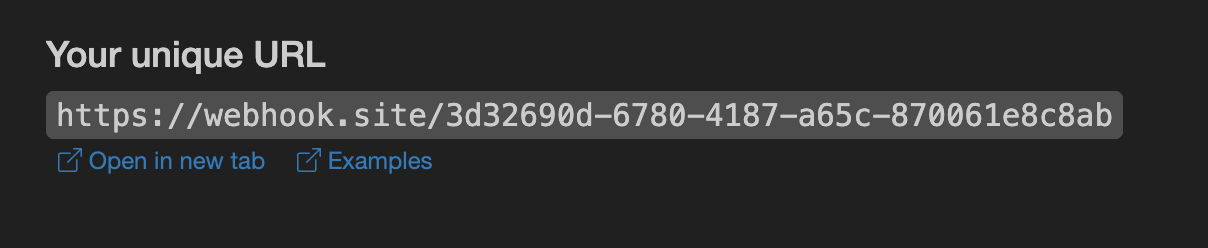 Copy this URL, and it can be used as a Webhook. The sample here is
 https://webhook.site/580b81f5-596e-4321-b03f-606770b0bb83.
Next, we can set the callback_url field to the above Webhook URL while filling in the corresponding parameters, as shown in the figure:
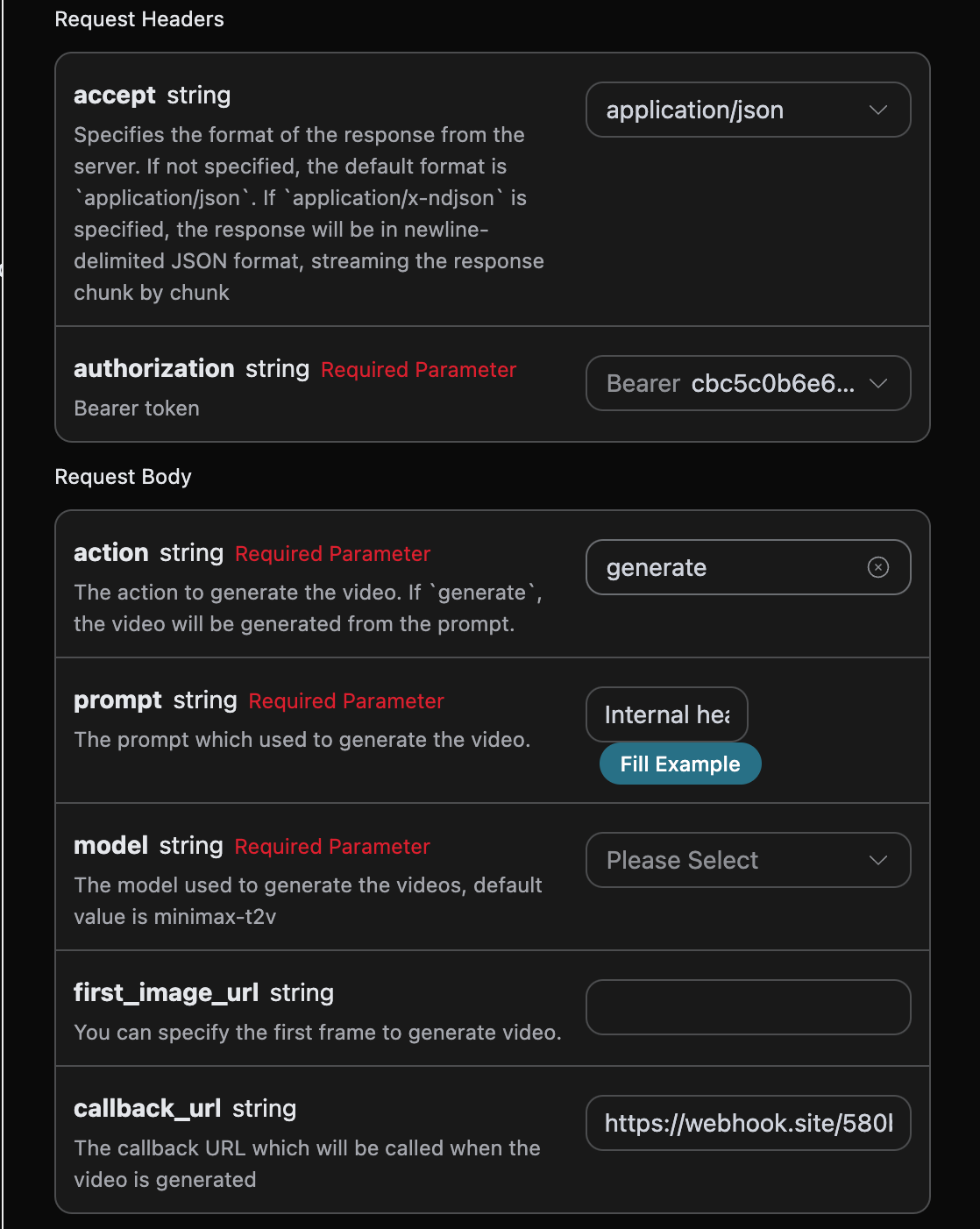
https://webhook.site/580b81f5-596e-4321-b03f-606770b0bb83, as shown in the figure:
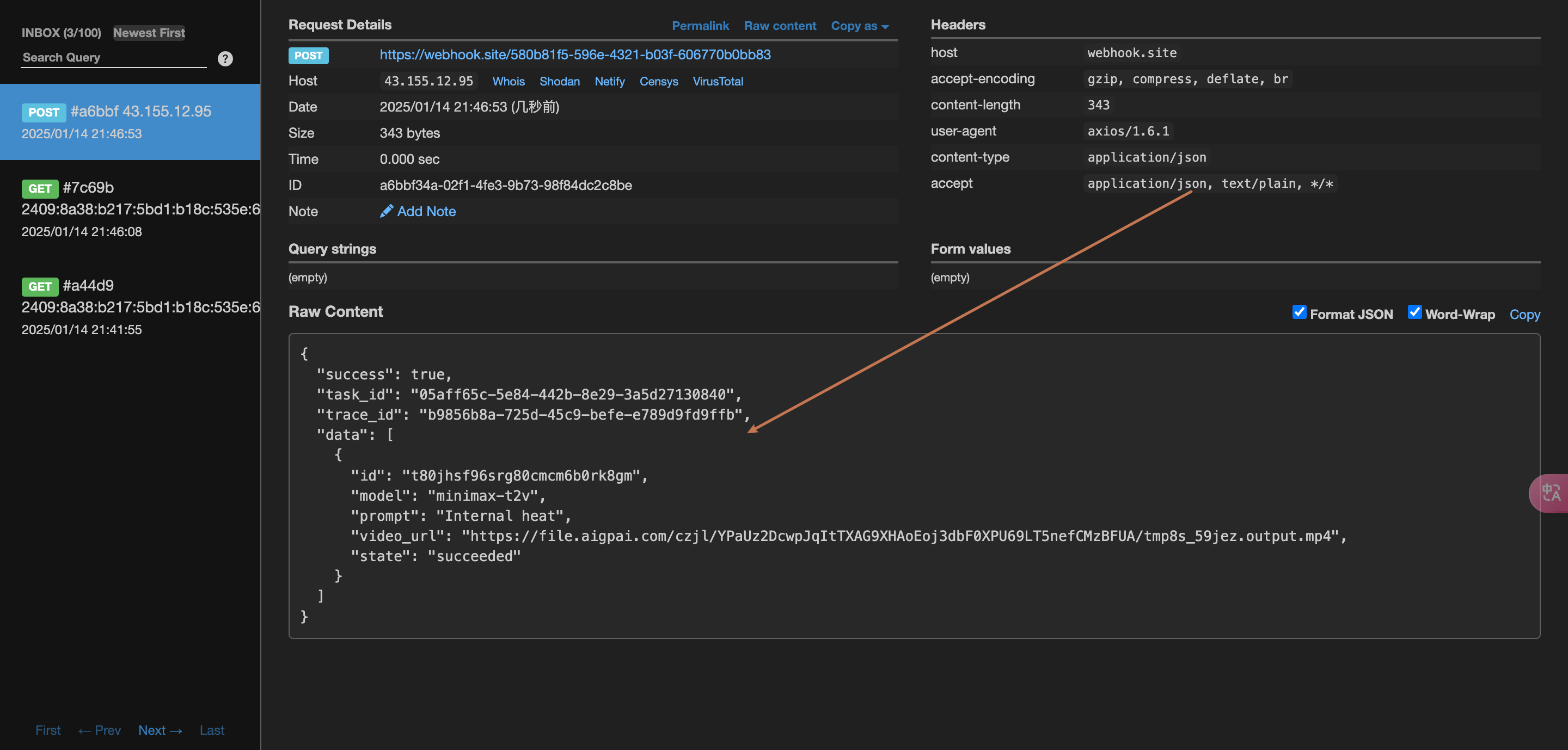 The content is as follows:
task_id field, and the other fields are similar to the above text. This field can be used to associate tasks.
Error Handling
When calling the API, if an error occurs, the API will return the corresponding error code and message. For example:400 token_mismatched: Bad request, possibly due to missing or invalid parameters.400 api_not_implemented: Bad request, possibly due to missing or invalid parameters.401 invalid_token: Unauthorized, invalid or missing authorization token.429 too_many_requests: Too many requests, you have exceeded the rate limit.500 api_error: Internal server error, something went wrong on the server.