

Application Process
To use the OpenAI Embeddings API, first go to the Ace Data Cloud Console to obtain your API Token and keep it as a backup. If you have not yet logged in or registered, you will be automatically redirected to the login page, where you will be invited to register and log in. After completion, you will automatically return to the current page.
One API Token can be used to call all services on the platform; there is no need to apply separately for each service. Your first application includes free credits for a free trial; when credits are insufficient, you can recharge your general balance in the Console.
If you have not yet logged in or registered, you will be automatically redirected to the login page, where you will be invited to register and log in. After completion, you will automatically return to the current page.
One API Token can be used to call all services on the platform; there is no need to apply separately for each service. Your first application includes free credits for a free trial; when credits are insufficient, you can recharge your general balance in the Console.
📘 Full documentation: OpenAI Embeddings API →
Basic Usage
Next, you can fill in the corresponding content in the interface, as shown in the image: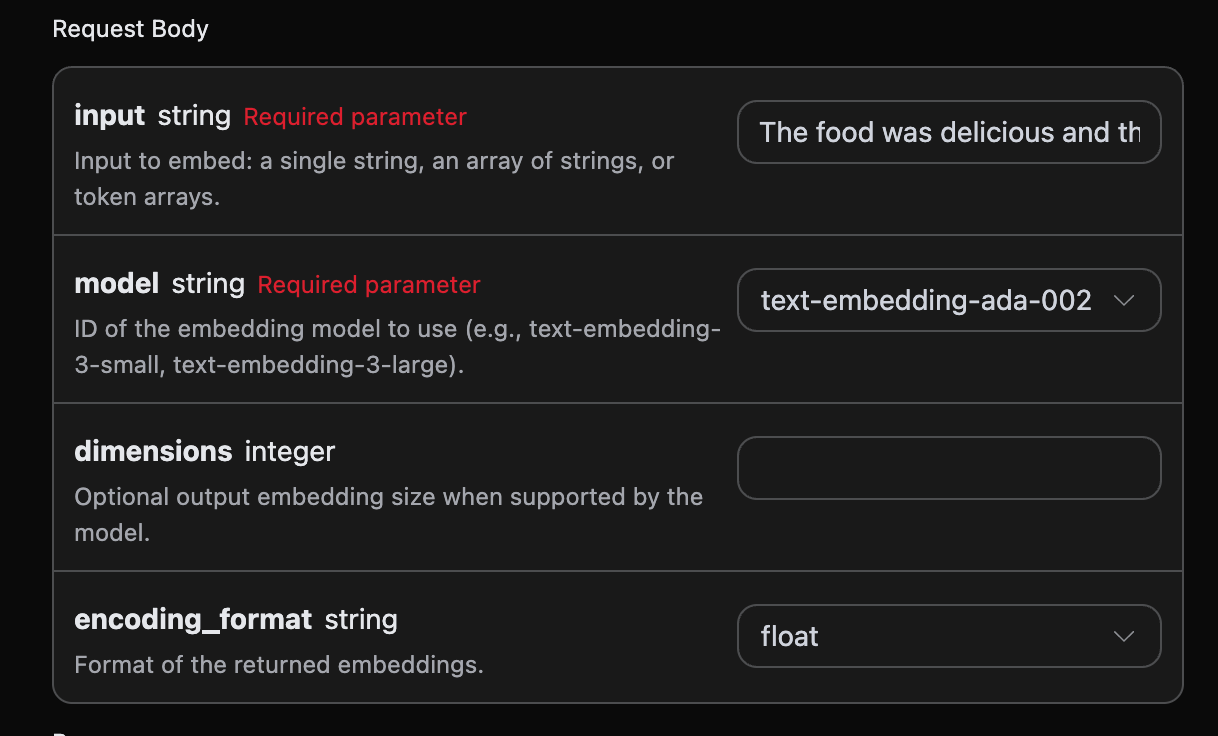
authorization, which can be selected directly from the dropdown list. Another parameter is model; model is the OpenAI official model type we choose to use. The currently available models are text-embedding-3-small and text-embedding-3-large. text-embedding-ada-002 is no longer available; if an existing vector index uses this old model, its vectors cannot be directly mixed with vectors from the new models, and the index needs to be rebuilt. The last parameter is input; input is the text for which we need to convert into embeddings.
At the same time, you can notice that there is corresponding generated invocation code on the right. You can copy the code and run it directly, or directly click the “Try” button for testing.
Optional parameters:
dimensions: Trims the vector dimensions; the full dimensions are output by default.encoding_format: Return format, eitherfloatorbase64.
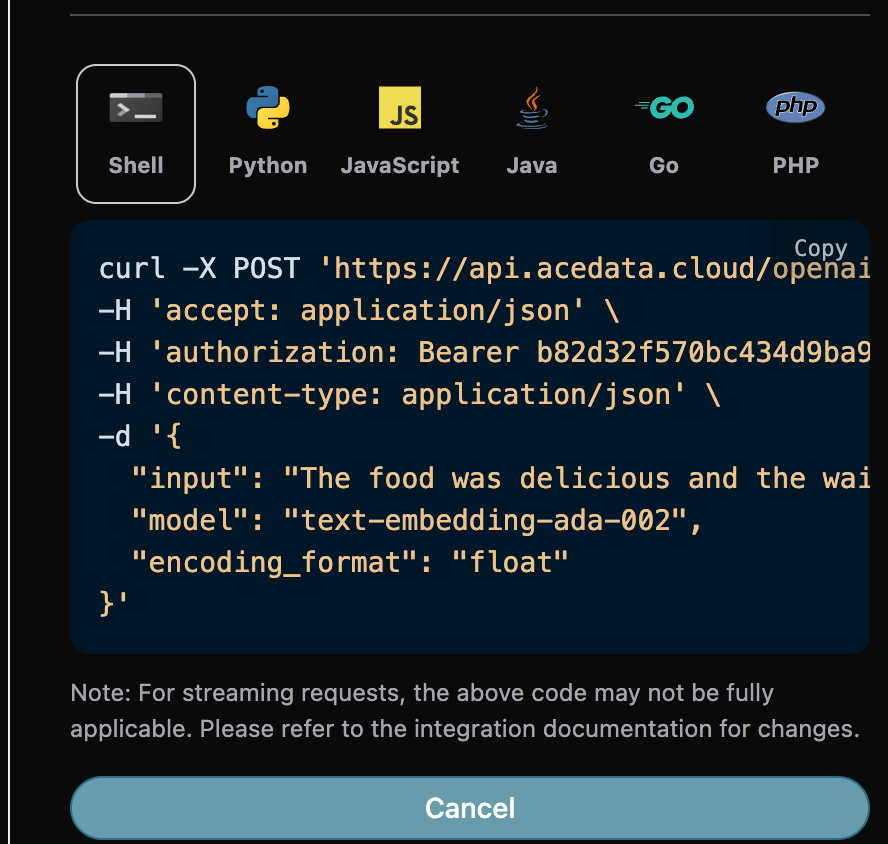
model, the model used for this text-to-embedding conversion.usage, the token information used for this text-to-embedding conversion.data, the embedding result after text conversion.
data contains the specific information about the embedding corresponding to the text, and its embedding is the specific generated embedding result.
Error Handling
When calling the API, if an error occurs, the API will return the corresponding error code and information. For example:400 token_mismatched: Bad request, possibly due to missing or invalid parameters.400 api_not_implemented: Bad request, possibly due to missing or invalid parameters.401 invalid_token: Unauthorized, invalid or missing authorization token.429 too_many_requests: Too many requests, you have exceeded the rate limit.500 api_error: Internal server error, something went wrong on the server.