OpenAI ChatGPT is a very powerful AI dialogue system that can generate smooth and natural responses in just a few seconds by inputting prompts. ChatGPT stands out in the industry with its excellent language understanding and generation capabilities, and today, ChatGPT has been widely applied in various industries and fields, with its influence becoming increasingly significant. Whether for daily conversations, creative writing, or professional consulting and coding, ChatGPT can provide astonishing intelligent assistance, greatly enhancing human work efficiency and creativity. This document mainly introduces the usage process of the OpenAI Chat Completion 4o Image API, which allows us to easily utilize the official OpenAI ChatGPT’s multimodal dialogue capabilities.

Application Process

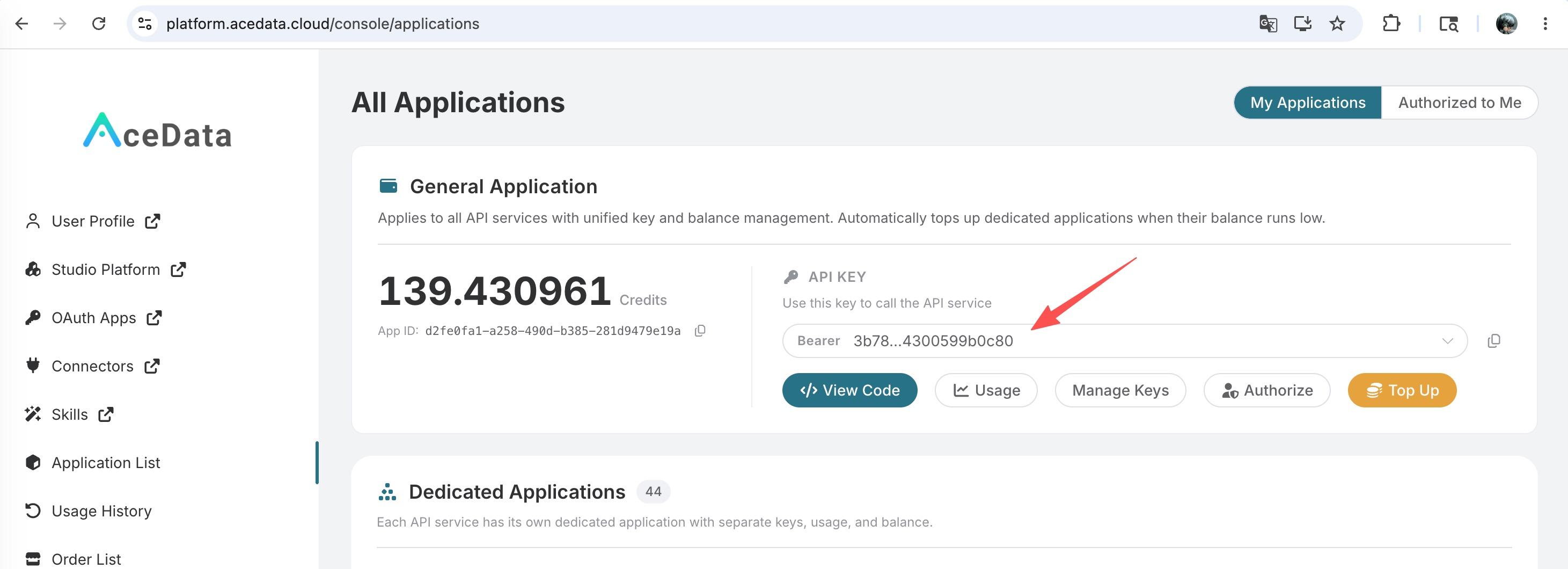
To use the OpenAI Chat Completion 4o Image API, you can first visit the OpenAI Chat Completion 4o Image API page and click the “Acquire” button to obtain the credentials needed for the request: If you are not logged in or registered, you will be automatically redirected to the login page inviting you to register and log in. After logging in or registering, you will be automatically returned to the current page. There is a free quota available for first-time applicants, allowing you to use the API for free.

GPT-4o Drawing Model

Generate Images Based on Reference Images

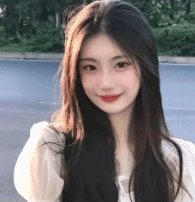
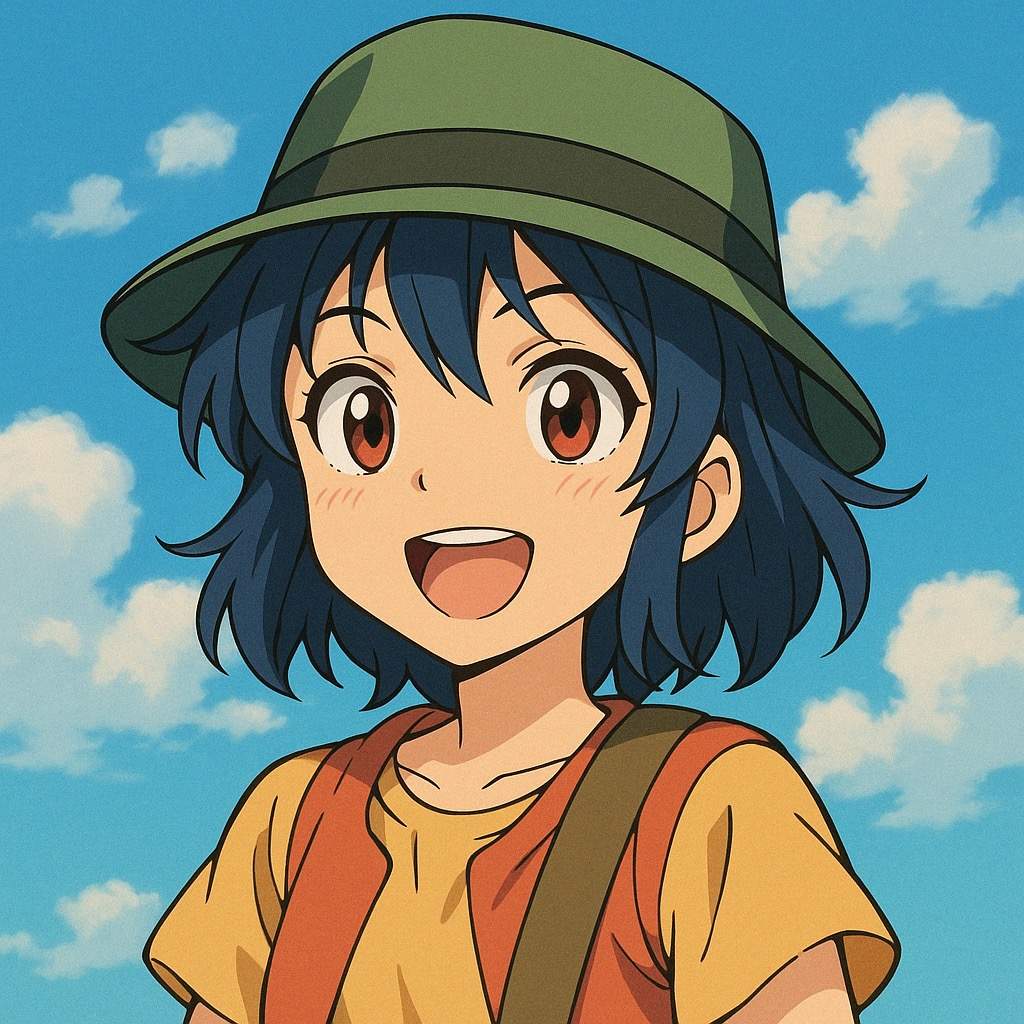
Below is an example of generating a custom style image based on a reference image. First, let’s look at the input image, as shown below: The reference image is a real person’s picture, and we can change its style, for example, transforming it into an anime-style image. The specific request example is as follows:
{
  "model": "gpt-4o-image",
  "messages": [
    {
      "role": "user",
      "content": [
        {
          "type": "text",
          "text": "Generate an anime-style image with a hat"
        },
        {
          "type": "image_url",
          "image_url": {
            "url": "https://cdn.acedata.cloud/qzx2z1.png"
          }
        }
      ]
    }
  ],
  "stream": false
}
Sample result:
{
  "choices": [
    {
      "index": 0,
      "message": {
        "role": "assistant",
        "content": "> ❇️ Keywords: https://file.onechats.ai/tem/f7b8024b6f430a0a9d20174bcec1ad3a.png Generate an anime-style image with a hat\n\n> ✨ Sora is drawing the image...\n\n> 🏃 Progress: 8.4%\n\n> 🏃 Progress: 17.5%\n\n> 🏃 Progress: 25.9%\n\n> 🏃 Progress: 34.3%\n\n> 🏃 Progress: 43.4%\n\n> 🏃 Progress: 51.8%\n\n> 🏃 Progress: 60.9%\n\n> 🏃 Progress: 71.4%\n\n> 🏃 Progress: 76.3%\n\n> 🏃 Progress: 80.4%\n\n> 🏃 Progress: 83.8%\n\n> 🏃 Progress: 86.6%\n\n> 🏃 Progress: 88.9%\n\n> 🏃 Progress: 90.8%\n\n> 🏃 Progress: 92.4%\n\n> ✅ Image drawing successful, please check~~~\n\n![](https://file.onechats.ai/tem/4abe605b362a9a59028bf7fafa5f2aff.png)\n\n"
      },
      "finish_reason": "stop"
    }
  ],
  "created": 1745152859,
  "id": "chatcmpl-7c43d1dd-17e3-4513-9aec-899b21be3c2a",
  "model": "gpt-4o-image",
  "object": "chat.completion.chunk",
  "usage": {
    "prompt_tokens": 68,
    "completion_tokens": 19,
    "total_tokens": 87
  }
}
In which the choices inside the message is the complete dialogue result, and the image result is also included in the dialogue result. It can be seen that the generated image is indeed in anime style, as shown in the following image:

Pure Text Image Generation

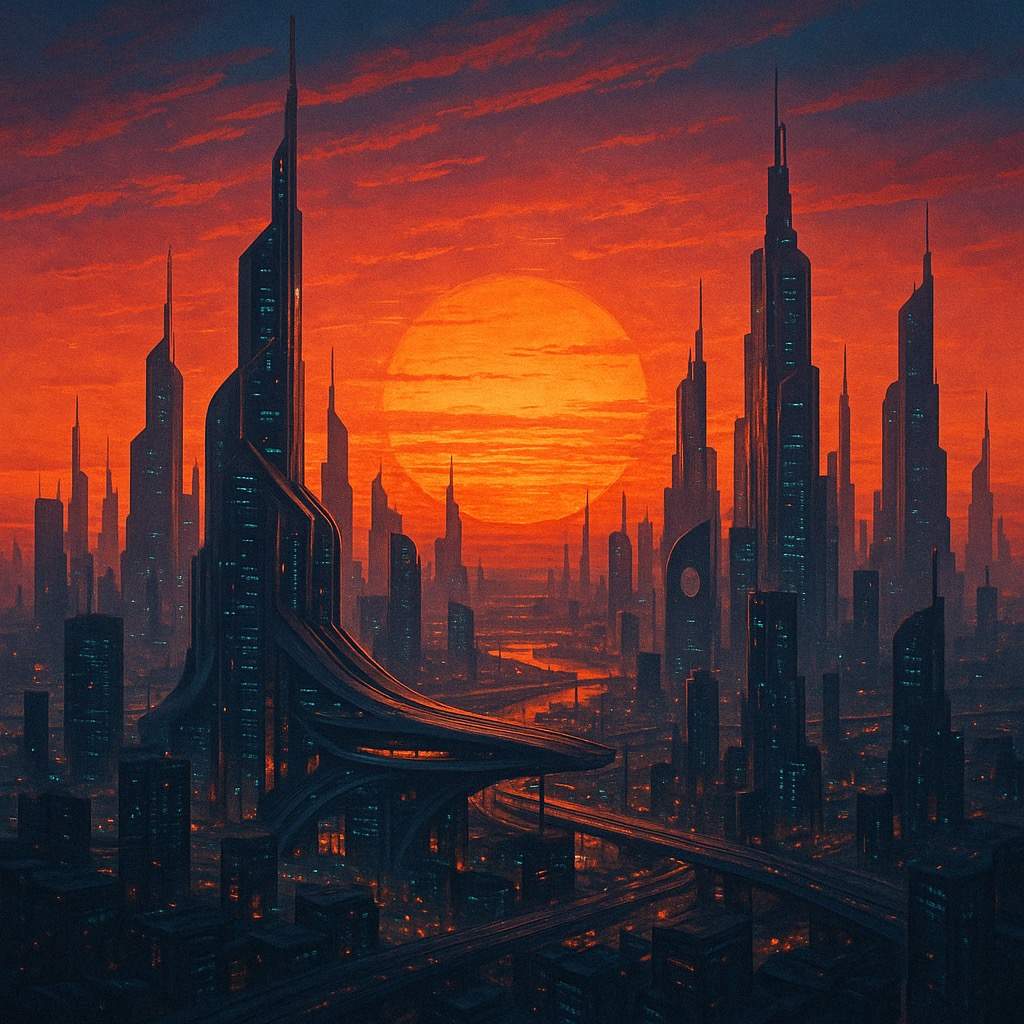
We can generate an image through a prompt and return it to us in a conversational format. Below, we take Create an image of a sunset in a futuristic city as an example, with the specific example as follows:
{
  "model": "gpt-4o-image",
  "messages": [
    {
      "role": "user",
      "content": [
        {
          "type": "text",
          "text": "Generate an anime-style image with a hat"
        },
        {
          "type": "image_url",
          "image_url": {
            "url": "https://cdn.acedata.cloud/qzx2z1.png"
          }
        }
      ]
    }
  ],
  "stream": false
}
Sample result:
{
  "choices": [
    {
      "index": 0,
      "message": {
        "role": "assistant",
        "content": "> ❇️ Keywords: Create an image of a sunset in a futuristic city\n\n> ✨ Sora is drawing the image...\n\n> 🏃 Progress: 9.8%\n\n> 🏃 Progress: 19.6%\n\n> 🏃 Progress: 30.1%\n\n> 🏃 Progress: 39.9%\n\n> 🏃 Progress: 50.4%\n\n> 🏃 Progress: 60.2%\n\n> 🏃 Progress: 69.3%\n\n> ✅ Image drawing successful, please check~~~\n\n![](https://file.onechats.ai/tem/4ab6f3cd886aaa6fd575dd37327fae59.png)\n\n"
      },
      "finish_reason": "stop"
    }
  ],
  "created": 1745153373,
  "id": "chatcmpl-29ed630a-c8fc-4a8a-a8e0-737fcc515192",
  "model": "gpt-4o-image",
  "object": "chat.completion.chunk",
  "usage": {
    "prompt_tokens": 32,
    "completion_tokens": 11,
    "total_tokens": 43
  }
}
It can be seen that the result meets the prompt, as shown below:

Generate One Image from Multiple Images

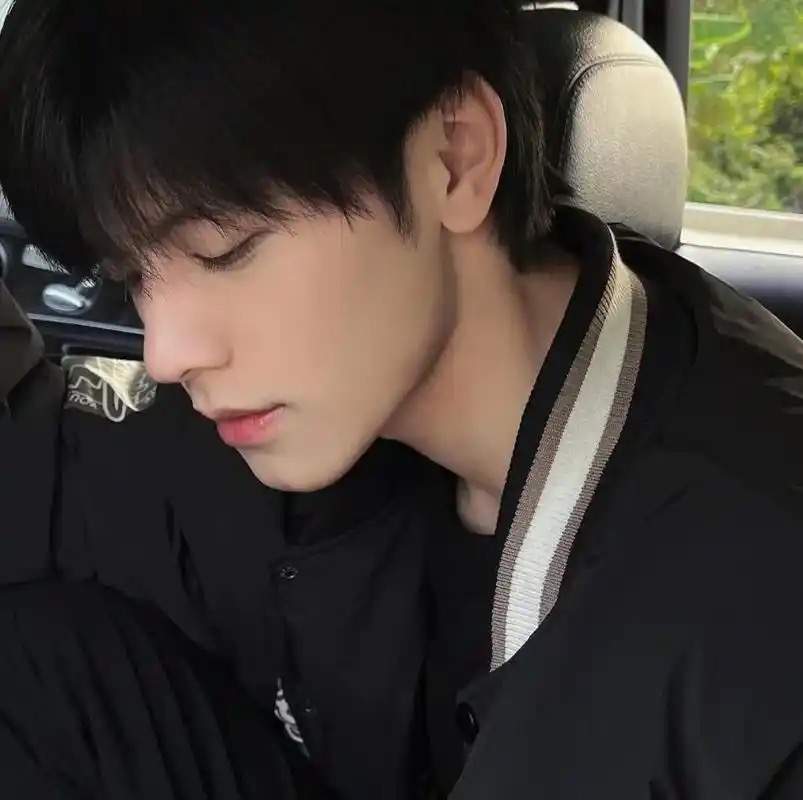
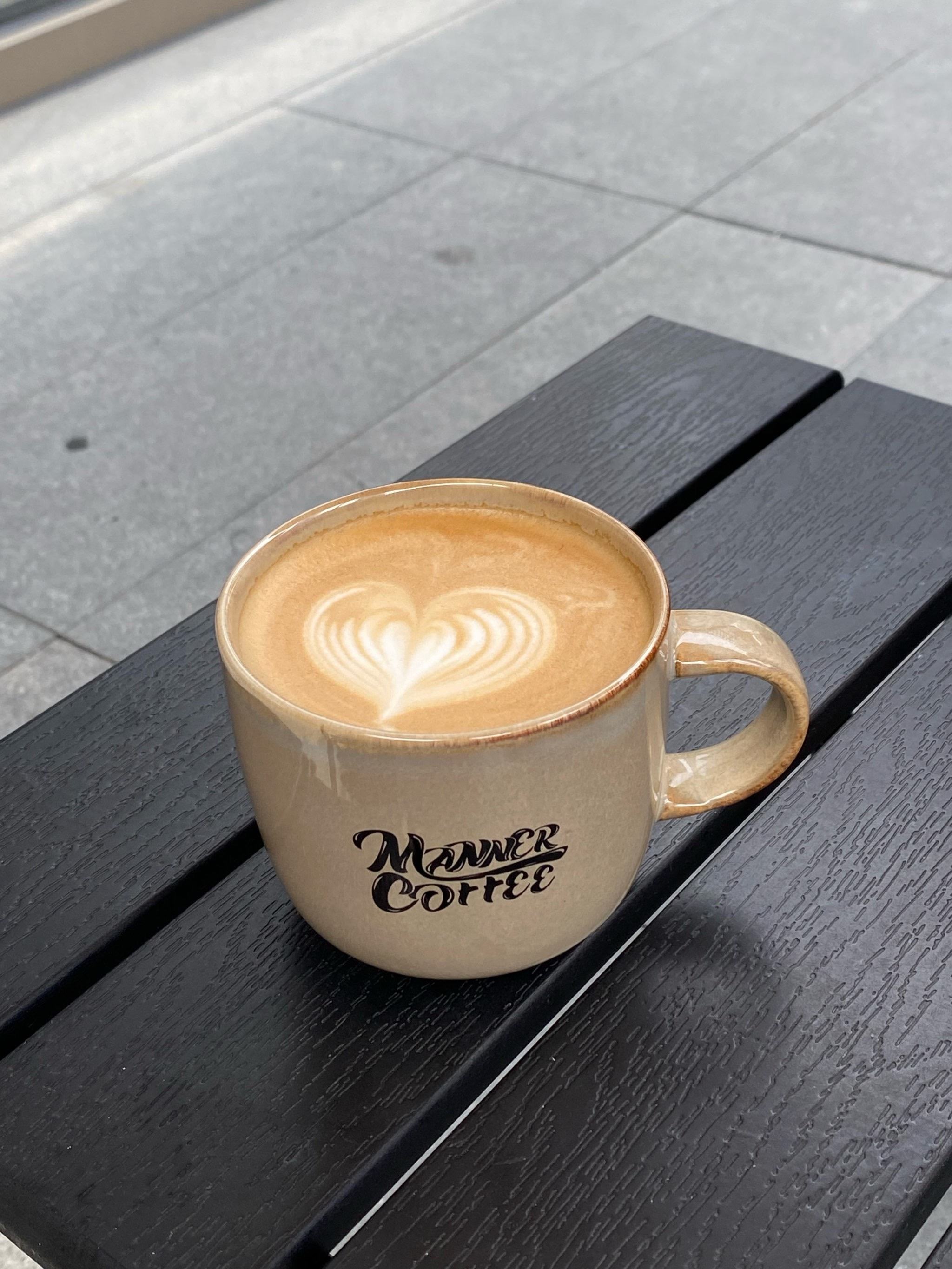
We can also use multiple reference images to generate one image. For example, using an image of a handsome man and a coffee image, we can generate an image of a handsome man drinking coffee. Below are the specific reference images:

Below we take generate a boy holding a coffee and about to drink it as an example, here are the specific examples:
{
  "model": "gpt-4o-image",
  "messages": [
    {
      "role": "user",
      "content": [
        {
          "type": "text",
          "text": "生成男生举着咖啡,并且马上要喝的样子"
        },
        {
          "type": "image_url",
          "image_url": {
            "url": "https://cdn.acedata.cloud/pqquv3.jpg"
          }
        },
        {
          "type": "image_url",
          "image_url": {
            "url": "https://cdn.acedata.cloud/h8j2i0.jpg"
          }
        }
      ]
    }
  ],
  "stream": false
}
Sample result:
{
  "choices": [
    {
      "index": 0,
      "message": {
        "role": "assistant",
        "content": "> ❇️ 关键字:https://file.onechats.ai/tem/b5e2049e82ef071a804d6769e580b702.png https://file.onechats.ai/tem/78e9aa8a0dbd529f3904a6629329ebbe.png 生成男生举着咖啡,并且马上要喝的样子\n\n> ✨ Sora正在绘制图片中...\n\n> 🏃 进度:11.2%\n\n> 🏃 进度:25.9%\n\n> 🏃 进度:39.9%\n\n> 🏃 进度:47.6%\n\n> 🏃 进度:55.3%\n\n> 🏃 进度:73.3%\n\n> 🏃 进度:78.0%\n\n> 🏃 进度:81.8%\n\n> ✅ 图片绘制成功,请注意查收~~~\n\n![](https://file.onechats.ai/tem/6aa9ad6c26b9d4500ea84ea9f56e331b.png)\n\n"
      },
      "finish_reason": "stop"
    }
  ],
  "created": 1745154125,
  "id": "chatcmpl-d6e5fc71-4e33-4ad6-b259-357241d7c1ab",
  "model": "gpt-4o-image",
  "object": "chat.completion.chunk",
  "usage": {
    "prompt_tokens": 106,
    "completion_tokens": 12,
    "total_tokens": 118
  }
}
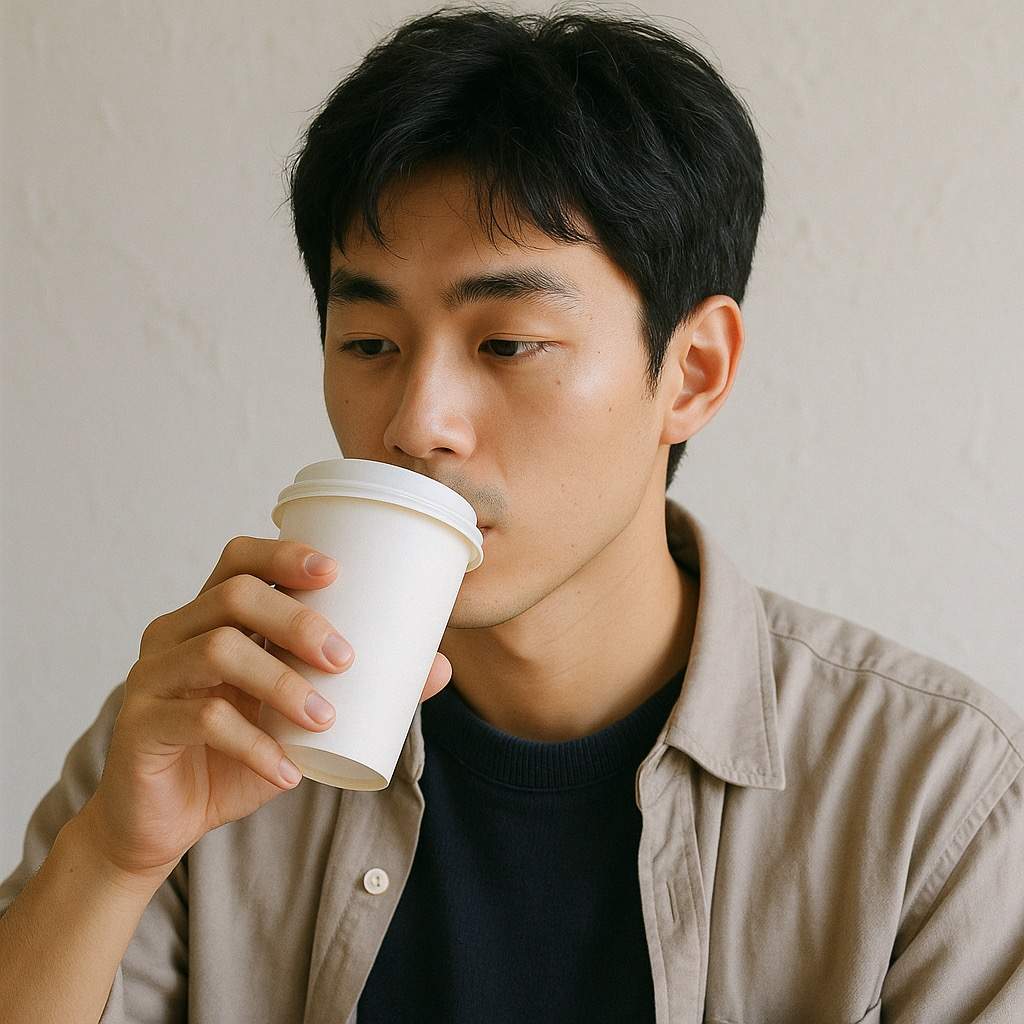
As you can see, the generated result is indeed a combination of the two images, here is the specific result:

Error Handling

When calling the API, if an error occurs, the API will return the corresponding error code and message. For example:
  • 400 token_mismatched: Bad request, possibly due to missing or invalid parameters.
  • 400 api_not_implemented: Bad request, possibly due to missing or invalid parameters.
  • 401 invalid_token: Unauthorized, invalid or missing authorization token.
  • 429 too_many_requests: Too many requests, you have exceeded the rate limit.
  • 500 api_error: Internal server error, something went wrong on the server.

Error Response Example

{
  "success": false,
  "error": {
    "code": "api_error",
    "message": "fetch failed"
  },
  "trace_id": "2cf86e86-22a4-46e1-ac2f-032c0f2a4e89"
}

Conclusion

Through this document, you have learned how to easily implement the official OpenAI ChatGPT’s multimodal image processing capabilities using the OpenAI Chat Completion 4o Image API. We hope this document helps you better integrate and use this API. If you have any questions, please feel free to contact our technical support team.