This document will introduce a Portrait Cartoonization API integration guide, which can generate personalized two-dimensional cartoon images by inputting a facial photo. It can be used to create personalized avatars, fun activities, special effects applications, and other scenarios to enhance social entertainment experiences.

Application Process

To use the API, you need to first apply for the corresponding service on the Portrait Cartoonization API page. After entering the page, click the “Acquire” button, as shown in the image below: If you are not logged in or registered, you will be automatically redirected to the login page inviting you to register and log in. After logging in or registering, you will automatically return to the current page. Upon your first application, there will be a free quota provided, allowing you to use the API for free.

Basic Usage

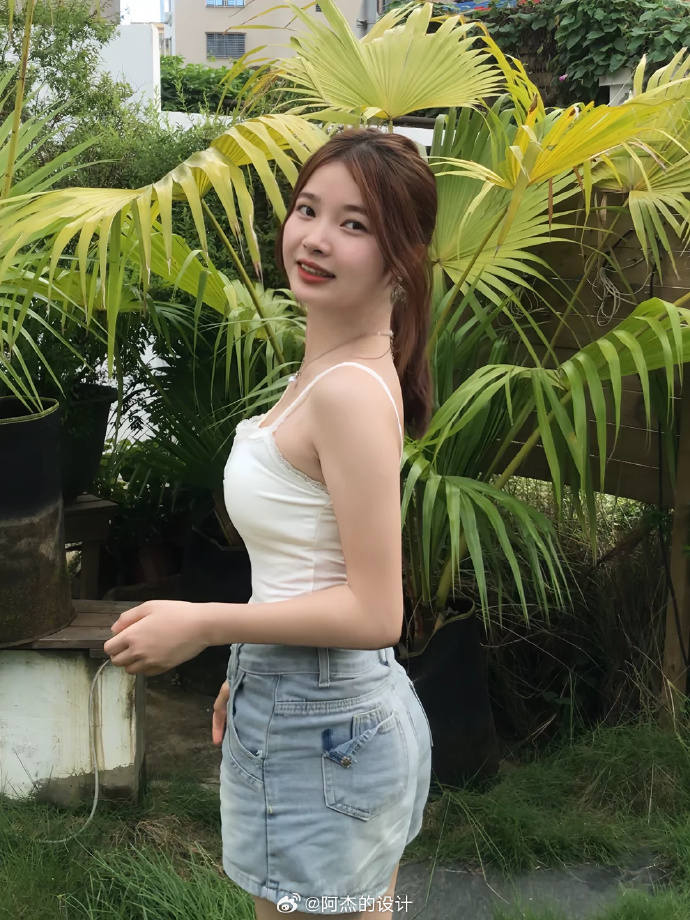
First, understand the basic usage method, which is to input the image link to obtain the processed result image. You need to simply pass an image_url field, with the facial image shown below:
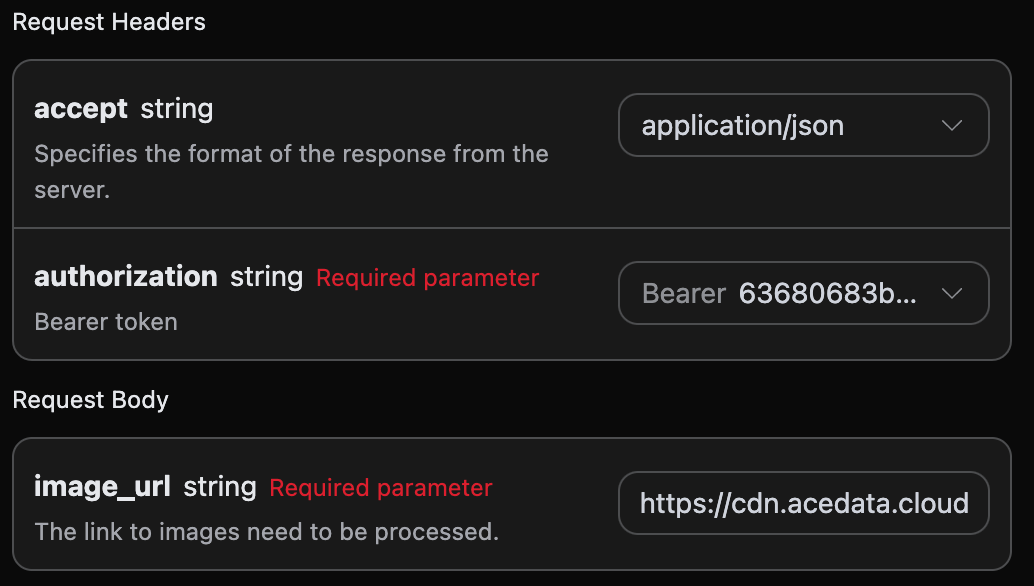
Next, you can fill in the corresponding content on the interface, as shown in the image below:

Here, we have set the Request Headers, including:
  • accept: the format of the response you want to receive, filled in as application/json, which means JSON format.
  • authorization: the key to call the API, which can be directly selected after application.
Additionally, the Request Body is set, including:
  • image_url: the link to the facial image that needs to be processed.
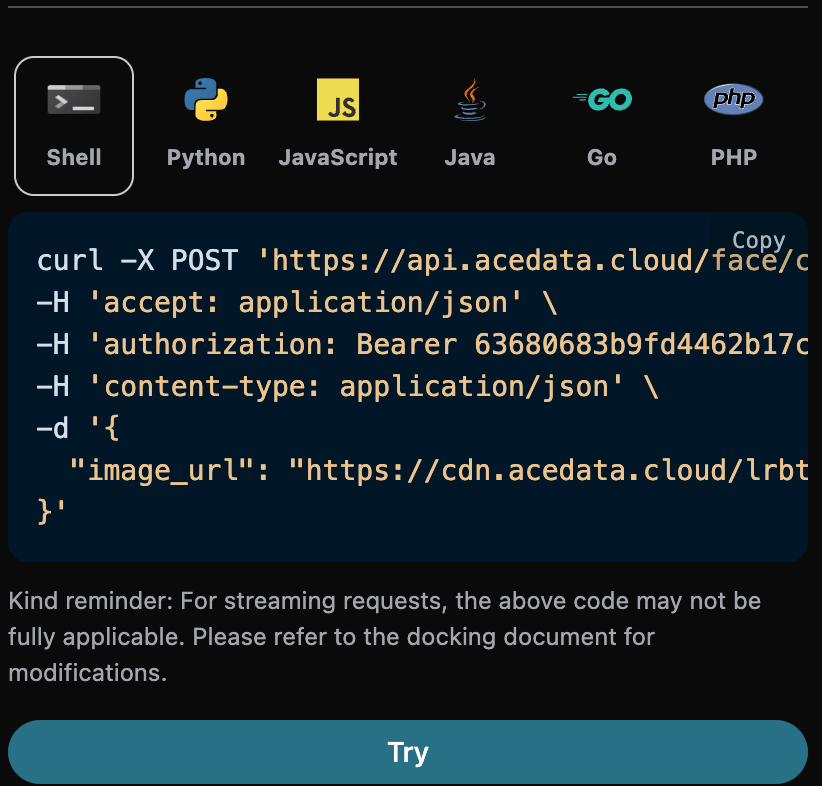
After selection, you can see that the corresponding code is also generated on the right side, as shown in the image below:

Click the “Try” button to test, as shown in the image above, and we obtained the following result:
{
  "image_url": "https://faceeffect-1254418846.cos.ap-guangzhou.myqcloud.com/ft/FaceCartoonPic/1256437459/8567833b-7831-406c-9ff5-890e5f7e020e"
}
As you can see, the returned result contains an image_url field, which is the cartoon facial image after transformation. The transformed facial information is shown below:
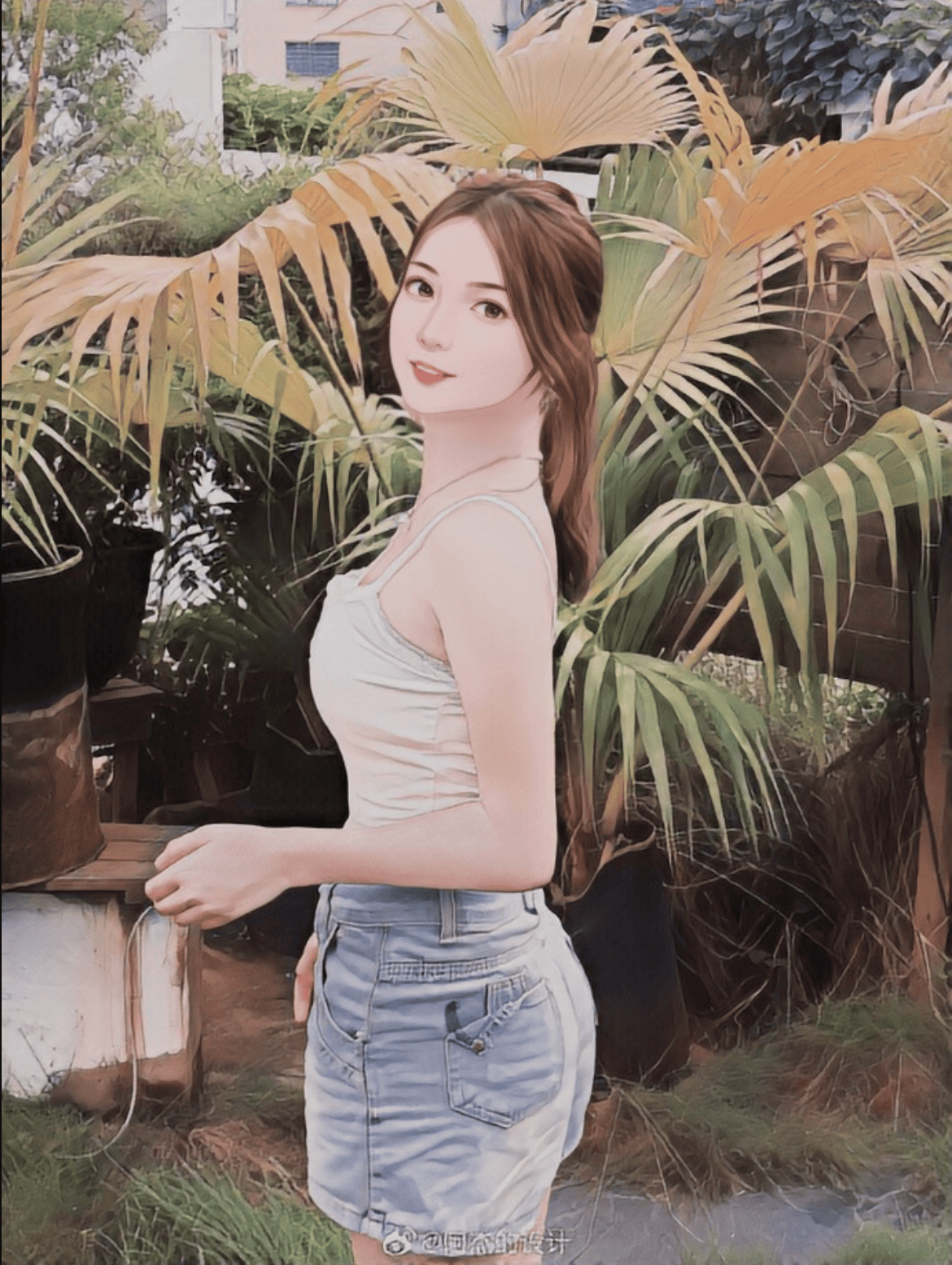
You can see that the face in the image has generated a personalized two-dimensional cartoon image. If you want to generate the corresponding integration code, you can directly copy it, for example, the CURL code is as follows:
curl -X POST 'https://api.acedata.cloud/face/cartoon' \
-H 'accept: application/json' \
-H 'authorization: Bearer {token}' \
-H 'content-type: application/json' \
-d '{
  "image_url": "https://cdn.acedata.cloud/lrbtcn.jpg"
}'
The integration code in Python is as follows:
import requests

url = "https://api.acedata.cloud/face/cartoon"

headers = {
    "accept": "application/json",
    "authorization": "Bearer {token}",
    "content-type": "application/json"
}

payload = {
    "image_url": "https://cdn.acedata.cloud/lrbtcn.jpg"
}

response = requests.post(url, json=payload, headers=headers)
print(response.text)

Error Handling

When calling the API, if an error occurs, the API will return the corresponding error code and message. For example:
  • 400 token_mismatched: Bad request, possibly due to missing or invalid parameters.
  • 400 api_not_implemented: Bad request, possibly due to missing or invalid parameters.
  • 401 invalid_token: Unauthorized, invalid or missing authorization token.
  • 429 too_many_requests: Too many requests, you have exceeded the rate limit.
  • 500 api_error: Internal server error, something went wrong on the server.

Error Response Example

{
  "success": false,
  "error": {
    "code": "api_error",
    "message": "fetch failed"
  },
  "trace_id": "2cf86e86-22a4-46e1-ac2f-032c0f2a4e89"
}

Conclusion

Through this document, you have learned how to use the Portrait Cartoonization API to generate personalized two-dimensional cartoon images from the input pictures. We hope this document can help you better integrate and use the API. If you have any questions, please feel free to contact our technical support team.