메인 콘텐츠로 건너뛰기
Midjourney Describe API의 주요 기능은 이미지를 업로드하여 해당 이미지에 대한 설명을 얻는 것입니다. 이 API를 사용하려면 이미지 파일 주소만 전달하면 되며, API는 이미지에 대한 자세한 설명을 반환합니다. 복잡한 매개변수 설정 없이도 고품질의 이미지 설명을 얻을 수 있습니다. 다양한 이미지 형식을 지원합니다: JPEG, PNG, GIF 등 주요 이미지 형식을 쉽게 인식하고 처리할 수 있습니다. 이 문서는 Midjourney Describe API의 연동 설명을 자세히 소개하여, 여러분이 이 API의 강력한 기능을 쉽게 통합하고 활용할 수 있도록 돕습니다. Midjourney Describe API를 통해 이미지 설명의 자동화를 쉽게 구현하고 비즈니스 효율성을 높일 수 있습니다.

신청 절차

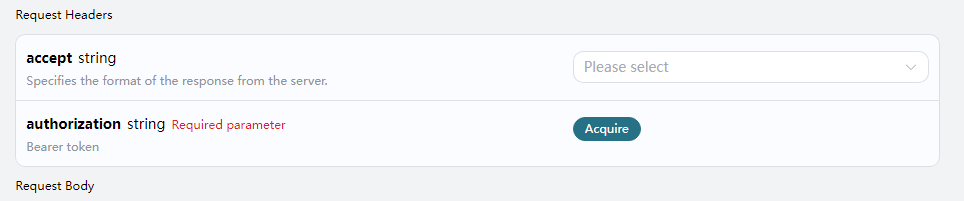
Midjourney Describe API를 사용하려면 먼저 신청 페이지 Midjourney Describe API에서 해당 서비스를 신청해야 합니다. 페이지에 들어가면 “Acquire” 버튼을 클릭합니다, 아래 그림과 같이: 신청 페이지 로그인 또는 등록이 되어 있지 않으면 자동으로 로그인 페이지로 이동하여 등록 및 로그인을 요청합니다. 로그인 및 등록 후에는 자동으로 현재 페이지로 돌아옵니다. 첫 신청 시 무료 한도가 제공되어, 이 API를 무료로 사용할 수 있습니다.
요청 예시

우리는 한 장의 이미지를 예로 들어 이 API를 사용하는 방법을 시연합니다. 가정해보면, 우리는 한 장의 풍경 이미지를 가지고 있으며, 다음으로 이 이미지를 업로드하고 설명을 얻는 방법을 시연합니다.

요청 예시 이미지

예시 이미지

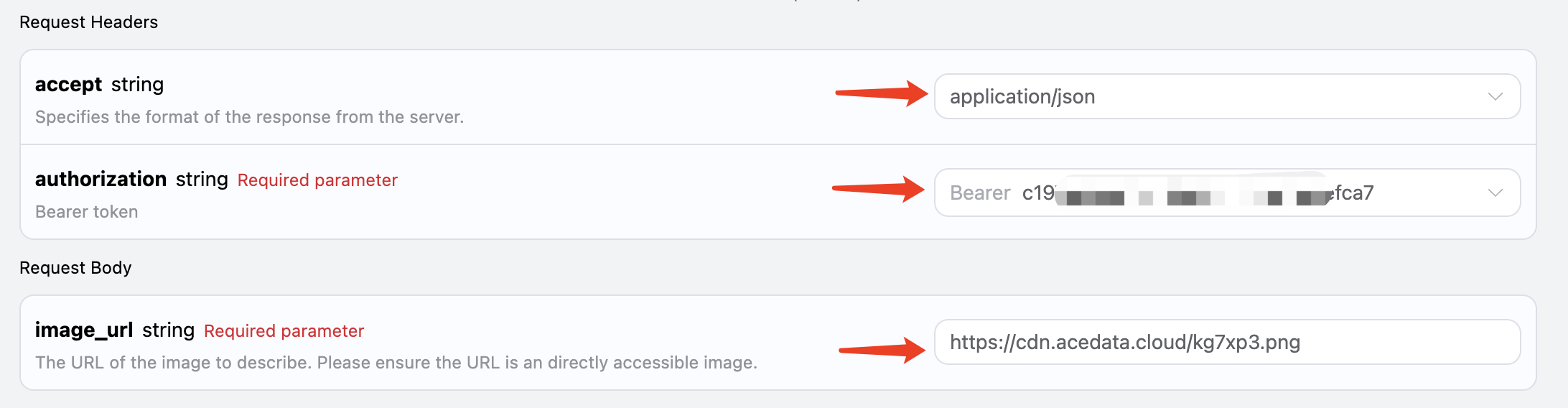
요청 헤더 및 요청 본문 설정

Request Headers에는 다음이 포함됩니다:
  • accept: JSON 형식의 응답 결과를 수신하도록 지정하며, 여기에는 application/json을 입력합니다.
  • authorization: API 호출을 위한 키로, 신청 후 직접 드롭다운에서 선택할 수 있습니다.
Request Body에는 다음이 포함됩니다:
  • image_url: 업로드할 이미지 파일 주소입니다.
아래 그림과 같이 설정합니다:

코드 예시

페이지 오른쪽에는 다양한 언어의 코드가 자동으로 생성된 것을 확인할 수 있습니다, 아래 그림과 같이:
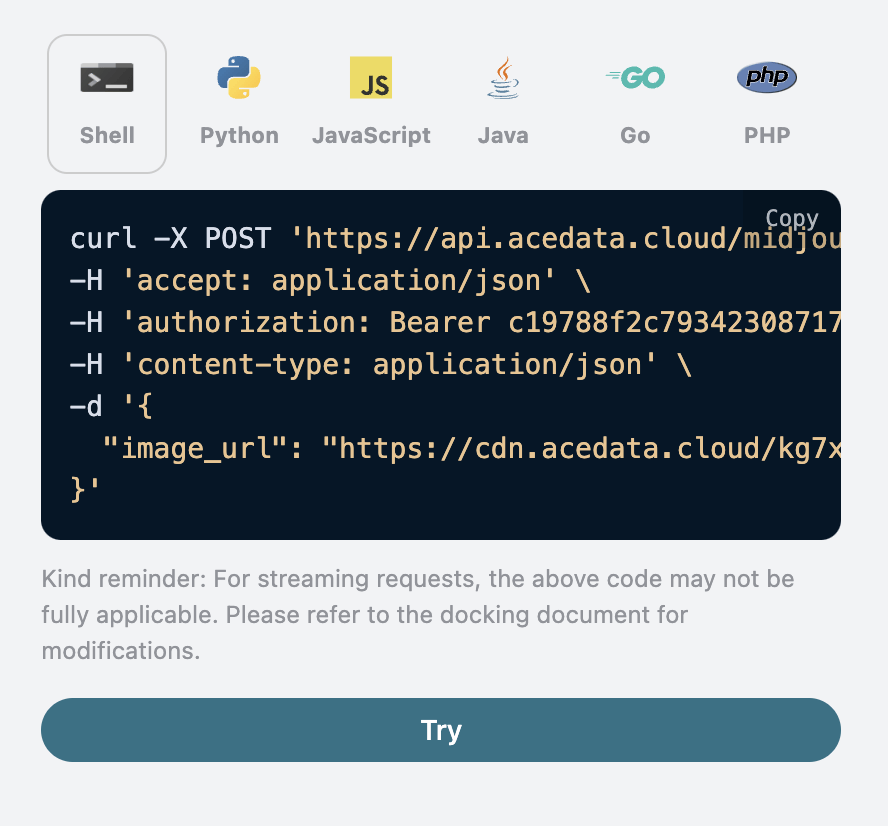
일부 코드 예시는 다음과 같습니다:

CURL

curl -X POST 'https://api.acedata.cloud/midjourney/describe' \
-H 'accept: application/json' \
-H 'authorization: Bearer {token}' \
-H 'content-type: application/json' \
-d '{
  "image_url": "https://cdn.acedata.cloud/kg7xp3.png"
}'

Python

import requests

url = "https://api.acedata.cloud/midjourney/describe"

headers = {
    "accept": "application/json",
    "authorization": "Bearer {token}",
    "content-type": "application/json"
}

payload = {
    "image_url": "https://cdn.acedata.cloud/kg7xp3.png"
}

response = requests.post(url, json=payload, headers=headers)
print(response.json())

응답 예시

요청이 성공하면, API는 이미지에 대한 4개의 설명 정보를 반환합니다. 예를 들어:
{
  "descriptions": [
    "A cross-shaped road sign stands in the middle of an outdoor park, surrounded by trees and grasslands. The background is sunny with warm colors. There is sunlight shining through the leaves onto part of it. On one side of that street post there was also another sign with the lettering \"Kunming Park\", which looked very beautiful. This photo shows how wonderful nature can be. It gives people feelings like relaxation or tranquility in the style of nature. --ar 75:44",
    "A photo of a \"K鬥\" road sign in the park, with trees and grass on both sides. In front is a light yellow metal pole with two signs attached to it. The background features sunlight shining through green leaves onto one side of the street, creating a warm atmosphere. There is also water mist floating around. It was taken in the style of Sony A7R IV camera using Leica M lens. This scene conveys tranquility and harmony between nature and human creation. --ar 75:44",
    "A cross-shaped street sign stands in the middle of an open park, surrounded by trees and grassland. The sun shines through the leaves on part of it, creating a warm light effect. In front is a road leading to another green space. There's also some information about \"Inside Shilin Park\" on one side of that post. This scene gives people feelings of tranquility and harmony with nature. Natural lighting, 3D rendering in the style of Unreal Engine, Realistic photography style. --ar 75:44",
    "A cross-shaped signpost stands in the park, surrounded by lush trees and vibrant green grass under sunlight. Signs say \"VIDEO ANNattacks\" in an unknown language, creating an atmosphere of mystery and intrigue. The scene is captured with high-definition photography using Canon EOS R5 cameras, presenting a stunning visual effect that showcases intricate details in the style of modern photography. --ar 75:44"
  ]
}
결과에서 descriptions 필드가 있으며, 그 안에는 네 개의 결과가 포함되어 있습니다. 각 결과는 후보 설명 내용입니다.

오류 처리

API를 호출할 때 오류가 발생하면, API는 해당 오류 코드와 정보를 반환합니다. 예를 들어:
  • 400 token_mismatched: 잘못된 요청, 누락되거나 잘못된 매개변수 때문일 수 있습니다.
  • 400 api_not_implemented: 잘못된 요청, 누락되거나 잘못된 매개변수 때문일 수 있습니다.
  • 401 invalid_token: 인증되지 않음, 잘못되었거나 누락된 인증 토큰입니다.
  • 429 too_many_requests: 너무 많은 요청, 비율 제한을 초과했습니다.
  • 500 api_error: 내부 서버 오류, 서버에서 문제가 발생했습니다.

오류 응답 예시

{
  "success": false,
  "error": {
    "code": "api_error",
    "message": "fetch failed"
  },
  "trace_id": "2cf86e86-22a4-46e1-ac2f-032c0f2a4e89"
}

결론

이 문서를 통해 여러분은 Midjourney Describe API를 사용하여 이미지 설명을 수행하는 방법을 이해하게 되었습니다. 이 문서가 여러분이 이 API를 더 잘 연동하고 사용할 수 있도록 도와주기를 바랍니다. 질문이 있으시면 언제든지 기술 지원 팀에 문의해 주시기 바랍니다.