The main function of the Flux Tasks API is to query the execution status of tasks by inputting the task ID generated by the Flux Images Generation API. This document will provide detailed integration instructions for the Flux Tasks API, helping you easily integrate and fully utilize the powerful features of this API. With the Flux Tasks API, you can easily query the execution status of tasks from the Flux Images Generation API.

Application Process

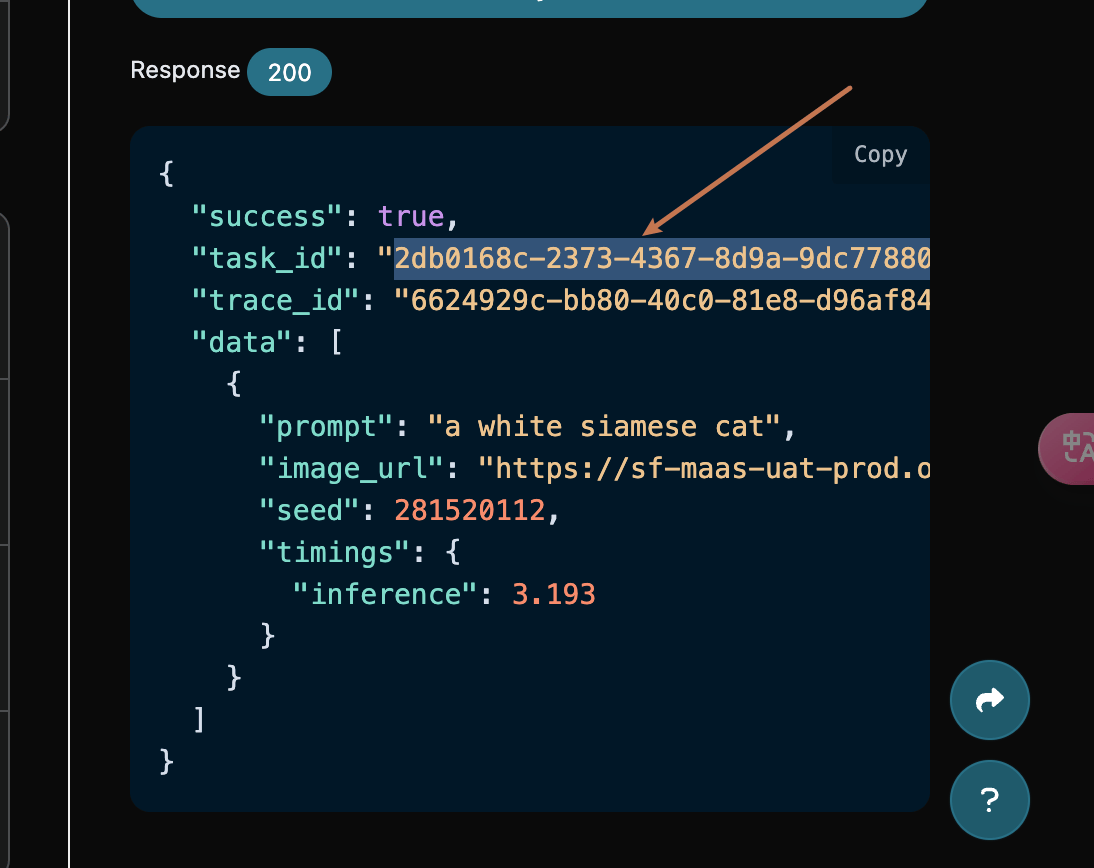
To use the Flux Tasks API, you first need to apply for the corresponding service on the application page Flux Images Generation API, and then copy the task ID from the Flux Images Generation API, as shown in the image below:

Finally, go to the Flux Tasks API page Flux Tasks API to apply for the corresponding service. After entering the page, click the “Acquire” button, as shown in the image below. Application Page If you are not logged in or registered, you will be automatically redirected to the login page inviting you to register and log in. After logging in or registering, you will be automatically returned to the current page. There is a free quota available for first-time applicants, allowing you to use this API for free.

Request Example

The Flux Tasks API can be used to query the results of the Flux Images Generation API. For information on how to use the Flux Images Generation API, please refer to the documentation Flux Images Generation API. We will use a task ID returned by the Flux Images Generation API service as an example to demonstrate how to use this API. Suppose we have a task ID: 2db0168c-2373-4367-8d9a-9dc778802e8a, and we will demonstrate how to pass in a task ID.

Task Example Image

Setting Request Headers and Request Body

Request Headers include:
  • accept: Specifies that the response should be in JSON format, set to application/json.
  • authorization: The key to call the API, which can be selected directly after application.
Request Body includes:
  • id: The uploaded task ID.
  • action: The operation method for the task.
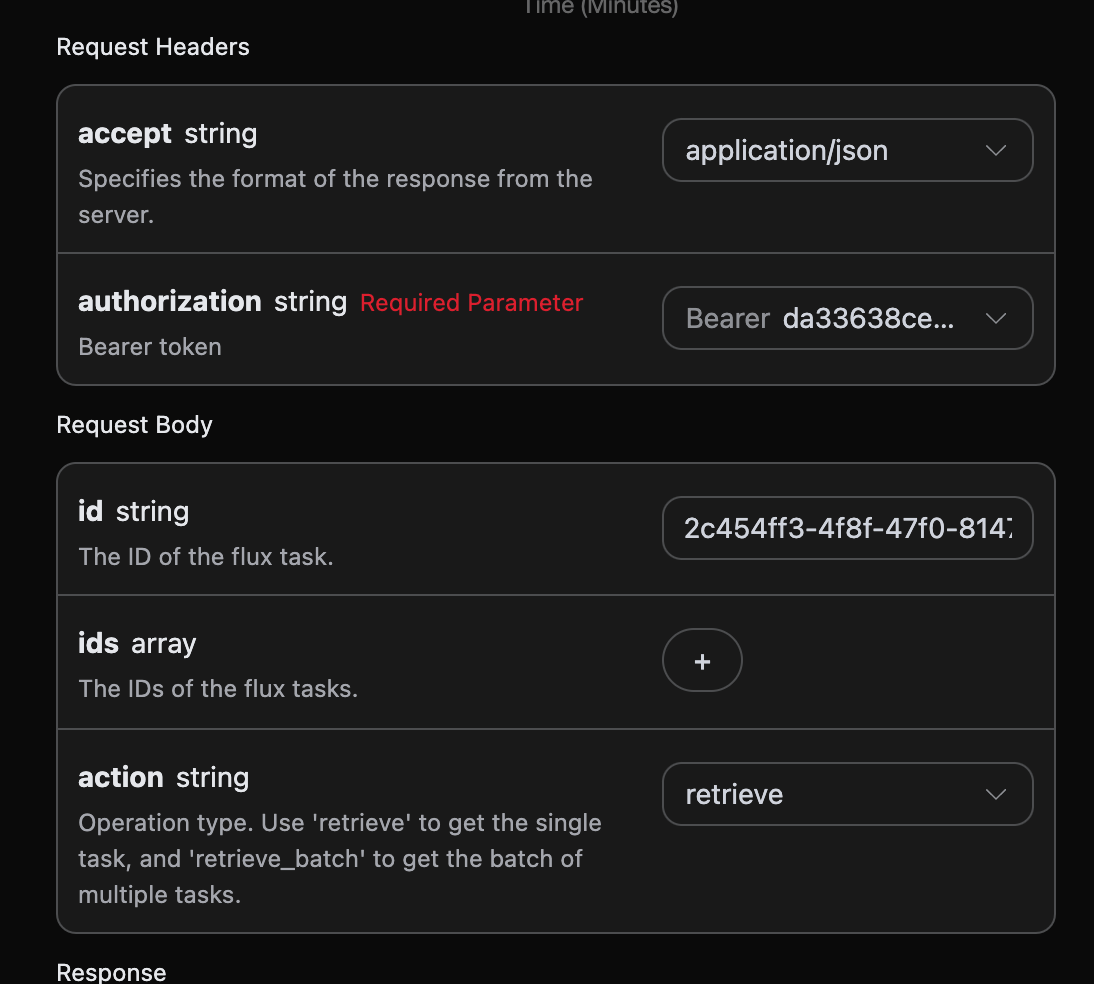
Set as shown in the image below:

Code Example

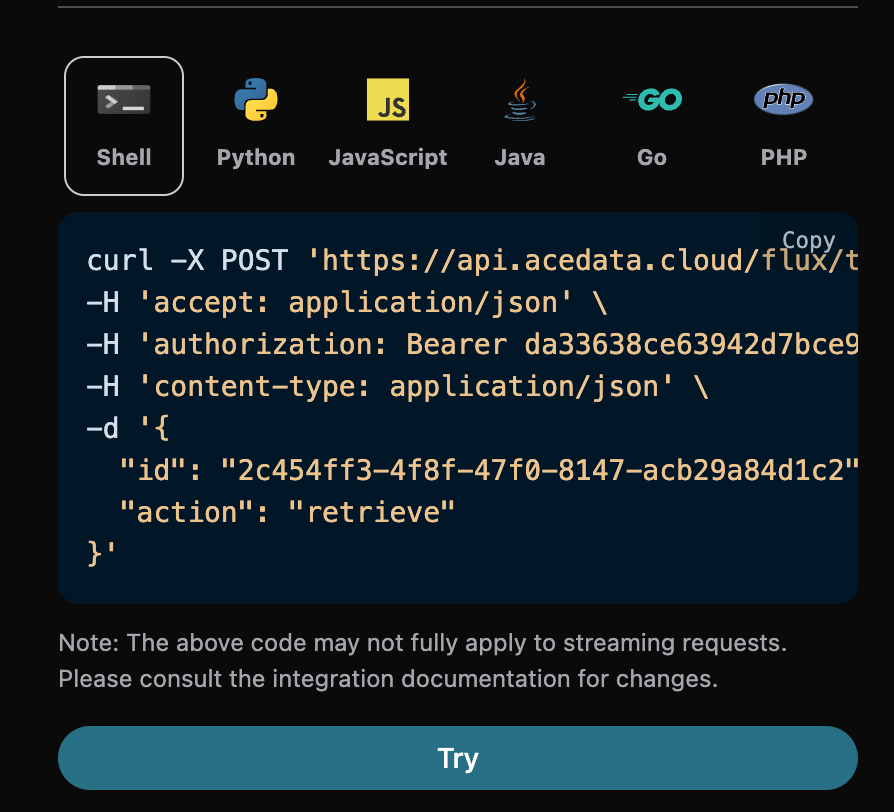
You can see that various language codes have been automatically generated on the right side of the page, as shown in the image below:

Some code examples are as follows:

CURL

curl -X POST 'https://api.acedata.cloud/flux/tasks' \
-H 'accept: application/json' \
-H 'authorization: Bearer {token}' \
-H 'content-type: application/json' \
-d '{
  "id": "2c454ff3-4f8f-47f0-8147-acb29a84d1c2",
  "action": "retrieve"
}'

Python

import requests

url = "https://api.acedata.cloud/flux/tasks"

headers = {
    "accept": "application/json",
    "authorization": "Bearer {token}",
    "content-type": "application/json"
}

payload = {
    "id": "2c454ff3-4f8f-47f0-8147-acb29a84d1c2",
    "action": "retrieve"
}

response = requests.post(url, json=payload, headers=headers)
print(response.text)

Response Example

Upon a successful request, the API will return the detailed information of the image task here. For example:
{
  "_id": "677de81d550a4144a5f4cf62",
  "id": "2db0168c-2373-4367-8d9a-9dc778802e8a",
  "api_id": "deefc5d7-7f22-43e9-929e-f2b6afee60b7",
  "application_id": "001c2f84-2a4a-4c4d-ba3f-8a89f43b5be2",
  "created_at": 1736304669.779,
  "credential_id": "b00bddd3-140f-4343-a9a2-affb312b60de",
  "request": {
    "action": "generate",
    "size": "1024x1024",
    "prompt": "a white siamese cat"
  },
  "trace_id": "6624929c-bb80-40c0-81e8-d96af8405d19",
  "user_id": "ad7afe47-cea9-4cda-980f-2ad8810e51cf",
  "response": {
    "success": true,
    "task_id": "2db0168c-2373-4367-8d9a-9dc778802e8a",
    "trace_id": "6624929c-bb80-40c0-81e8-d96af8405d19",
    "data": [
      {
        "prompt": "a white siamese cat",
        "image_url": "https://sf-maas-uat-prod.oss-cn-shanghai.aliyuncs.com/outputs/57d9ff7c-5a00-409e-9dcc-90f35b38d16e_0.png",
        "seed": 281520112,
        "timings": {
          "inference": 3.193
        }
      }
    ]
  }
}
The returned result contains multiple fields, with the request field being the request body when the task was initiated, and the response field being the response body returned after the task is completed. The field descriptions are as follows.
  • id: The ID of the image task generated, used to uniquely identify this image generation task.
  • request: The request information in the image task.
  • response: The return information in the image task.

Batch Query Operation

This is for querying the details of multiple task IDs, and unlike the above, the action needs to be selected as retrieve_batch. Request Body includes:
  • ids: An array of uploaded task IDs.
  • action: The operation method for the task.
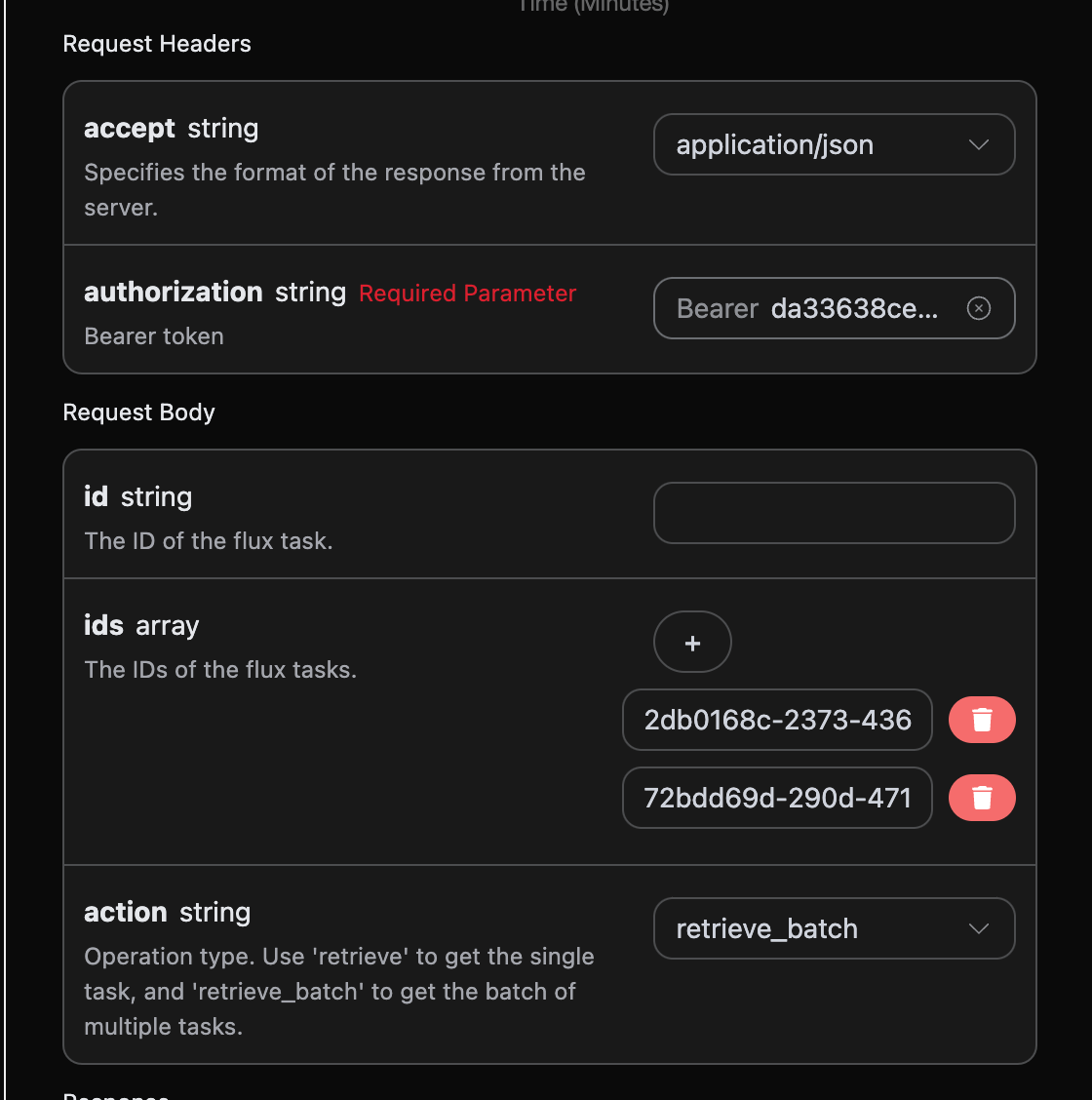
Set as shown in the image below:

Code Example

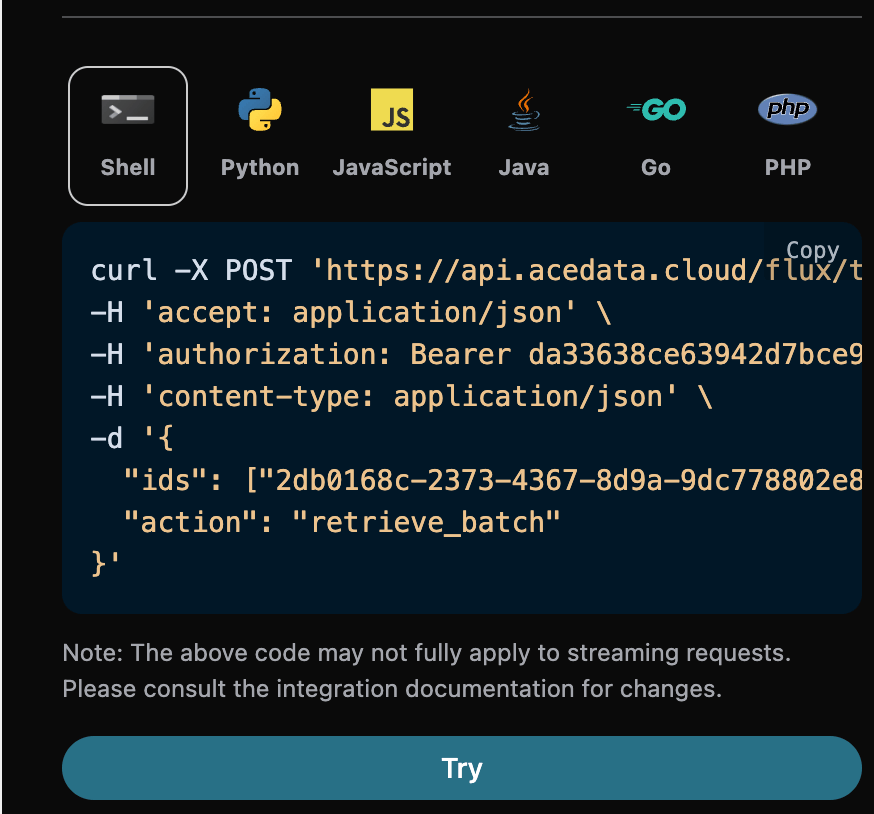
You can see that various language codes have been automatically generated on the right side of the page, as shown in the image below:

Some code examples are as follows:

Response Example

Upon a successful request, the API will return the specific details of all batch image tasks this time. For example:
{
  "items": [
    {
      "_id": "677de81d550a4144a5f4cf62",
      "id": "2db0168c-2373-4367-8d9a-9dc778802e8a",
      "api_id": "deefc5d7-7f22-43e9-929e-f2b6afee60b7",
      "application_id": "001c2f84-2a4a-4c4d-ba3f-8a89f43b5be2",
      "created_at": 1736304669.779,
      "credential_id": "b00bddd3-140f-4343-a9a2-affb312b60de",
      "request": {
        "action": "generate",
        "size": "1024x1024",
        "prompt": "a white siamese cat"
      },
      "trace_id": "6624929c-bb80-40c0-81e8-d96af8405d19",
      "user_id": "ad7afe47-cea9-4cda-980f-2ad8810e51cf",
      "response": {
        "success": true,
        "task_id": "2db0168c-2373-4367-8d9a-9dc778802e8a",
        "trace_id": "6624929c-bb80-40c0-81e8-d96af8405d19",
        "data": [
          {
            "prompt": "a white siamese cat",
            "image_url": "https://sf-maas-uat-prod.oss-cn-shanghai.aliyuncs.com/outputs/57d9ff7c-5a00-409e-9dcc-90f35b38d16e_0.png",
            "seed": 281520112,
            "timings": {
              "inference": 3.193
            }
          }
        ]
      }
    },
    {
      "_id": "677de950550a4144a5f52963",
      "id": "72bdd69d-290d-4710-a6d4-60c78968865a",
      "api_id": "deefc5d7-7f22-43e9-929e-f2b6afee60b7",
      "application_id": "001c2f84-2a4a-4c4d-ba3f-8a89f43b5be2",
      "created_at": 1736304976.278,
      "credential_id": "b00bddd3-140f-4343-a9a2-affb312b60de",
      "request": {
        "action": "generate",
        "size": "1024x1024",
        "prompt": "a white siamese cat"
      },
      "trace_id": "1dca4b49-d31d-42e6-83d9-7f0c56f62d31",
      "user_id": "ad7afe47-cea9-4cda-980f-2ad8810e51cf",
      "response": {
        "success": true,
        "task_id": "72bdd69d-290d-4710-a6d4-60c78968865a",
        "trace_id": "1dca4b49-d31d-42e6-83d9-7f0c56f62d31",
        "data": [
          {
            "prompt": "a white siamese cat",
            "image_url": "https://sf-maas-uat-prod.oss-cn-shanghai.aliyuncs.com/outputs/57b5c7e5-3436-466d-86ed-583ede4a3d7c_0.png",
            "seed": 1437672535,
            "timings": {
              "inference": 3.175
            }
          }
        ]
      }
    }
  ],
  "count": 2
}
The returned result contains multiple fields, among which items includes the specific details of batch image tasks, and each image task’s specific information is the same as the format of the single task return result mentioned above. The field information is as follows.
  • items, all specific detail information of batch image tasks. It is an array, and each element of the array has the same format as the return result of querying a single task above.
  • count, the number of image tasks in this batch query.

CURL

curl -X POST 'https://api.acedata.cloud/flux/tasks' \
-H 'accept: application/json' \
-H 'authorization: Bearer {token}' \
-H 'content-type: application/json' \
-d '{
  "ids": ["2db0168c-2373-4367-8d9a-9dc778802e8a","72bdd69d-290d-4710-a6d4-60c78968865a"],
  "action": "retrieve_batch"
}'

Python

import requests

url = "https://api.acedata.cloud/flux/tasks"

headers = {
    "accept": "application/json",
    "authorization": "Bearer {token}",
    "content-type": "application/json"
}

payload = {
    "ids": ["2db0168c-2373-4367-8d9a-9dc778802e8a","72bdd69d-290d-4710-a6d4-60c78968865a"],
    "action": "retrieve_batch"
}

response = requests.post(url, json=payload, headers=headers)
print(response.text)

Error Handling

When calling the API, if an error occurs, the API will return the corresponding error code and message. For example:
  • 400 token_mismatched: Bad request, possibly due to missing or invalid parameters.
  • 400 api_not_implemented: Bad request, possibly due to missing or invalid parameters.
  • 401 invalid_token: Unauthorized, invalid or missing authorization token.
  • 429 too_many_requests: Too many requests, you have exceeded the rate limit.
  • 500 api_error: Internal server error, something went wrong on the server.

Error Response Example

{
  "success": false,
  "error": {
    "code": "api_error",
    "message": "fetch failed"
  },
  "trace_id": "2cf86e86-22a4-46e1-ac2f-032c0f2a4e89"
}

Conclusion

Through this document, you have learned how to use the FLux Tasks API to query all specific detail information of single or batch image tasks. We hope this document can help you better integrate and use this API. If you have any questions, please feel free to contact our technical support team.