

1. 獲取 API Key
打開 Ace Data Cloud 應用列表,進入可用的應用並複製 API Key。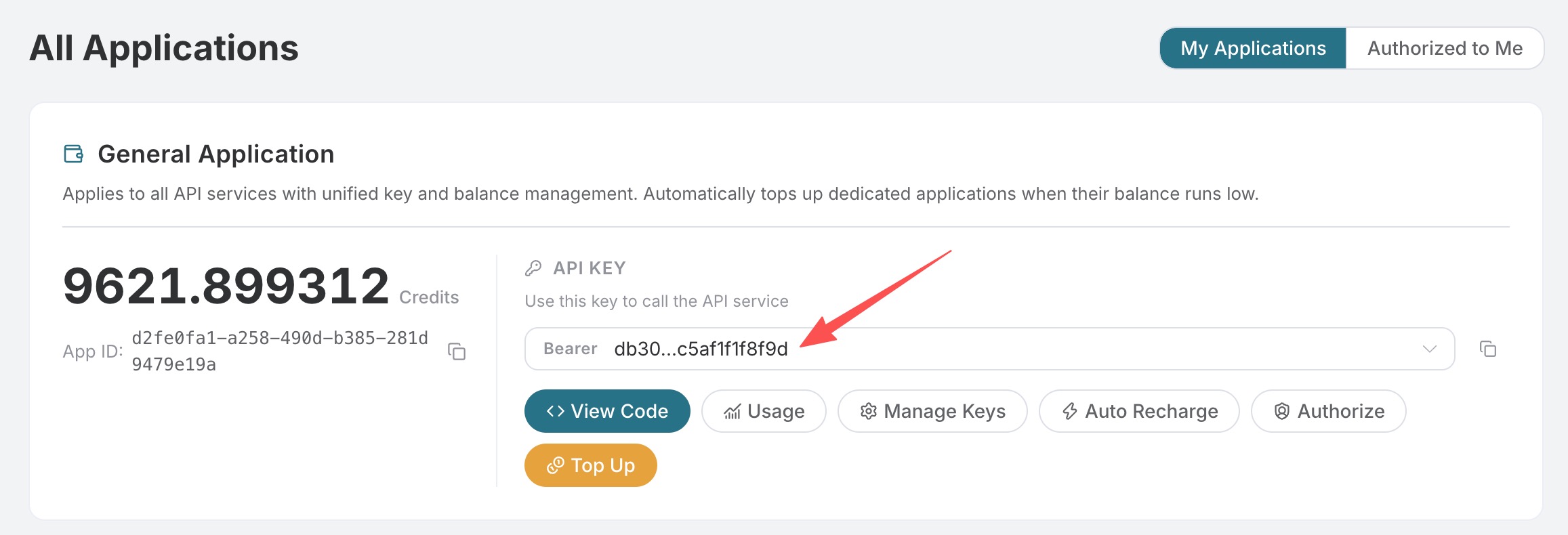 在目標 GitHub 倉庫的 Settings → Secrets and variables → Actions 新建 Secret:
2. 安裝 GitHub App
安裝 Claude GitHub App 並授權目標倉庫。該官方 App 會請求固定的完整權限集;其中 Claude Code Action 實際使用 Contents、Issues 和 Pull requests 權限,GitHub 安裝頁不能只勾選這三項。若組織要求最小權限,請按官方文檔創建自定義 GitHub App。3. 添加 Workflow
創建.github/workflows/claude.yml:
claude-code-action 需要非空的 anthropic_api_key 輸入;這裡的佔位值不會用於平台鑑權。ANTHROPIC_CUSTOM_HEADERS 會覆蓋為 Ace Data Cloud 所需的 Bearer Header,真實 Key 只來自 GitHub Secret。
4. 驗證
提交 Workflow 後,在 Issue 或 PR 評論中發送:dummy-not-used 仍存在;401 則檢查 ACEDATACLOUD_API_KEY Secret。不要在日誌中打印 Secret。可用 claude_args 按需設置 --max-turns 或選擇當前可用模型,但接入模板不固定模型。