跳轉到主要內容
DALL-E 3 是 OpenAI 開發的兩個版本的圖像生成模型,它們能夠根據文本描述生成高品質的圖像。 本文檔主要介紹 OpenAI 圖像生成 API 操作的使用流程,利用它我們可以輕鬆使用官方 OpenAI DALL-E 的圖像生成功能。

申請流程

要使用 OpenAI 圖像生成 API,首先可以到 OpenAI 圖像生成 API 頁面點擊「Acquire」按鈕,獲取請求所需要的憑證: 如果你尚未登入或註冊,會自動跳轉到登入頁面邀請您來註冊和登入,登入註冊之後會自動返回當前頁面。 在首次申請時會有免費額度贈送,可以免費使用該 API。

基本使用

接下來就可以在介面上填寫對應的內容,如圖所示:
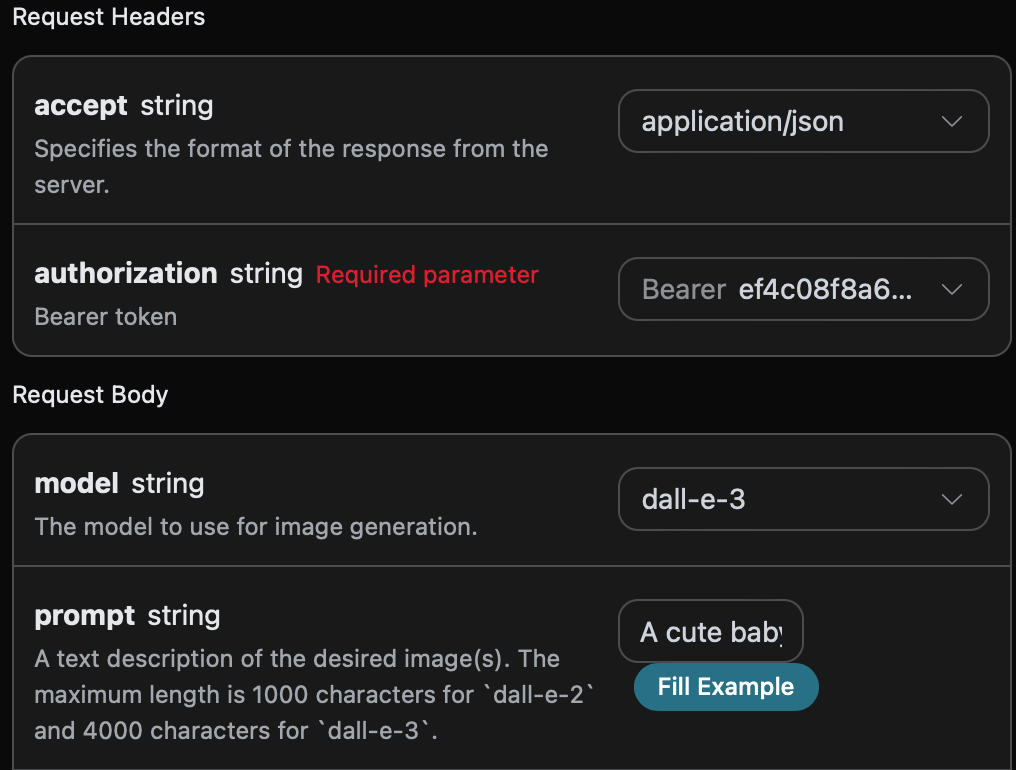
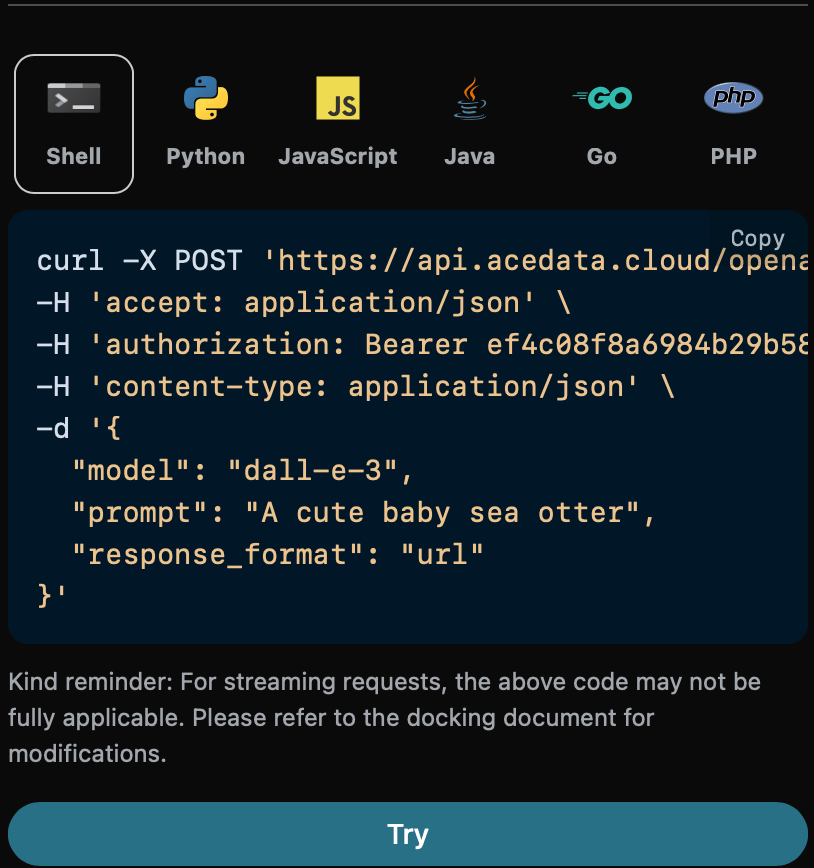
在第一次使用該接口時,我們至少需要填寫三個內容,一個是 authorization,直接在下拉列表裡面選擇即可。另一個參數是 modelmodel 就是我們選擇使用 OpenAI DALL-E 官網模型類別,這裡我們主要有 1 種模型,詳情可以看我們提供的模型。最後一個參數是promptprompt 是我們輸入要生成圖像的提示詞。 同時您可以注意到右側有對應的調用代碼生成,您可以複製代碼直接運行,也可以直接點擊「Try」按鈕進行測試。
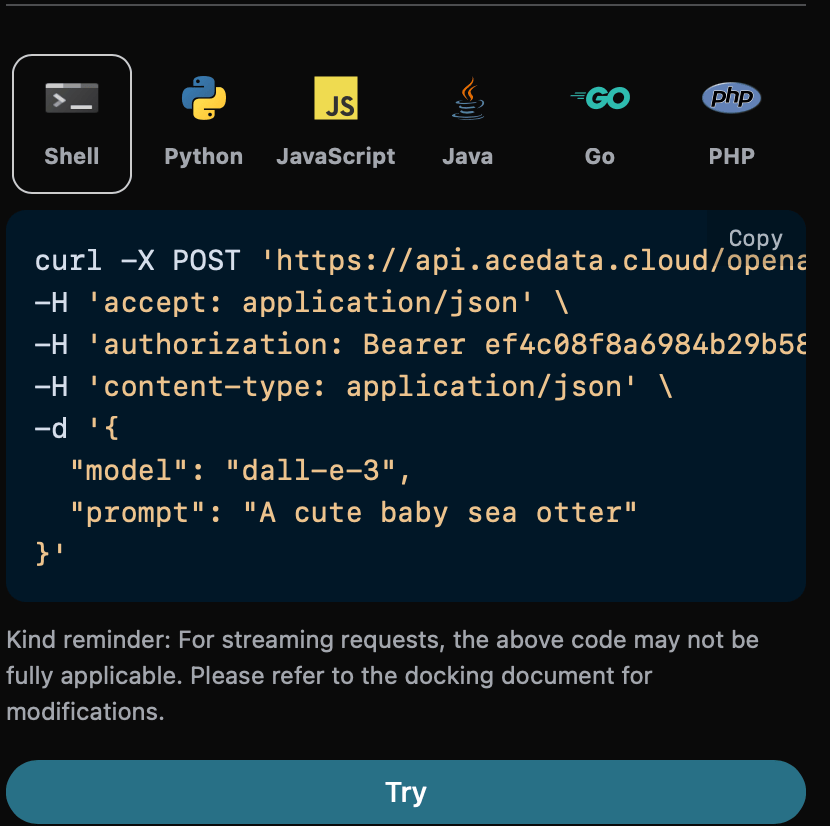
Python 樣例調用代碼:
import requests

url = "https://api.acedata.cloud/openai/images/generations"

headers = {
    "accept": "application/json",
    "authorization": "Bearer {token}",
    "content-type": "application/json"
}

payload = {
    "model": "dall-e-3",
    "prompt": "A cute baby sea otter"
}

response = requests.post(url, json=payload, headers=headers)
print(response.text)
調用之後,我們發現返回結果如下:
{
  "created": 1721626477,
  "data": [
    {
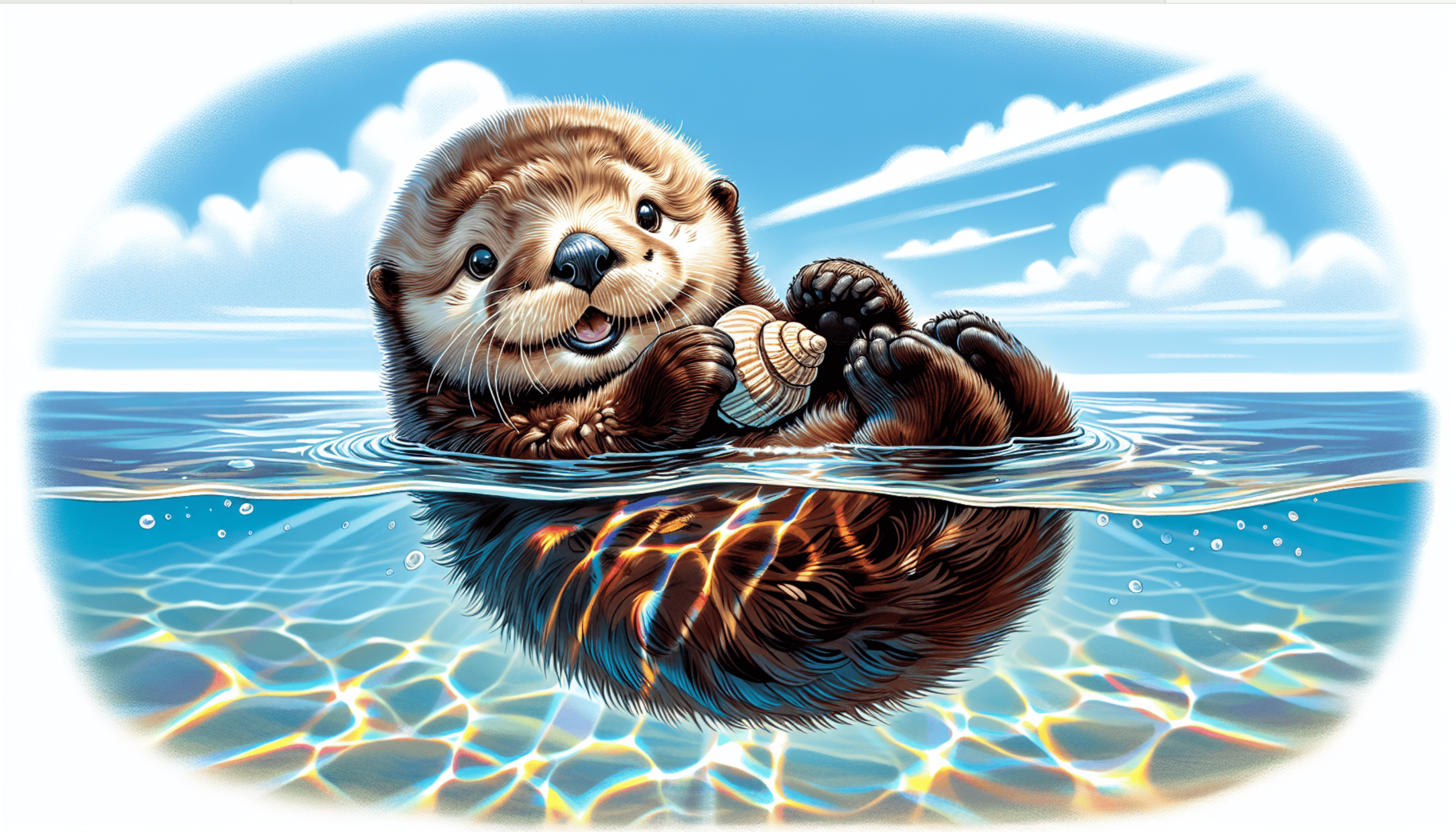
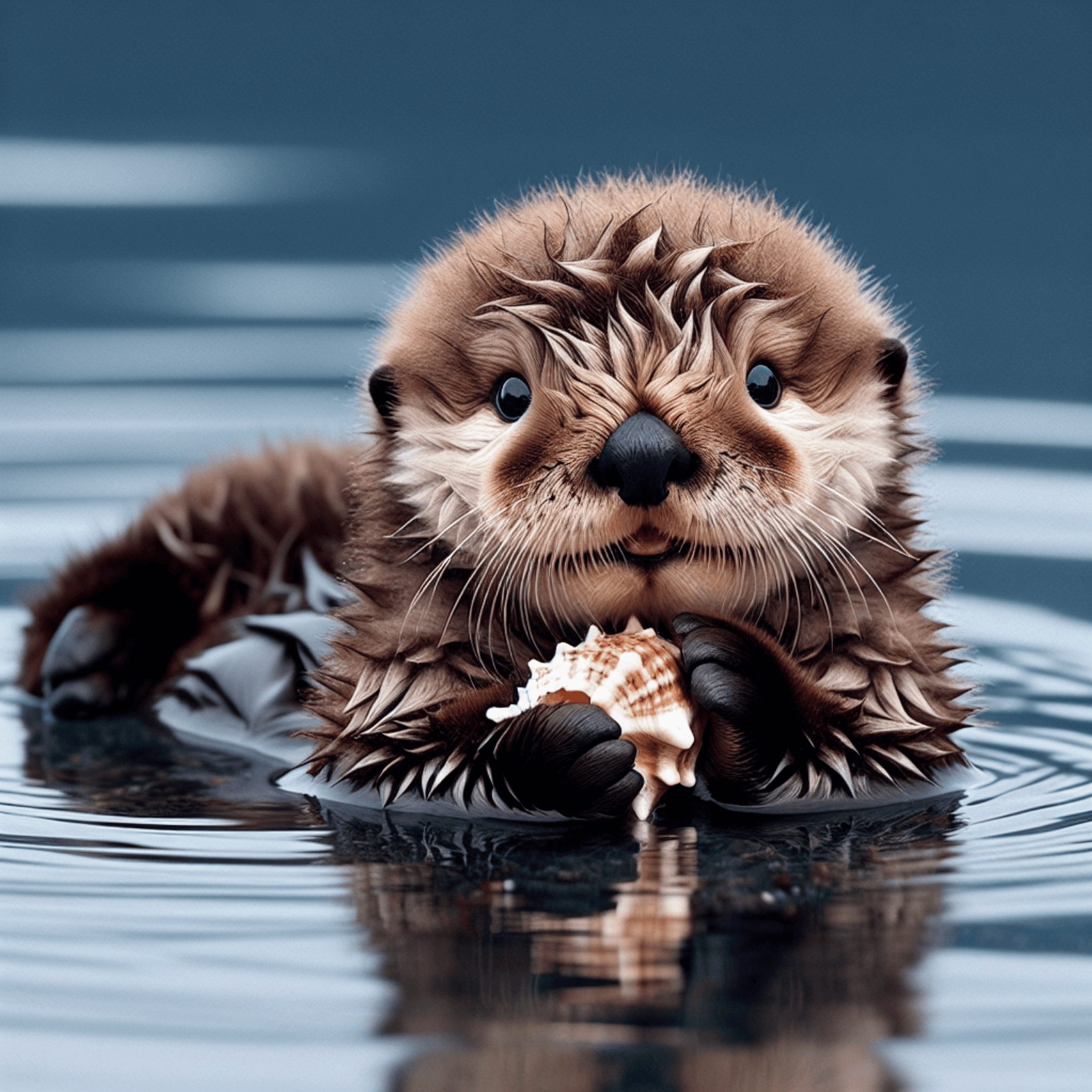
      "revised_prompt": "A delightful image showcasing a young sea otter, who is born brown, with wide charming eyes. It is delightfully lying on its back, paddling in the calm sea waters. Its dense, velvety fur appears wet and shimmering, capturing the essence of its habitat. The small creature curiously plays with a sea shell with its small paws, looking absolutely innocent and charming in its natural environment.",
      "url": "https://dalleprodsec.blob.core.windows.net/private/images/5d98aa7c-80c6-4523-b571-fc606ad455b9/generated_00.png?se=2024-07-23T05%3A34%3A48Z&sig=GAz%2Bi3%2BkHOQwAMhxcv22tBM%2FaexrxPgT9V0DbNrL4ik%3D&ske=2024-07-23T08%3A41%3A10Z&skoid=e52d5ed7-0657-4f62-bc12-7e5dbb260a96&sks=b&skt=2024-07-16T08%3A41%3A10Z&sktid=33e01921-4d64-4f8c-a055-5bdaffd5e33d&skv=2020-10-02&sp=r&spr=https&sr=b&sv=2020-10-02"
    }
  ]
}
返回結果一共有多個字段,介紹如下:
  • created ,生成此次圖像生成的 ID,用於唯一標識此次任務。
  • data,包含圖像生成的結果信息。
其中 data 是包含了模型生成圖片的具體信息,它裡面的 url 是生成圖片的詳情鏈接,可以發現如圖所示。
圖片質量參數 quality

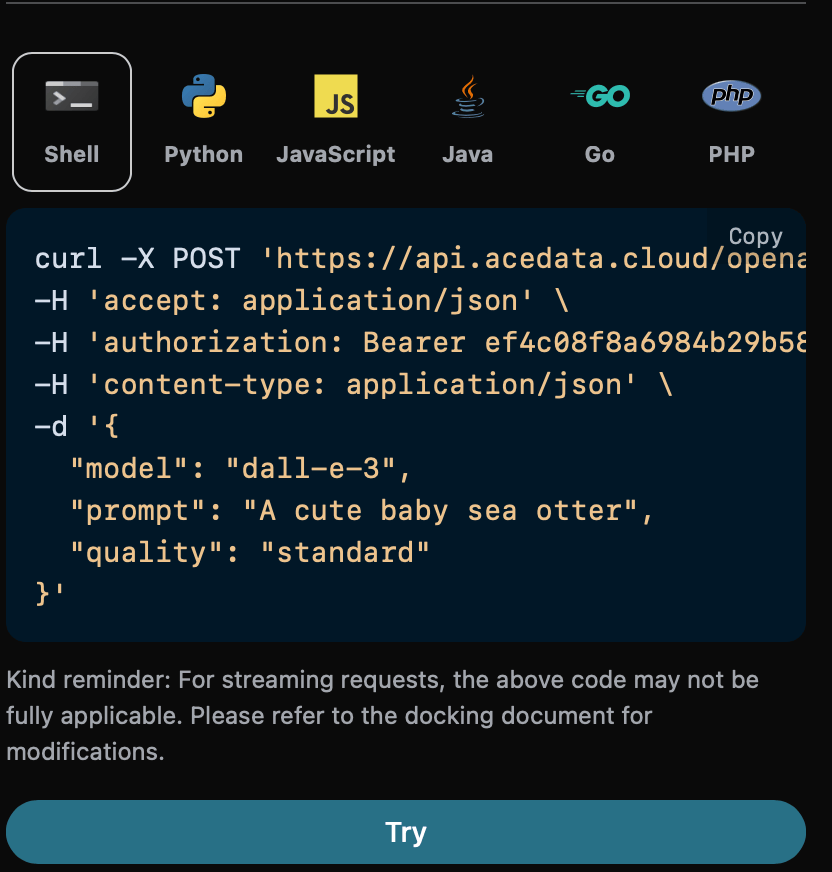
接下來將介紹如何設置圖像生成結果的一些詳細參數,其中圖片質量參數 quality 包含兩種,第一個 standard 表示生成標準的圖片,另一個 hd 表示創建的圖像具有更精細的細節和更大的一致性。 下面設置圖片質量參數為 standard ,具體設置如下圖:
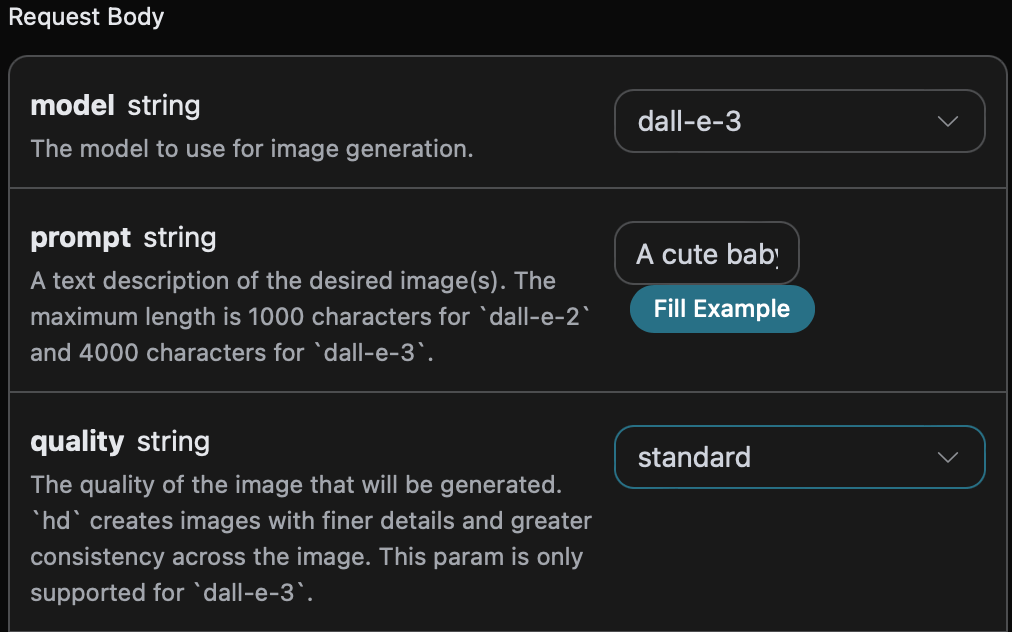
同時您可以注意到右側有對應的調用代碼生成,您可以複製代碼直接運行,也可以直接點擊「Try」按鈕進行測試。

Python 樣例調用代碼:
import requests

url = "https://api.acedata.cloud/openai/images/generations"

headers = {
    "accept": "application/json",
    "authorization": "Bearer {token}",
    "content-type": "application/json"
}

payload = {
    "model": "dall-e-3",
    "prompt": "A cute baby sea otter",
    "quality": "standard"
}

response = requests.post(url, json=payload, headers=headers)
print(response.text)
調用之後,我們發現返回結果如下:
{
  "created": 1721636023,
  "data": [
    {
      "revised_prompt": "A cute baby sea otter is lying playfully on its back in the water, with its fur looking glossy and soft. One of its tiny paws is reaching out curiously, and it has an expression of pure joy and warmth on its face as it looks up to the sky. Its body is surrounded by bubbles from its playful twirling in the water. A gentle breeze is playing with its fur making it look more charming. The scene portrays the tranquility and charm of marine life.",
      "url": "https://dalleprodsec.blob.core.windows.net/private/images/a93ee5e7-3abd-4923-8d79-dc9ef126da46/generated_00.png?se=2024-07-23T08%3A13%3A55Z&sig=wTXGYvUOwUIkaB2CxjK9ww%2FHjS8OwYUWcYInXYKwcAM%3D&ske=2024-07-23T11%3A32%3A05Z&skoid=e52d5ed7-0657-4f62-bc12-7e5dbb260a96&sks=b&skt=2024-07-16T11%3A32%3A05Z&sktid=33e01921-4d64-4f8c-a055-5bdaffd5e33d&skv=2020-10-02&sp=r&spr=https&sr=b&sv=2020-10-02"
    }
  ]
}
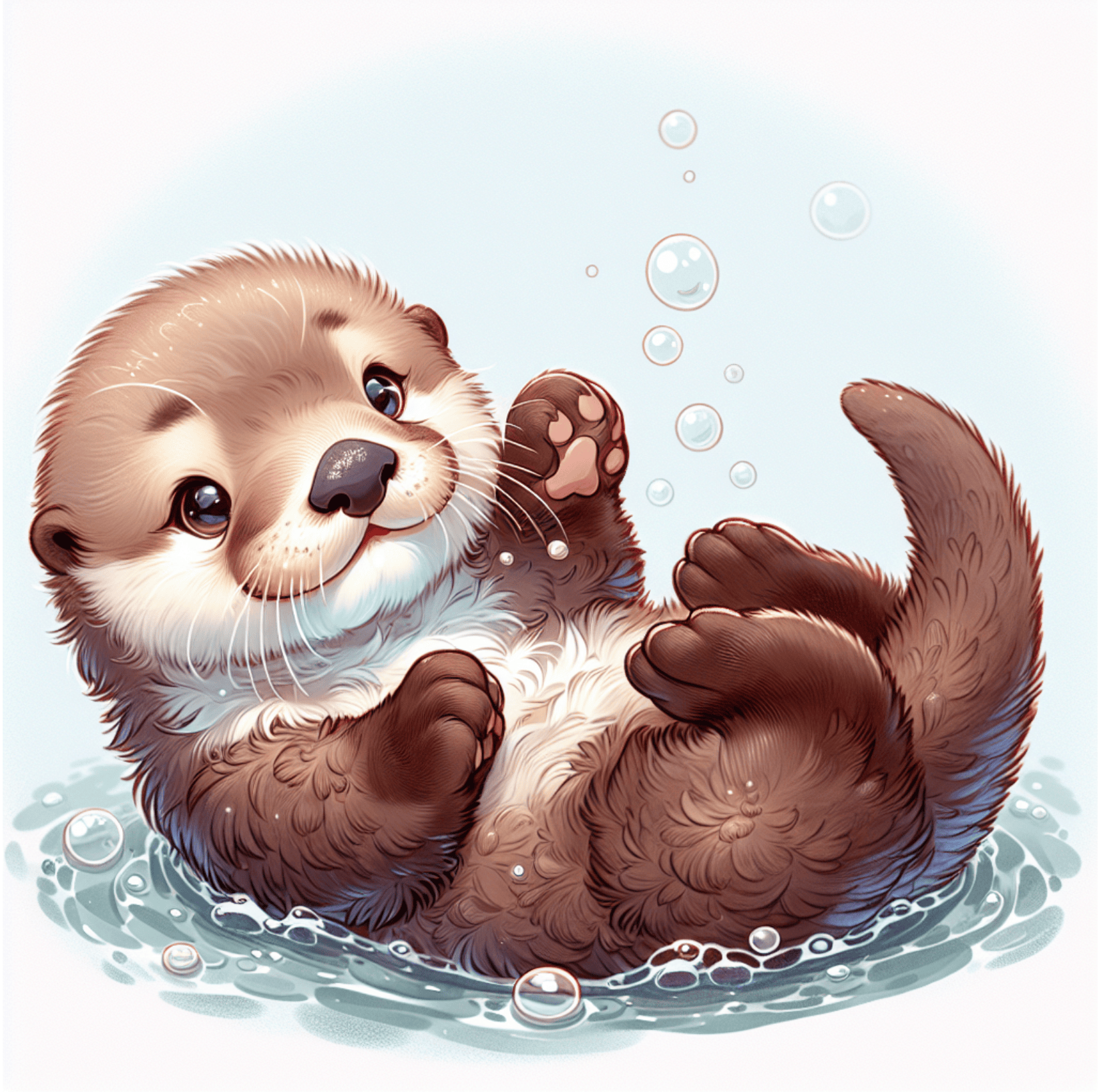
返回的結果與基本使用的內容一致,可以看到圖片質量參數為 standard 的生成圖片如下圖所示:

與上述相同操作,僅需將圖片質量參數設置為 hd ,可以得到如下圖所示的圖片:

可以看到 hdstandard 生成的圖片具有更精細的細節和更大的一致性。

圖片大小尺寸參數 size

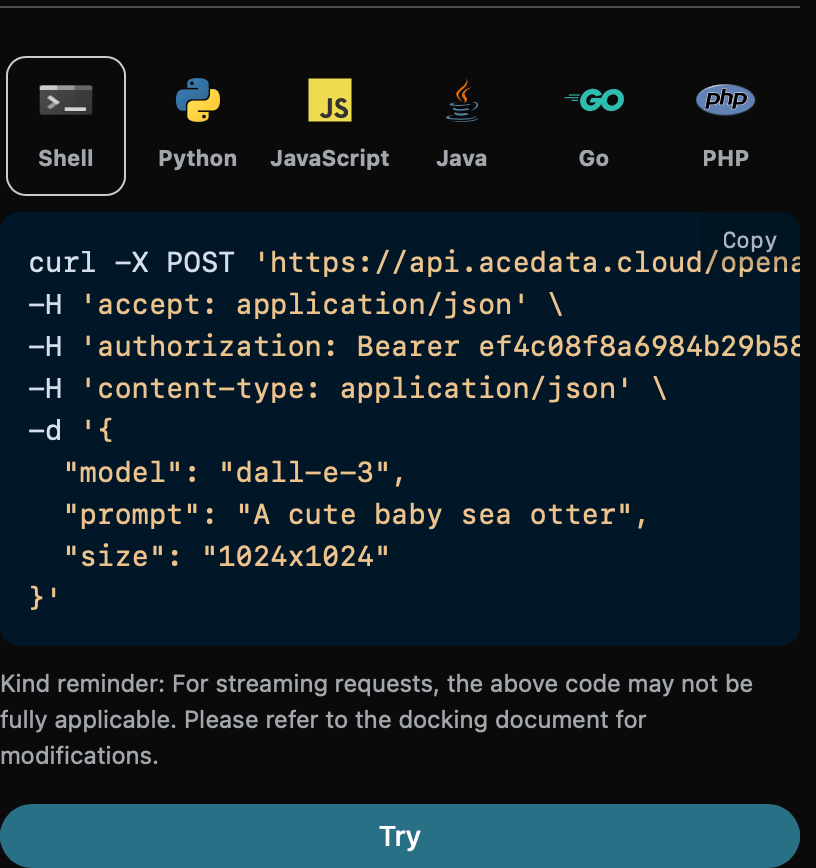
我們還可以設定生成圖片的尺寸大小,我們可以進行下面的設定。 下面設定圖片的尺寸大小為 1024 * 1024 ,具體設定如下圖:
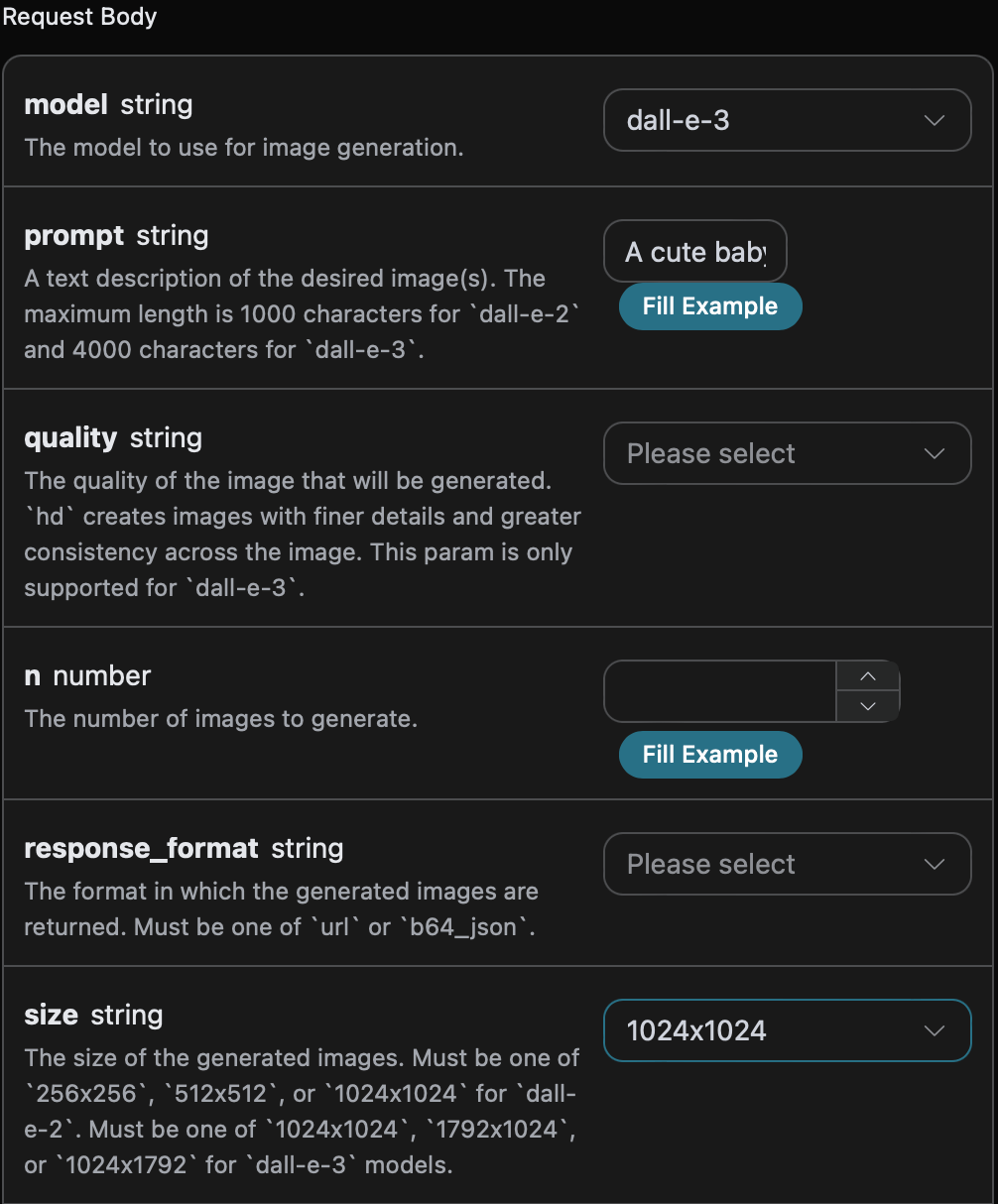
同時您可以注意到右側有對應的調用代碼生成,您可以複製代碼直接運行,也可以直接點擊「Try」按鈕進行測試。

Python 樣例調用代碼:
import requests

url = "https://api.acedata.cloud/openai/images/generations"

headers = {
    "accept": "application/json",
    "authorization": "Bearer {token}",
    "content-type": "application/json"
}

payload = {
    "model": "dall-e-3",
    "prompt": "A cute baby sea otter"
    "size": "1024x1024"
}

response = requests.post(url, json=payload, headers=headers)
print(response.text)
調用之後,我們發現返回結果如下:
{
  "created": 1721636652,
  "data": [
    {
      "revised_prompt": "A delightful depiction of a baby sea otter. The small mammal is captured in its natural habitat in the ocean, floating on its back. It has thick brown fur that is sleek and wet from the sea water. Its eyes are closed as if it is enjoying a moment of deep relaxation. The water around it is calm, reflecting the peacefulness of the scene. The background should hint at a diverse marine ecosystem, with visible strands of kelp floating on the surface, suggesting the baby otter's preferred environment.",
      "url": "https://dalleprodsec.blob.core.windows.net/private/images/9d625ac6-fd2b-42a9-84a6-8c99eb357ccf/generated_00.png?se=2024-07-23T08%3A24%3A24Z&sig=AXtYXowEakGxfRp8LhC2DwqL%2F07LhEDW40oCP%2BdTO8s%3D&ske=2024-07-23T18%3A00%3A45Z&skoid=e52d5ed7-0657-4f62-bc12-7e5dbb260a96&sks=b&skt=2024-07-16T18%3A00%3A45Z&sktid=33e01921-4d64-4f8c-a055-5bdaffd5e33d&skv=2020-10-02&sp=r&spr=https&sr=b&sv=2020-10-02"
    }
  ]
}
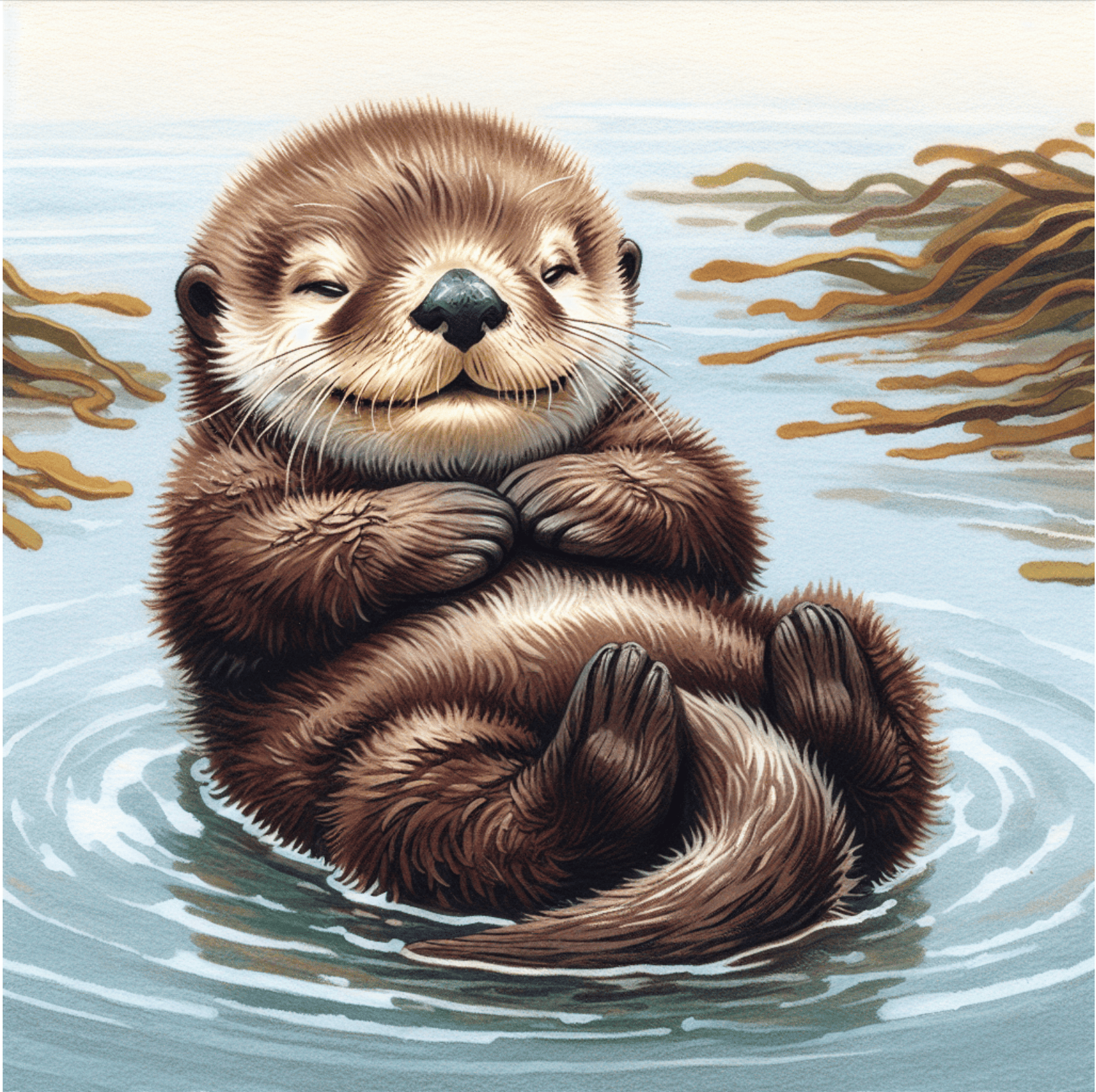
返回的結果與基本使用的內容一致,可以看到圖片的尺寸大小為 1024 * 1024 的生成圖片如下圖所示:

與上述相同操作,僅需將圖片的尺寸大小為 1792 * 1024 ,可以得到如下圖所示的圖片: 可以看到圖片的尺寸大小很明顯不一樣,另外還可以設定更多尺寸大小,詳情信息參考我們官網文檔。

圖片風格參數 style

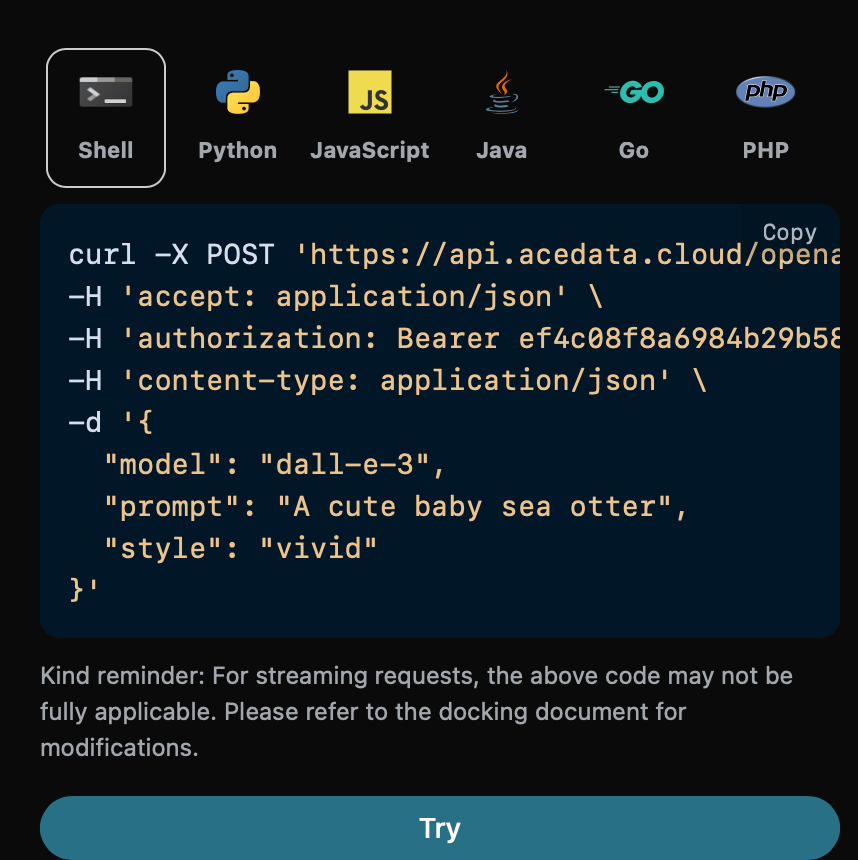
圖片風格參數 style 包含兩個參數,第一種 vivid 表示生成的圖片是更加生動的,另一種 natural 表示生成的圖片更加的自然一點。 下面設定圖片風格參數為 vivid ,具體設定如下圖:
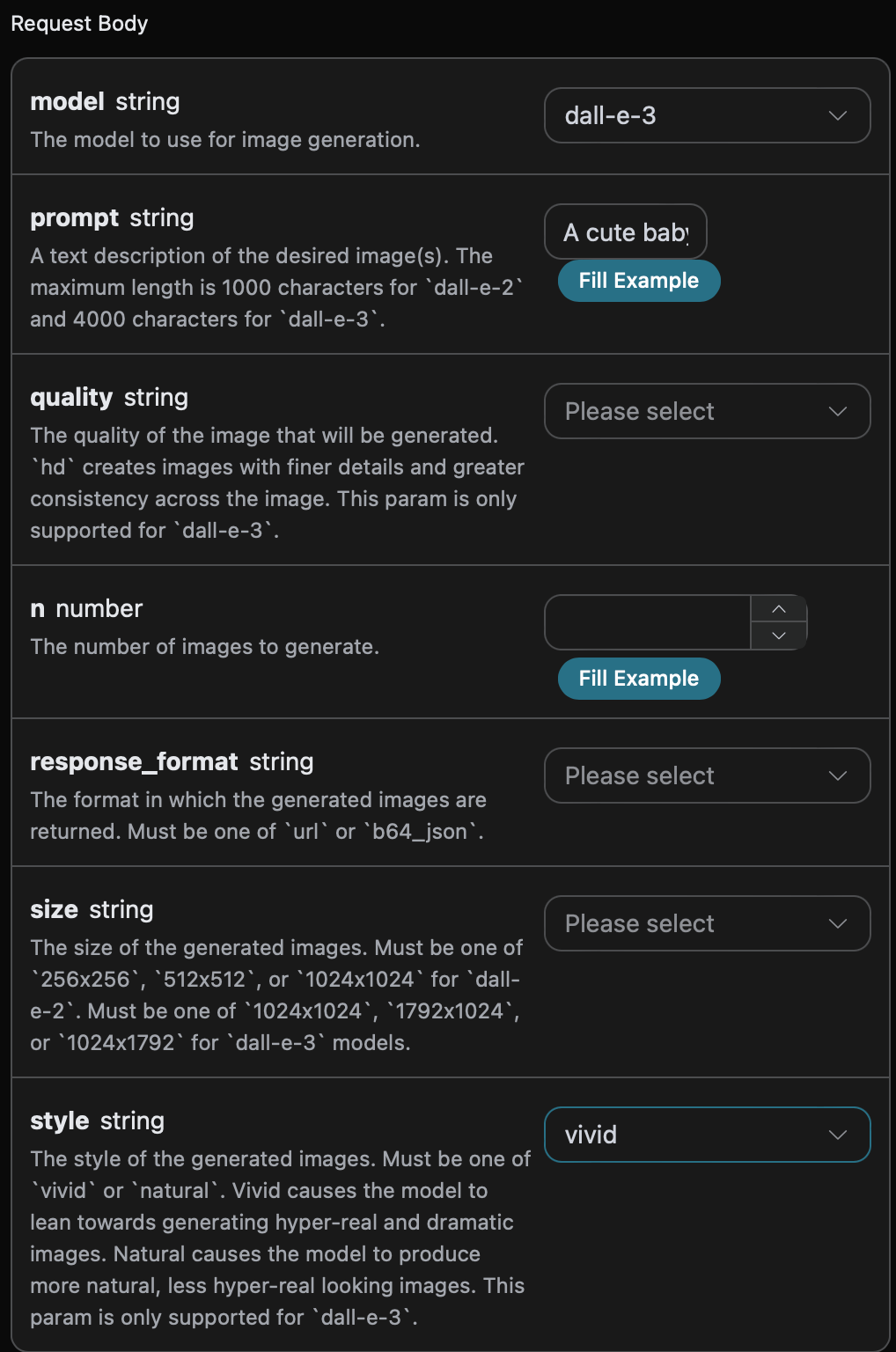
同時您可以注意到右側有對應的調用代碼生成,您可以複製代碼直接運行,也可以直接點擊「Try」按鈕進行測試。

Python 樣例調用代碼:
import requests

url = "https://api.acedata.cloud/openai/images/generations"

headers = {
    "accept": "application/json",
    "authorization": "Bearer {token}",
    "content-type": "application/json"
}

payload = {
    "model": "dall-e-3",
    "prompt": "A cute baby sea otter",
    "style": "vivid"
}

response = requests.post(url, json=payload, headers=headers)
print(response.text)
調用之後,我們發現返回結果如下:
{
  "created": 1721637086,
  "data": [
    {
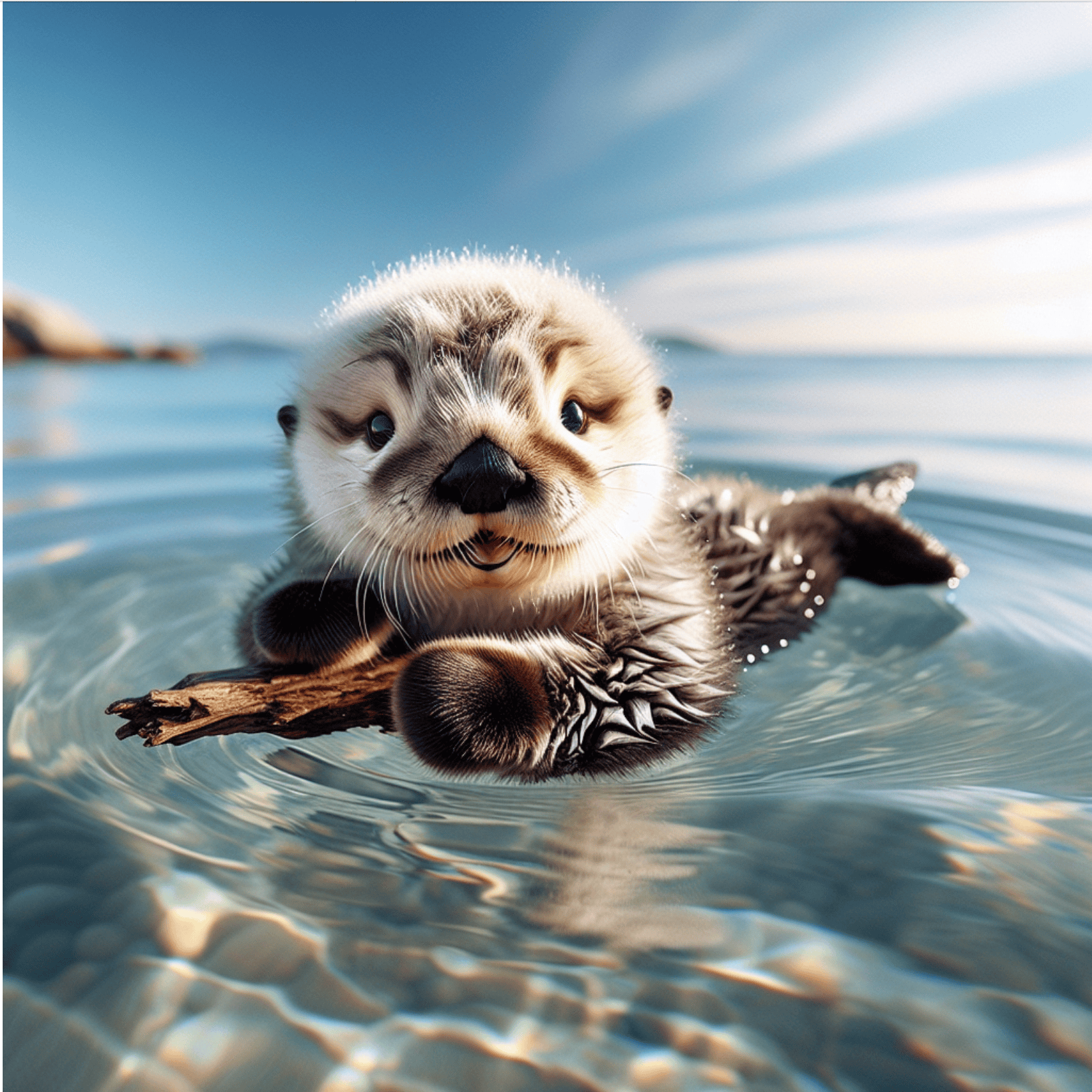
      "revised_prompt": "A baby sea otter with soft, shiny fur and sparkling eyes floating playfully on calm ocean waters. This adorable creature is trippingly frolicking amidst small, gentle waves under a bright, clear, sunny sky. The tranquility of the sea contrasts subtly with the delightful energy of this young otter. The critter gamely clings to a tiny piece of driftwood, its small paws adorably enveloping the floating object.",
      "url": "https://dalleprodsec.blob.core.windows.net/private/images/6e48f701-7fd3-4356-839e-a2f6f0fe82d9/generated_00.png?se=2024-07-23T08%3A31%3A37Z&sig=4percxqTbUR1j3BQmkhvj%2FAhHzInKI%2FqiTo1MP69coI%3D&ske=2024-07-27T10%3A39%3A55Z&skoid=e52d5ed7-0657-4f62-bc12-7e5dbb260a96&sks=b&skt=2024-07-20T10%3A39%3A55Z&sktid=33e01921-4d64-4f8c-a055-5bdaffd5e33d&skv=2020-10-02&sp=r&spr=https&sr=b&sv=2020-10-02"
    }
  ]
}
返回的結果與基本使用的內容一致,可以看到圖片風格參數為 vivid 的生成圖片如下圖所示:

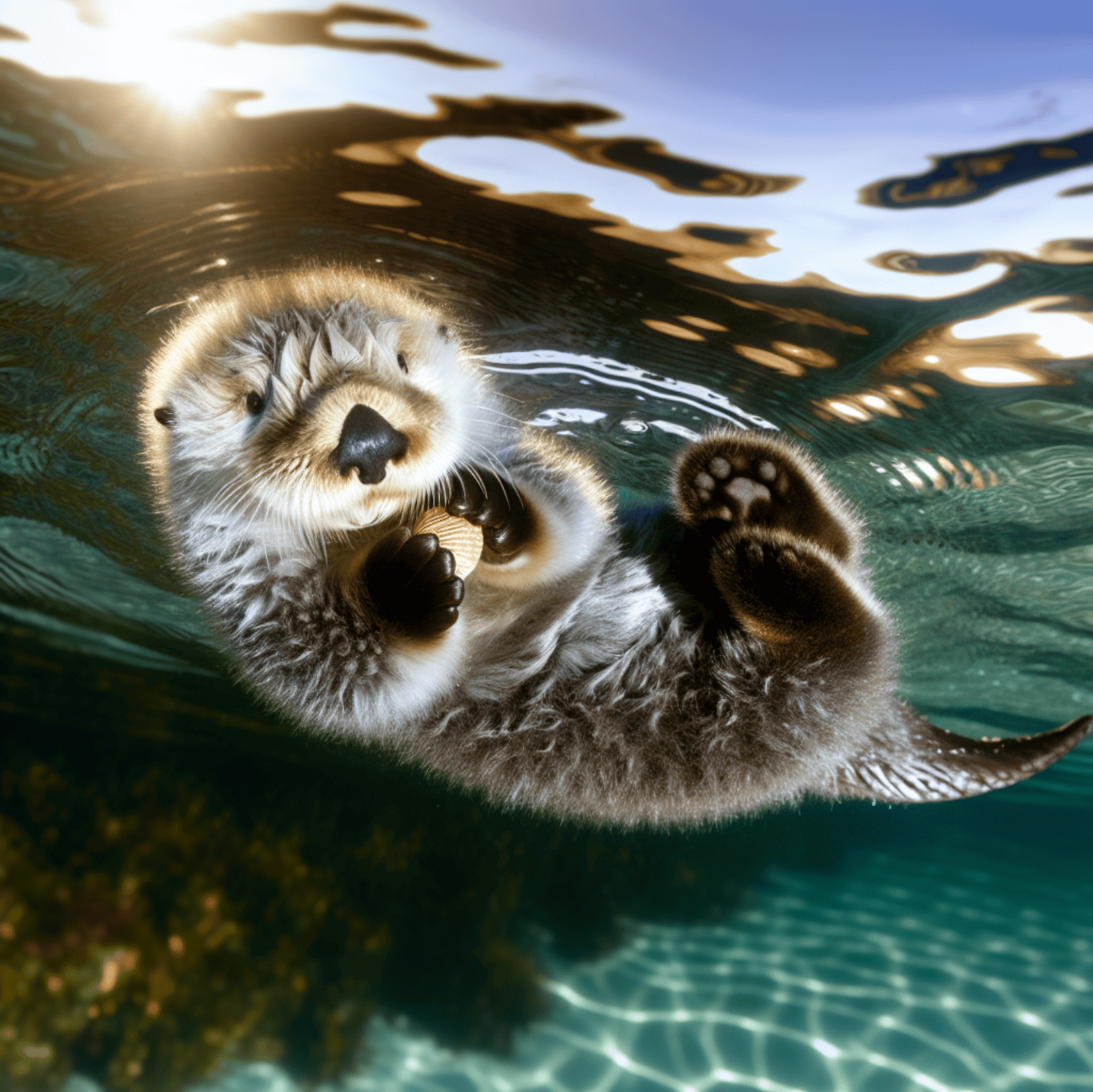
與上述相同操作,僅需將圖片風格參數為 natural ,可以得到如下圖所示的圖片:

可以看到 vividnatural 生成的圖片具有更加生動逼真。

圖片鏈接的格式參數 response_format

最後一個圖片鏈接的格式參數 response_format 也有兩種,第一種 b64_json 是對圖片鏈接進行 Base64 編碼,另一種 url 就是普通的圖片鏈接,可以直接查看圖片。 下面設定圖片鏈接的格式參數為 url ,具體設定如下圖:
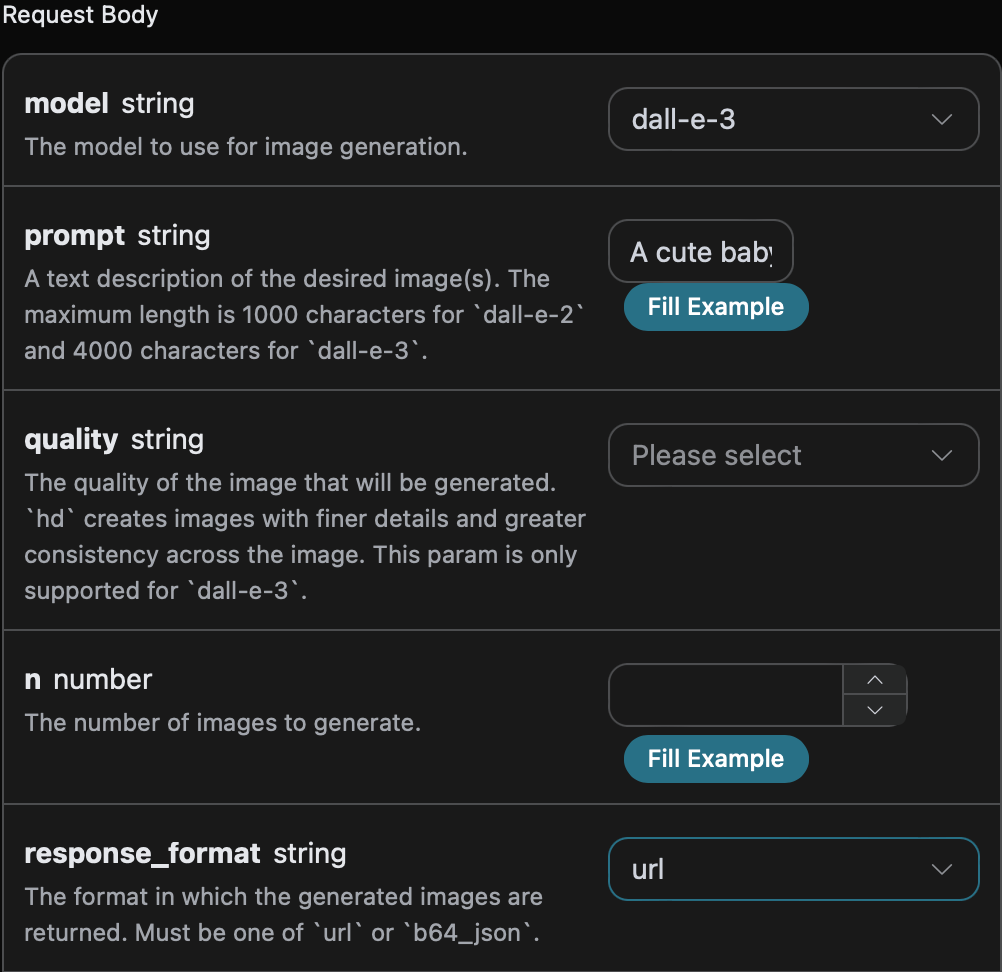
同時您可以注意到右側有對應的調用代碼生成,您可以複製代碼直接運行,也可以直接點擊「Try」按鈕進行測試。

Python 樣例調用代碼:
import requests

url = "https://api.acedata.cloud/openai/images/generations"

headers = {
    "accept": "application/json",
    "authorization": "Bearer {token}",
    "content-type": "application/json"
}

payload = {
    "model": "dall-e-3",
    "prompt": "A cute baby sea otter",
    "response_format": "url"
}

response = requests.post(url, json=payload, headers=headers)
print(response.text)
調用之後,我們發現返回結果如下:
{
  "created": 1721637575,
  "data": [
    {
      "revised_prompt": "一幅迷人的小海獺描绘。海獺安静地仰卧在温柔的蓝色海浪中。小海獺的毛发是柔和的灰棕色混合,微微在柔和的阳光下闪烁。它的小爪子轻轻抬起,似乎在与看不见的物体玩耍。它圆圆的、富有表现力的眼睛因好奇而睁得大大的,充满了生命和纯真。使用现实主义风格来唤起海獺的自然栖息地和它可爱的毛茸茸的外表。",
      "url": "https://dalleprodsec.blob.core.windows.net/private/images/87792c5f-8b6d-412e-81dd-f1a1baa19bd2/generated_00.png?se=2024-07-23T08%3A39%3A47Z&sig=zzRAn30TqIKHdLVqZPUUuSJdjCYpoJdaGU6BeoA76Jo%3D&ske=2024-07-23T13%3A32%3A13Z&skoid=e52d5ed7-0657-4f62-bc12-7e5dbb260a96&sks=b&skt=2024-07-16T13%3A32%3A13Z&sktid=33e01921-4d64-4f8c-a055-5bdaffd5e33d&skv=2020-10-02&sp=r&spr=https&sr=b&sv=2020-10-02"
    }
  ]
}
返回的结果与基本使用的内容一致,可以看到图片链接的格式参数为 url 的生成图片的链接为 图片 URL 这是可以直接访问的,图片内容如下图所示:
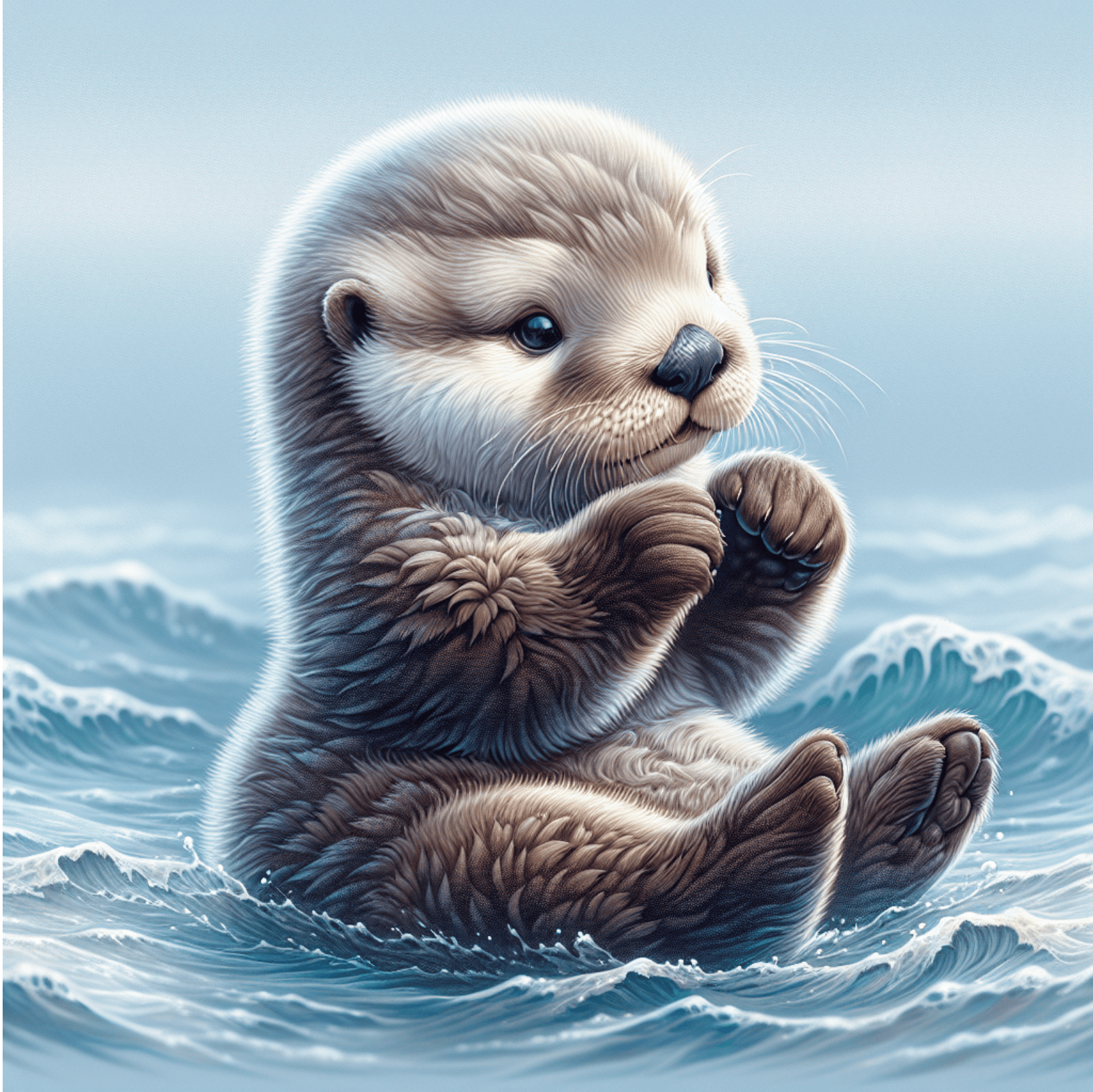
与上述相同操作,仅需将图片链接的格式参数为 b64_json ,可以得到结果 Base64 编码后的图片链接,具体结果如下图所示:
{
  "created": 1721638071,
  "data": [
    {
      "b64_json": "iVBORw0..............v//AQEAAP4AAAD+AAADAQAAAwEEA/4D//8Q/Pbw64mKbVTFoQAAAABJRU5ErkJggg==",
      "revised_prompt": "一幅迷人的小海獺图像。海獺轻轻漂浮在平静的蓝色海面上,沐浴在从清澈的天空洒下的温暖金色阳光中。海獺的毛发是丰富的巧克力棕色,看起来非常柔软和蓬松。海獺的眼睛明亮而富有表现力,充满了孩子般的好奇和快乐。它有小小的竖耳和像纽扣一样的鼻子,增添了它的可爱程度。在它周围的海水中,可以看到闪烁的水滴,在阳光的照耀下,景象无疑是令人愉悦的。"
    }
  ]
}

异步回调

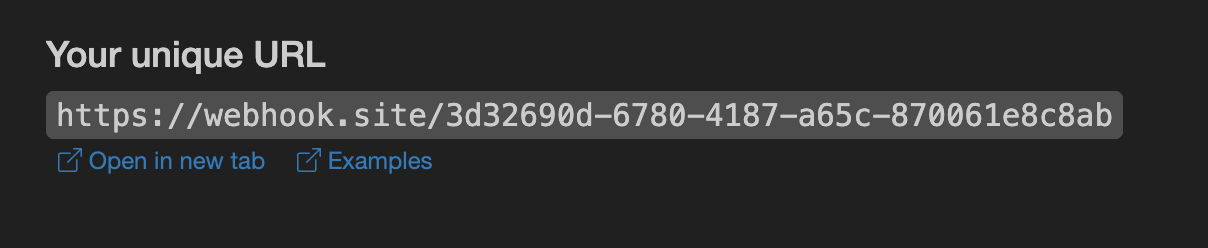
由于 OpenAI Images Generations API 生成图片的时间可能相对较长,如果 API 长时间无响应,HTTP 请求会一直保持连接,导致额外的系统资源消耗,所以本 API 也提供了异步回调的支持。 整体流程是:客户端发起请求的时候,额外指定一个 callback_url 字段,客户端发起 API 请求之后,API 会立马返回一个结果,包含一个 task_id 的字段信息,代表当前的任务 ID。当任务完成之后,生成图片的结果会通过 POST JSON 的形式发送到客户端指定的 callback_url,其中也包括了 task_id 字段,这样任务结果就可以通过 ID 关联起来了。 下面我们通过示例来了解下具体怎样操作。 首先,Webhook 回调是一个可以接收 HTTP 请求的服务,开发者应该替换为自己搭建的 HTTP 服务器的 URL。此处为了方便演示,使用一个公开的 Webhook 样例网站 https://webhook.site/,打开该网站即可得到一个 Webhook URL,如图所示: 将此 URL 复制下来,就可以作为 Webhook 来使用,此处的样例为 https://webhook.site/3d32690d-6780-4187-a65c-870061e8c8ab 接下来,我们可以设置字段 callback_url 为上述 Webhook URL,同时填入相应的参数,如以下代码所示:
import requests

url = "https://api.acedata.cloud/openai/images/generations"

headers = {
    "accept": "application/json",
    "authorization": "Bearer {token}",
    "content-type": "application/json"
}

payload = {
    "model": "dall-e-3",
    "prompt": "一只可爱的小海獺",
    "callback_url": "https://webhook.site/3d32690d-6780-4187-a65c-870061e8c8ab"
}

response = requests.post(url, json=payload, headers=headers)
print(response.text)
点击运行,可以发现会立即得到一个结果,如下:
{
  "task_id": "6a97bf49-df50-4129-9e46-119aa9fca73c"
}
稍等片刻,我们可以在 Webhook URL 上观察到生成图片的结果,内容如下:
{
  "success": true,
  "task_id": "6a97bf49-df50-4129-9e46-119aa9fca73c",
  "trace_id": "9b4b1ff3-90f2-470f-b082-1061ec2948cc",
  "data": {
    "created": 1721626477,
    "data": [
      {
        "revised_prompt": "一幅展示年轻海獺的迷人图像...",
        "url": "https://dalleprodsec.blob.core.windows.net/private/images/..."
      }
    ]
  }
}
可以看到结果中有一个 task_id 字段,data 字段包含了和同步调用一样的图片生成结果,通过 task_id 字段即可实现任务的关联。

错误处理

在调用 API 时,如果遇到错误,API 会返回相应的错误代码和信息。例如:
  • 400 token_mismatched:错误请求,可能是由于缺少或无效的参数。
  • 400 api_not_implemented:错误请求,可能是由于缺少或无效的参数。
  • 401 invalid_token:未授权,授权令牌无效或缺失。
  • 429 too_many_requests:请求过多,您已超出速率限制。
  • 500 api_error:内部服务器错误,服务器出现问题。

错误响应示例

{
  "success": false,
  "error": {
    "code": "api_error",
    "message": "获取失败"
  },
  "trace_id": "2cf86e86-22a4-46e1-ac2f-032c0f2a4e89"
}

结论

通過本文檔,您已經了解了如何使用 OpenAI Images Generations API 輕鬆使用官方 OpenAI DALL-E 的圖像生成功能。希望本文檔能幫助您更好地對接和使用該 API。如有任何問題,請隨時聯繫我們的技術支持團隊。