

Zum Hauptinhalt springen
In the escalating battle between web crawlers and anti-crawling measures, the risk control detection of major websites and apps is becoming increasingly stringent, one of which is IP banning. To solve the problem of IP bans, an effective method is to set up proxies. After setting up a proxy, the crawler can disguise its real IP address by using the proxy’s IP, thus breaking through anti-crawling restrictions. However, the quality of proxies varies. For example, most free proxies available on the market are either unusable or banned, and some paid ordinary proxies have also been added to the risk control blacklists of major websites and apps. Therefore, the number of high-quality proxies available for data crawling is decreasing. Currently, the main types of high-quality proxies on the market include dedicated proxies, ADSL proxies, and mobile cellular proxies. This proxy service is based on a rotating proxy service using mobile cellular networks (4G, 5G). This document will introduce the application and usage methods for this service.

Mobile Cellular Proxy

Mobile cellular proxies are actually proxy services built on mobile data, where all proxy IPs are real mobile IPs. This type of proxy is relatively less used in the crawling field, so the probability of being banned is also lower. Therefore, this type of proxy is very effective for crawling websites and apps with strong risk control. This proxy service is built on a large-scale group-controlled mobile pool, and all traffic is forwarded through genuine mobile data, supporting data requests from almost all websites and apps on the market. The proxy quality is extremely high, significantly reducing the risk control probability.

Application Method

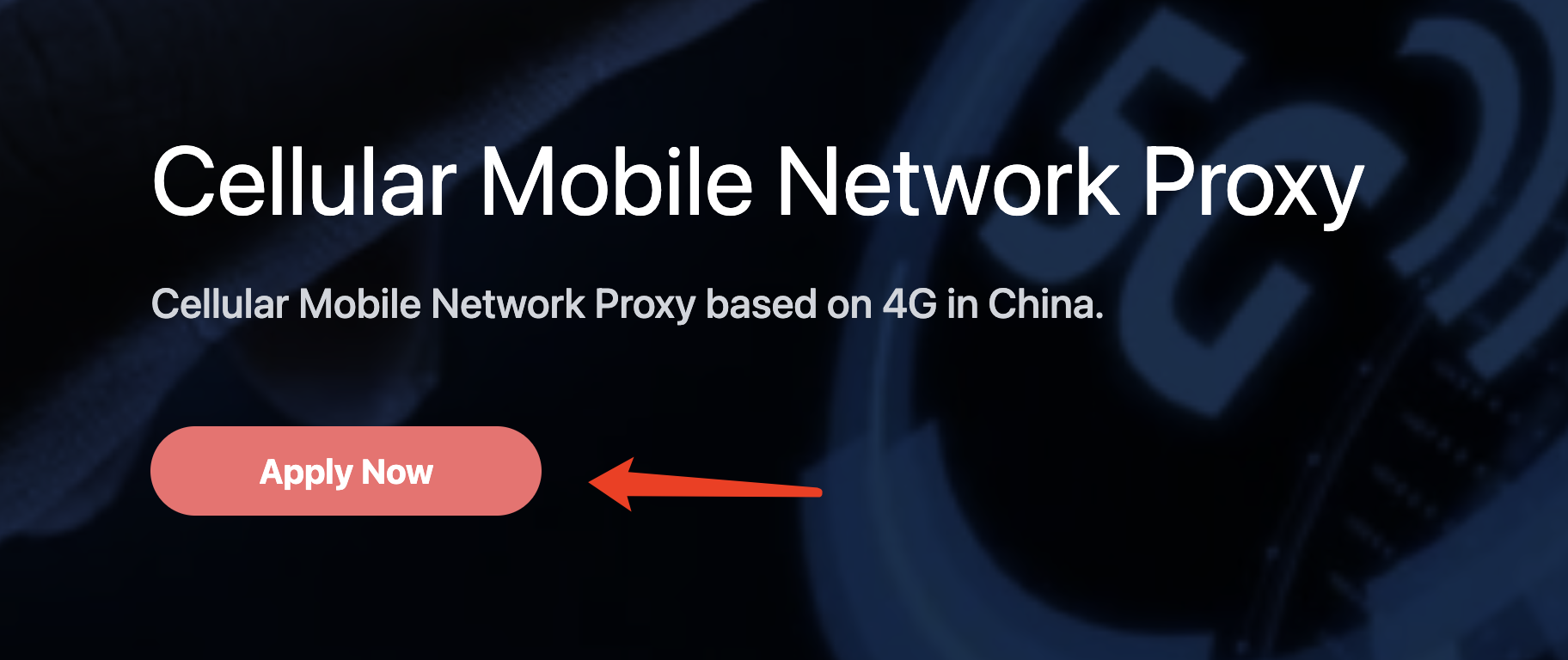
To use the cellular proxy service, you can first go to the “application page” to apply. The first application comes with a free quota of 1 point. If you are not logged in, you will be automatically redirected to the login page. After logging in, you can continue with the application.
Usage Method

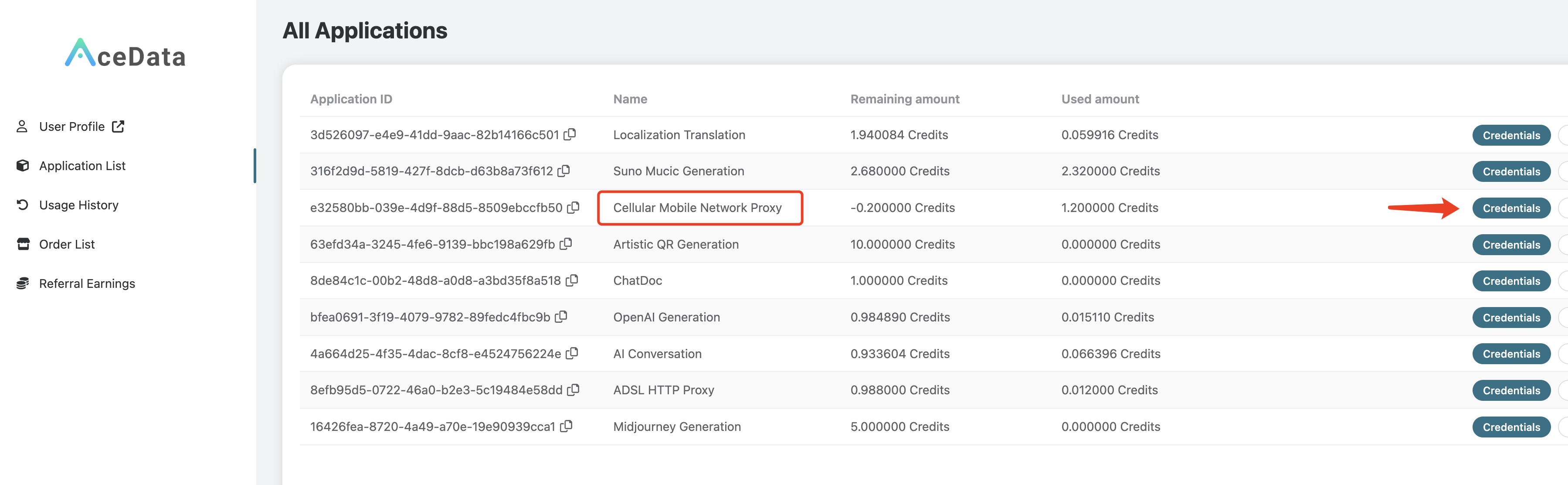
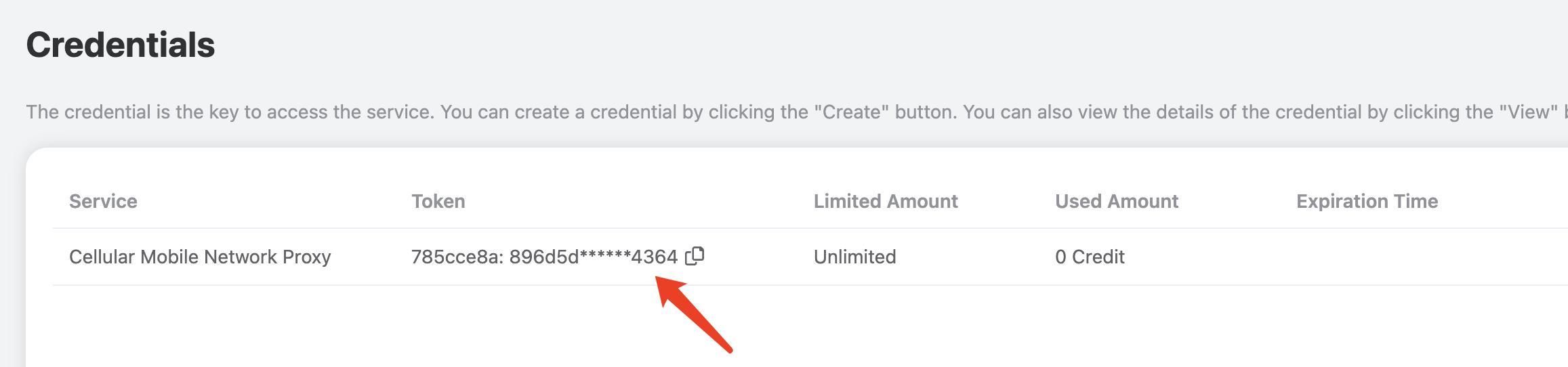
After the application is completed, you can check your application results in the “console,” as shown in the figure: Click on “Credentials” to view the username and password for using the cellular proxy service, separated by a colon. The username is 8 characters long, and the password is 32 characters long, as shown in the figure: This mobile cellular proxy is a rotating proxy, so when using it, you only need to set a fixed proxy address and port. The proxy address and port are cellular.proxy.acedata.cloud and 30000, respectively. This proxy supports HTTP/HTTPS/SOCKS protocols and can be used to request websites using HTTP and HTTPS protocols.
Command Testing

Once you have the username and password for the proxy, the easiest way to test is through the curl command line. If you haven’t installed it yet, please refer to https://curl.se/ for installation. If the current proxy username and password are 1f78266a:eff0896726224fa2a99fe82dd1f07562, we can test it using the following curl command:
curl -x 1f78266a:eff0896726224fa2a99fe82dd1f07562@cellular.proxy.acedata.cloud:30000 https://ipinfo.io
Here we use curl’s -x parameter to specify the proxy address. The default proxy protocol is HTTP/HTTPS, and the requested URL is https://ipinfo.io, which can return the real IP address and location of the requester.
Note: The above username and password may be invalid; please replace them with your own username and password.
The output result is as follows:
{
  "ip": "39.144.10.182",
  "city": "Shanghai",
  "region": "Shanghai",
  "country": "CN",
  "loc": "31.2222,121.4581",
  "org": "AS9808 China Mobile Communications Group Co., Ltd.",
  "postal": "200000",
  "timezone": "Asia/Shanghai",
  "readme": "https://ipinfo.io/missingauth"
}
As you can see, the returned result’s country is CN, representing China, and org is China Mobile, indicating the China Mobile network, confirming it is a cellular proxy exit. If you run it again, you can get different results; each request uses a random IP exit.

Code Integration

Below is an example in Python demonstrating how to set up the cellular rotating proxy:
import requests

proxy = 'http://{proxy_username}:{proxy_password}@cellular.proxy.acedata.cloud:30000'

proxies = {
    'http': proxy,
    'https': proxy
}

for _ in range(3):
    resp = requests.get('https://ipinfo.io', proxies=proxies)
    print(resp.text)

Here we first declare the proxy URL and define it as the proxy variable. The protocol is HTTP, followed by the rotating proxy’s username and password (i.e., the username and password displayed in the console, separated by a colon), followed by an @ symbol, and then the proxy address and port. Next, we declare a proxies variable, configuring two key-value pairs, with the keys being http and https, and both values being the proxy, indicating that for HTTP and HTTPS websites, the requests will use the proxy defined by the proxy variable. Then we define a loop to test the proxy three times. The requested URL is https://ipinfo.io, which can return the real IP address and location of the requester. The output result is as follows:
{
  "ip": "39.144.18.26",
  "city": "Shanghai",
  "region": "Shanghai",
  "country": "CN",
  "loc": "31.2222,121.4581",
  "org": "AS9808 China Mobile Communications Group Co., Ltd.",
  "postal": "200000",
  "timezone": "Asia/Shanghai",
  "readme": "https://ipinfo.io/missingauth"
}
{
  "ip": "39.144.18.26",
  "city": "Shanghai",
  "region": "Shanghai",
  "country": "CN",
  "loc": "31.2222,121.4581",
  "org": "AS9808 China Mobile Communications Group Co., Ltd.",
  "postal": "200000",
  "timezone": "Asia/Shanghai",
  "readme": "https://ipinfo.io/missingauth"
}
{
  "ip": "39.144.182.55",
  "city": "Zhanjiang",
  "region": "Guangdong",
  "country": "CN",
  "loc": "21.2339,110.3875",
  "org": "AS24445 Henan Mobile Communications Co.,Ltd",
  "postal": "524000",
  "timezone": "Asia/Shanghai",
  "readme": "https://ipinfo.io/missingauth"
}
Es ist zu sehen, dass die Proxy-IP, die bei jedem Lauf erhalten wird, zufällig ist und dass die Region, in der sich die IP befindet, tatsächlich aus echtem Mobilverkehr stammt. Natürlich ist die oben beschriebene Methode zur Proxy-Einstellung tatsächlich eine relativ einfache Methode. Tatsächlich ist der obige Code äquivalent dazu, bei der Anfrage einen zusätzlichen Header - Proxy Authorization - festzulegen, sodass der obige Code auch wie folgt umgeschrieben werden kann:
import requests
import base64

proxy_host = 'cellular.proxy.acedata.cloud'
proxy_port = '30000'
proxy_username = '{proxy_username}' # 8-stelliger Benutzername
proxy_password = '{proxy_password}' # 32-stelliges Passwort

credentials = base64.b64encode(
    f'{proxy_username}:{proxy_password}'.encode()).decode()

proxies = {
    'http': f'http://{proxy_host}:{proxy_port}',
    'https': f'http://{proxy_host}:{proxy_port}'
}

headers = {
    'Proxy-Authorization': f'Basic {credentials}'
}

for _ in range(3):
    resp = requests.get('https://ipinfo.io',
                        proxies=proxies, headers=headers)
    print(resp.text)

Es ist zu sehen, dass wir hier durch den Request-Header Proxy-Authorization zusätzlich den Benutzernamen und das Passwort für den Proxy festgelegt haben (muss in Base64 kodiert werden), und die Ausführung des Codes hat denselben Effekt. Für andere Sprachen, wie JavaScript mit axios, kann eine ähnliche Einstellungsmethode verwendet werden:
const axios = require("axios");
const base64 = require("base64");

const proxy_host = "cellular.proxy.acedata.cloud";
const proxy_port = "30000";
const proxy_username = "{proxy_username}"; // 8-stelliger Benutzername
const proxy_password = "{proxy_password}"; // 32-stelliges Passwort

const credentials = base64.encode(`${proxy_username}:${proxy_password}`);

const proxies = {
  http: `http://${proxy_host}:${proxy_port}`,
  https: `http://${proxy_host}:${proxy_port}`,
};

const headers = {
  "Proxy-Authorization": `Basic ${credentials}`,
};

for (let i = 0; i < 3; i++) {
  axios
    .get("https://ipinfo.io", { proxies, headers })
    .then((resp) => console.log(resp.data))
    .catch((err) => console.error(err));
}
Die Ausführungseffekte sind identisch. Für die Einstellungsmethoden in anderen Sprachen konsultieren Sie bitte den obigen Text und passen Sie ihn entsprechend an.

Mehr kaufen

Wenn Ihr Paket bereits aufgebraucht ist, müssen Sie mehr kaufen, um diesen Proxy-Dienst weiterhin nutzen zu können. Um mehr zu kaufen, gehen Sie bitte zur „Antragsseite“ und klicken Sie direkt auf die Schaltfläche „Mehr kaufen“, um auszuwählen. Je mehr Sie auf einmal kaufen, desto günstiger ist der Einzelpreis.