> ## Documentation Index
> Fetch the complete documentation index at: https://docs.acedata.cloud/llms.txt
> Use this file to discover all available pages before exploring further.
# SeeDance Videos Generation API 對接說明
> ByteDance Seedance Video Generation 整合指南 - Ace Data Cloud
本文將介紹一種 SeeDance Videos Generation API 對接說明,它是可以通過輸入自定義參數來生成SeeDance官方的視頻。
## 申請流程
要使用 SeeDance Videos Generation API,首先到 [Ace Data Cloud 控制台](https://platform.acedata.cloud/console/applications) 獲取您的 API Token,留作備用。

如果你尚未登錄或註冊,會自動跳轉到登錄頁面邀請你註冊和登錄,完成後會自動返回當前頁面。
**一個 API Token 即可調用平台所有服務,無需為每個服務單獨申請。** 首次申請會贈送免費額度,可免費體驗;額度不足時可在 [控制台](https://platform.acedata.cloud/console/coin) 充值通用餘額。
> 📘 完整文檔:[SeeDance Videos Generation API →](https://platform.acedata.cloud/documents/seedance-videos)
## 基本使用
首先先了解下基本的使用方式,就是輸入提示詞 `content.text`、類型`content.type=text` 以及模型 `model`,便可獲得處理後的結果,具體的內容如下:

可以看到這裡我們設置了 Request Headers,包括:
* `accept`:想要接收怎樣格式的響應結果,這裡填寫為 `application/json`,即 JSON 格式。
* `authorization`:調用 API 的密鑰,申請之後可以直接下拉選擇。
另外設置了 Request Body,包括:
* `model`:生成視頻的模型。
* **Seedance 1.x 系列**:`doubao-seedance-1-0-pro-250528`、`doubao-seedance-1-0-pro-fast-251015`、`doubao-seedance-1-5-pro-251215`、`doubao-seedance-1-0-lite-t2v-250428`、`doubao-seedance-1-0-lite-i2v-250428`。
* **Seedance 2.0 系列**(支持人臉 / 角色參考等多模態輸入):`doubao-seedance-2-0-260128`(標準)、`doubao-seedance-2-0-fast-260128`(快速)、`doubao-seedance-2-0-mini-260615`(輕量)。詳見下文「人臉與角色參考(Seedance 2.0)」一節。
* `content`:輸入內容數組,`type` 可以是 `text`(提示詞)、`image_url`(參考圖片)、`audio_url`(參考音頻,2.0)、`video_url`(參考視頻,2.0)。圖片可通過 `role` 指定用途:`first_frame`(首幀)/ `last_frame`(尾幀)/ `reference_image`(人臉 / 角色 / 主體參考)。
* `resolution`:輸出分辨率,可選 `480p` / `720p` / `1080p`(2.0 標準模型另支持 `4k`;2.0 的 `fast` / `mini` 最高 `720p`)。
* `ratio`:寬高比,可選 `16:9` / `4:3` / `1:1` / `3:4` / `9:16` / `21:9` / `adaptive`。
* `duration`:視頻時長(秒,整數)。各系列範圍不同:**1.0 系列 2–12**;**1.5 Pro 4–12**;**2.0 系列 4–15**。1.5 Pro 與 2.0 系列另支持 `-1`(由模型自動選擇時長)。
* `seed`:隨機種子,整數,-1 到 4294967295。
* `camerafixed`:是否固定攝像頭,`true` / `false`。
* `watermark`:是否添加水印,`true` / `false`。
* `generate_audio`:是否生成有聲視頻,`true` / `false`,**僅 `doubao-seedance-1-5-pro-251215` 支持**。
* `return_last_frame`:是否在結果中返回視頻最後一幀圖片 URL。
* `execution_expires_after`:任務超時時間(秒),範圍 3600–259200。
* `callback_url`:異步回調地址,設置後 API 立即返回 `task_id`,任務完成時將結果 POST 到該地址。
* `async`:可選,設為 `true` 時接口立即返回 `task_id`,無需提供 `callback_url`,隨後通過對應的任務查詢接口輪詢獲取結果。
選擇之後,可以發現右側也生成了對應代碼,如圖所示:
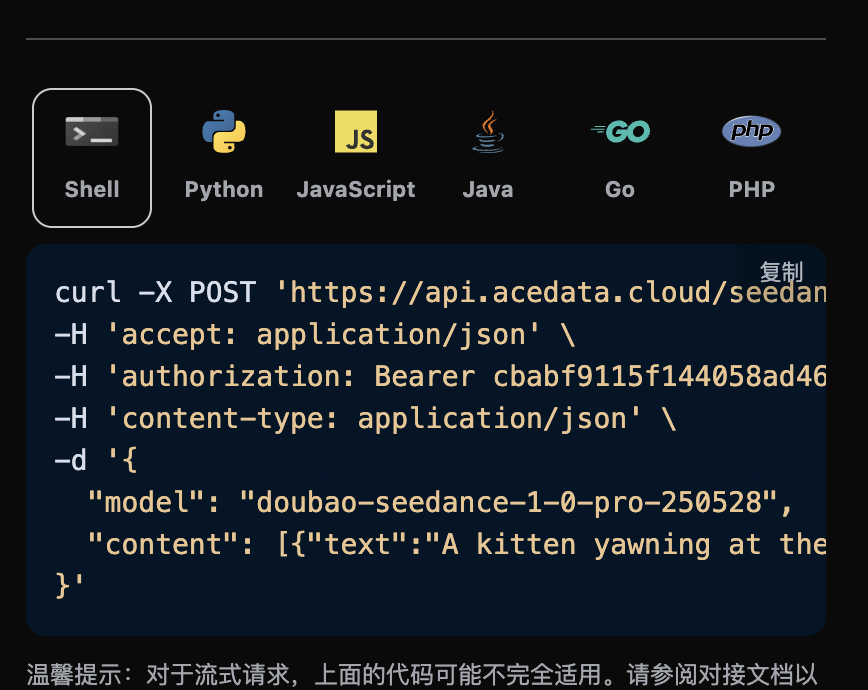
點擊「Try」按鈕即可進行測試,如上圖所示,這裡我們就得到了如下結果:
```json theme={null}
{
"success": true,
"task_id": "9777f36b-4f44-47ff-962d-45cd2f7aeaa8",
"trace_id": "ce5da2ca-6695-4459-9d2c-2ef9f86db752",
"data": {
"task_id": "7e4e1773-510a-4a73-9ab4-98dd1a0b2a7f",
"status": "succeeded",
"model": "doubao-seedance-2-0-fast-260128",
"duration": 5,
"resolution": "720p",
"ratio": "16:9",
"video_url": "https://platform2.cdn.acedata.cloud/seedance/036f24ed-a9b1-49b3-92c4-30049a3bc152.mp4"
}
}
```
返回結果一共有多個字段,介紹如下:
* `success`,此時視頻生成任務的狀態情況。
* `task_id`,此時視頻生成任務ID。
* `trace_id`,此時視頻生成跟蹤ID。
* `data`,此時視頻生成任務的結果列表。
* `task_id`,此時視頻生成任務的伺服器端ID。
* `video_url`,此時視頻生成任務的視頻鏈接。
* `status`,此時視頻生成任務的狀態。
* `model`,生成視頻使用的模型。
可以看到我們得到了滿意的視頻信息,我們只需要根據結果中 `data` 的視頻鏈接地址獲取生成的SeeDance視頻即可。
另外如果想生成對應的對接代碼,可以直接複製生成,例如 CURL 的代碼如下:
```shell theme={null}
curl -X POST 'https://api.acedata.cloud/seedance/videos' \
-H 'authorization: Bearer ${bearer_token}' \
-H 'accept: application/json' \
-H 'content-type: application/json' \
-d '{
"content": [{"type":"text","text":"A white ceramic coffee mug on a glossy marble countertop with soft morning window light. The camera slowly orbits 360 degrees around the mug, steam gently rising."}],
"model": "doubao-seedance-2-0-fast-260128",
"resolution": "720p",
"ratio": "16:9",
"duration": 5
}'
```
## 內聯參數說明
在 `content[].text` 提示詞末尾,可以通過追加 `--parameter value` 的形式傳入生成參數(舊方式,弱校驗,填寫有誤時自動使用默認值)。完整參數列表如下:
| 内联参数 | 对应字段 | 说明 | 取值范围 |
| ---------- | ----------------- | ------- | ------------------------------------------------------------- |
| `--rs` | `resolution` | 输出分辨率 | `480p` / `720p` / `1080p` |
| `--rt` | `ratio` | 宽高比 | `16:9` / `4:3` / `1:1` / `3:4` / `9:16` / `21:9` / `adaptive` |
| `--dur` | `duration` | 视频时长(秒) | 2–12 |
| `--frames` | `frames` | 视频帧数 | \[29, 289] 中满足 25+4n 的整数(**仅 1.0 系列支持**) |
| `--fps` | `framespersecond` | 帧率 | 仅支持 `24` |
| `--seed` | `seed` | 随机种子 | -1 到 4294967295 |
| `--cf` | `camerafixed` | 是否固定摄像头 | `true` / `false` |
| `--wm` | `watermark` | 是否添加水印 | `true` / `false` |
> **推荐做法**:直接在 Request Body 中使用对应的顶层字段(如 `resolution`、`ratio` 等),为强校验模式,参数填写有误时会返回明确错误提示,更易于排查问题。
## 生成有声视频
`doubao-seedance-1-5-pro-251215` 支持通过 `generate_audio` 参数生成带音频的视频:
```json theme={null}
{
"model": "doubao-seedance-1-5-pro-251215",
"content": [
{
"type": "text",
"text": "一位女孩抱着一只狐狸,风吹动她的头发,你可以听到风的声音"
}
],
"generate_audio": true,
"ratio": "16:9",
"duration": 5
}
```
其他模型不支持此参数,传入后会被忽略。
## 图生视频首帧
如果想图生视频任务,首先 `content` 参数需要包含 `type` 为 `image_url` 的项,`image_url` 字段必须为对象格式:`{"url": "https://..."}` 或 Base64 格式 `{"url": "data:image/png;base64,..."}`。
> **注意**:`image_url` 不支持直接传入字符串格式(如 `"image_url": "https://..."`),必须使用对象格式 `"image_url": {"url": "https://..."}`,否则会返回 400 错误。
对应的代码:
```python theme={null}
import requests
url = "https://api.acedata.cloud/seedance/videos"
headers = {
"accept": "application/json",
"authorization": "Bearer {token}",
"content-type": "application/json"
}
payload = {
"content": [
{
"type": "image_url",
"image_url": {
"url": "https://ark-project.tos-cn-beijing.volces.com/doc_image/i2v_foxrgirl.png"
}
},
{
"type": "text",
"text": "一位女孩抱着一只狐狸。她睁开眼睛,温柔地凝视着镜头,而狐狸则亲昵地抱着她。随着镜头缓缓拉远,她的头发被风轻轻吹动。 --ratio adaptive --dur 5"
}
],
"model": "doubao-seedance-1-0-pro-250528"
}
response = requests.post(url, json=payload, headers=headers)
print(response.text)
```
点击运行,可以发现会立即得到一个结果,如下:
```
{
"success": true,
"task_id": "dc7cceb5-3c12-4de7-a5f4-abcbba3e8e39",
"trace_id": "b3b09de3-b7fa-4bb0-88b5-aad4b4a96fd4",
"data": {
"task_id": "cgt-20251222072003-x2259",
"status": "succeeded",
"video_url": "https://platform.cdn.acedata.cloud/seedance/6afb78b8-5ba8-424f-adcd-69423a700b50.mp4",
"model": "doubao-seedance-1-0-pro-250528"
}
}
```
可以看到,生成的效果是图生建视频的,结果与上文类似。
## 图生视频首尾帧
如果想图生视频首尾帧, 首先参数`content`必须传入类型`image_url`,并且分别设置`role`为`first_frame`和`last_frame`,就可以指定如下内容:
* role:指定首帧或者尾帧。
* image\_url
* url 图片链接
同时 `content` 还需要输入类型`text`作为prompt提示词
对应的代码:
```python theme={null}
import requests
url = "https://api.acedata.cloud/seedance/videos"
headers = {
"accept": "application/json",
"authorization": "Bearer {token}",
"content-type": "application/json"
}
payload = {
"model": "doubao-seedance-1-0-pro-250528",
"content": [
{
"type": "text",
"text": "360度拍摄"
},
{
"type": "image_url",
"image_url": {
"url": "https://ark-project.tos-cn-beijing.volces.com/doc_image/seepro_first_frame.jpeg"
},
"role": "first_frame"
},
{
"type": "image_url",
"image_url": {
"url": "https://ark-project.tos-cn-beijing.volces.com/doc_image/seepro_last_frame.jpeg"
},
"role": "last_frame"
}
]
}
response = requests.post(url, json=payload, headers=headers)
print(response.text)
```
点击运行,可以发现会立即得到一个结果,如下:
```
{
"success": true,
"task_id": "f7096c6c-9430-4392-8201-d259632d7afd",
"trace_id": "4a4a3721-00fb-43d2-aff2-3b516ac01a8a",
"data": {
"task_id": "cgt-20251222073134-54qcw",
"status": "succeeded",
"video_url": "https://platform.cdn.acedata.cloud/seedance/95f9f5f0-fc50-4c71-bc6f-e154582c141e.mp4",
"model": "doubao-seedance-1-0-pro-250528"
}
}
```
可以看到,生成的效果是角色生成视频,结果与上文类似。
## 人脸与角色参考(Seedance 2.0)
**Seedance 2.0 系列**(`doubao-seedance-2-0-260128`、`doubao-seedance-2-0-fast-260128`、`doubao-seedance-2-0-mini-260615`)支持传入「**真人 / 角色**」的参考素材:在 `content` 中加入 `type` 为 `image_url`、`role` 为 `reference_image` 的项,把人物照片作为参考,模型会在生成的视频里**保持该人物的样貌特征**,从而把同一个人「放进」全新的场景、动作或镜头里。
> 📌 真人照片会被平台自动注册为底层素材后再用于生成,整个过程对调用方完全透明:**请求与响应格式不变**,无需任何额外参数,仅首次生成会多花几秒用于素材处理。
使用要点:
* 仅 **Seedance 2.0 系列**模型支持 `reference_image`;1.x 模型请使用 `first_frame` / `last_frame`(图生视频首尾帧)。
* `reference_image` **不能**与 `first_frame` / `last_frame` 混用,二者只能择一。
* 多模态参考数量上限:`image_url` 最多 **9** 张;2.0 还支持 `audio_url`(`role` 为 `reference_audio`,最多 3 条)与 `video_url`(`role` 为 `reference_video`,最多 3 条)。
* **参考音频(`audio_url`)素材要求**:格式 `wav` / `mp3`;**单条时长 2\~15 秒**,最多 3 条且**总时长不超过 15 秒**;单条不超过 15 MB。超出时长范围会在素材处理阶段失败。
* **参考视频(`video_url`)素材要求**:格式 `mp4` / `mov`;**单条时长 2\~15 秒**,最多 3 条且**总时长不超过 15 秒**。
* 参考图片建议使用**单人、正脸、清晰、无遮挡**的照片,人脸越清晰,相似度越高。
### 示例一:保持人物样貌的特写
传入一张人脸照片,让该人物对着镜头微笑挥手。对应的代码:
```python theme={null}
import requests
url = "https://api.acedata.cloud/seedance/videos"
headers = {
"accept": "application/json",
"authorization": "Bearer {token}",
"content-type": "application/json"
}
payload = {
"model": "doubao-seedance-2-0-fast-260128",
"content": [
{
"type": "text",
"text": "這位女性看著鏡頭,給出一個溫暖自然的微笑並揮手,柔和的工作室燈光,輕柔的鏡頭推進。"
},
{
"type": "image_url",
"role": "reference_image",
"image_url": {
"url": "https://platform2.cdn.acedata.cloud/nanobanana/8e075897-0f50-4443-8500-666751791c6c.jpg"
}
}
],
"resolution": "480p",
"ratio": "9:16",
"duration": 5
}
response = requests.post(url, json=payload, headers=headers)
print(response.text)
```
返回结果如下,生成的视频中人物与参考照片保持一致:
```json theme={null}
{
"success": true,
"task_id": "895eb5ea-bbe1-41a3-a9e9-48608e03f93a",
"trace_id": "83544791-7a84-44de-b8d2-afe171a1c0e4",
"data": {
"task_id": "458abf29-cc39-4fd0-bcea-24f89a70d8de",
"status": "succeeded",
"video_url": "https://platform2.cdn.acedata.cloud/seedance/e71d3cc5-27e7-4719-be34-1f0e254eccaf.mp4",
"model": "doubao-seedance-2-0-fast-260128",
"resolution": "480p",
"ratio": "9:16",
"duration": 5
}
}
```
### 示例二:把同一个人放进全新场景
`reference_image` 的强大之处在于:只保留**人物身份**,而场景、服装、动作完全由提示词决定。下面用同一张人脸照片,让该人物身着米色大衣走在秋日公园里:
```json theme={null}
{
"model": "doubao-seedance-2-0-fast-260128",
"content": [
{
"type": "text",
"text": "同一位女性穿著米色大衣走過陽光明媚的秋季公園,金色的樹葉在她周圍飄落,她對著鏡頭輕輕微笑,電影般的跟隨鏡頭。"
},
{
"type": "image_url",
"role": "reference_image",
"image_url": {
"url": "https://platform2.cdn.acedata.cloud/nanobanana/8e075897-0f50-4443-8500-666751791c6c.jpg"
}
}
],
"resolution": "720p",
"ratio": "9:16",
"duration": 5
}
```
返回结果如下,人物样貌得以保留,而场景已切换为秋日公园:
```json theme={null}
{
"success": true,
"task_id": "00872de7-16b7-431f-b4f7-6bf38ae86157",
"trace_id": "577a07c3-4f5f-4cc7-86fe-535bb8332614",
"data": {
"task_id": "32fe1537-ba3e-452a-8749-3ef8890d37fd",
"status": "succeeded",
"video_url": "https://platform2.cdn.acedata.cloud/seedance/44f47593-556b-4fda-afa5-7a71eefcd228.mp4",
"model": "doubao-seedance-2-0-fast-260128",
"resolution": "720p",
"ratio": "9:16",
"duration": 5
}
}
```
> 💡 若想让人物精确复刻照片中的构图(而非「换个场景的同一个人」),可改用 `first_frame`(图生视频首帧),让视频从这张照片开始运动。
## 异步回调
由于 SeeDance Videos Generation API 生成时间较长(约 1-2 分钟),可通过 `callback_url` 字段使用异步模式,避免 HTTP 连接长时间占用。
整体流程:客户端发起请求时指定 `callback_url`,API 立即返回包含 `task_id` 的响应;任务完成后,平台将生成结果以 POST JSON 的形式发送到 `callback_url`,结果中同样包含 `task_id` 以便关联。
```json theme={null}
{
"task_id": "f7096c6c-9430-4392-8201-d259632d7afd"
}
```
任务完成时,平台推送到 `callback_url` 的内容如下:
```json theme={null}
{
"success": true,
"task_id": "f7096c6c-9430-4392-8201-d259632d7afd",
"trace_id": "4a4a3721-00fb-43d2-aff2-3b516ac01a8a",
"data": {
"task_id": "cgt-20251222073134-54qcw",
"status": "succeeded",
"video_url": "https://platform.cdn.acedata.cloud/seedance/95f9f5f0-fc50-4c71-bc6f-e154582c141e.mp4",
"model": "doubao-seedance-1-0-pro-250528"
}
}
```
结果中的 `task_id` 字段与请求时返回的一致,通过该字段即可实现任务的关联。
## 错误处理
在调用 API 时,如果遇到错误,API 会返回相应的错误代码和信息。例如:
* `400 token_mismatched`:错误请求,可能是由于缺少或无效的参数。
* `400 api_not_implemented`:错误请求,可能是由于缺少或无效的参数。
* `401 invalid_token`:未授权,授权令牌无效或缺失。
* `429 too_many_requests`:请求过多,您已超出速率限制。
* `500 api_error`:内部服务器错误,服务器出现问题。
### 错误响应示例
```json theme={null}
{
"success": false,
"error": {
"code": "api_error",
"message": "抓取失敗"
},
"trace_id": "2cf86e86-22a4-46e1-ac2f-032c0f2a4e89"
}
```
## 結論
透過本文檔,您已經了解了如何使用 SeeDance Videos Generation API 透過提示詞、參考圖片,以及 Seedance 2.0 的臉部 / 角色參考來生成視頻。希望本文檔能幫助您更好地對接和使用該 API。如有任何問題,請隨時聯繫我們的技術支持團隊。