> ## Documentation Index
> Fetch the complete documentation index at: https://docs.acedata.cloud/llms.txt
> Use this file to discover all available pages before exploring further.
# SeeDance Videos Generation API 对接说明
> ByteDance Seedance Video Generation 集成指南 - Ace Data Cloud
本文将介绍一种 SeeDance Videos Generation API 对接说明,它是可以通过输入自定义参数来生成SeeDance官方的视频。
## 申请流程
要使用 SeeDance Videos Generation API,首先到 [Ace Data Cloud 控制台](https://platform.acedata.cloud/console/applications) 获取您的 API Token,留作备用。

如果你尚未登录或注册,会自动跳转到登录页面邀请你注册和登录,完成后会自动返回当前页面。
**一个 API Token 即可调用平台所有服务,无需为每个服务单独申请。** 首次申请会赠送免费额度,可免费体验;额度不足时可在 [控制台](https://platform.acedata.cloud/console/coin) 充值通用余额。
> 📘 完整文档:[SeeDance Videos Generation API →](https://platform.acedata.cloud/documents/seedance-videos)
## 基本使用
首先先了解下基本的使用方式,就是输入提示词 `content.text`、类型`content.type=text` 以及模型 `model`,便可获得处理后的结果,具体的内容如下:

可以看到这里我们设置了 Request Headers,包括:
* `accept`:想要接收怎样格式的响应结果,这里填写为 `application/json`,即 JSON 格式。
* `authorization`:调用 API 的密钥,申请之后可以直接下拉选择。
另外设置了 Request Body,包括:
* `model`:生成视频的模型。
* **Seedance 1.x 系列**:`doubao-seedance-1-0-pro-250528`、`doubao-seedance-1-0-pro-fast-251015`、`doubao-seedance-1-5-pro-251215`、`doubao-seedance-1-0-lite-t2v-250428`、`doubao-seedance-1-0-lite-i2v-250428`。
* **Seedance 2.0 系列**(支持人脸 / 角色参考等多模态输入):`doubao-seedance-2-0-260128`(标准)、`doubao-seedance-2-0-fast-260128`(快速)、`doubao-seedance-2-0-mini-260615`(轻量)。详见下文「人脸与角色参考(Seedance 2.0)」一节。
* `content`:输入内容数组,`type` 可以是 `text`(提示词)、`image_url`(参考图片)、`audio_url`(参考音频,2.0)、`video_url`(参考视频,2.0)。图片可通过 `role` 指定用途:`first_frame`(首帧)/ `last_frame`(尾帧)/ `reference_image`(人脸 / 角色 / 主体参考)。
* `resolution`:输出分辨率,可选 `480p` / `720p` / `1080p`(2.0 标准模型另支持 `4k`;2.0 的 `fast` / `mini` 最高 `720p`)。
* `ratio`:宽高比,可选 `16:9` / `4:3` / `1:1` / `3:4` / `9:16` / `21:9` / `adaptive`。
* `duration`:视频时长(秒,整数)。各系列范围不同:**1.0 系列 2–12**;**1.5 Pro 4–12**;**2.0 系列 4–15**。1.5 Pro 与 2.0 系列另支持 `-1`(由模型自动选择时长)。
* `seed`:随机种子,整数,-1 到 4294967295。
* `camerafixed`:是否固定摄像头,`true` / `false`。
* `watermark`:是否添加水印,`true` / `false`。
* `generate_audio`:是否生成有声视频,`true` / `false`,**仅 `doubao-seedance-1-5-pro-251215` 支持**。
* `return_last_frame`:是否在结果中返回视频最后一帧图片 URL。
* `execution_expires_after`:任务超时时间(秒),范围 3600–259200。
* `callback_url`:异步回调地址,设置后 API 立即返回 `task_id`,任务完成时将结果 POST 到该地址。
* `async`:可选,设为 `true` 时接口立即返回 `task_id`,无需提供 `callback_url`,随后通过对应的任务查询接口轮询获取结果。
选择之后,可以发现右侧也生成了对应代码,如图所示:
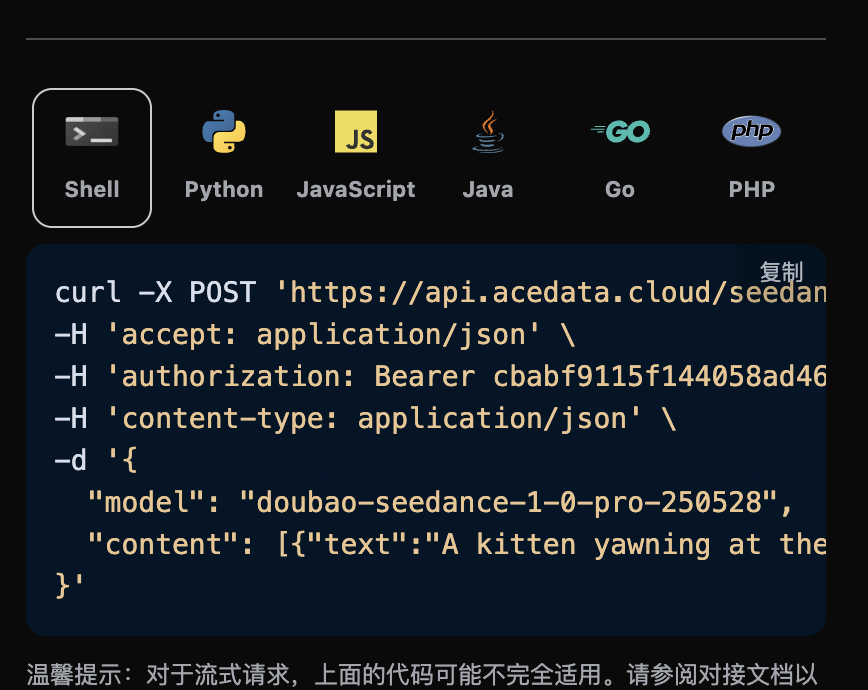
点击「Try」按钮即可进行测试,如上图所示,这里我们就得到了如下结果:
```json theme={null}
{
"success": true,
"task_id": "9777f36b-4f44-47ff-962d-45cd2f7aeaa8",
"trace_id": "ce5da2ca-6695-4459-9d2c-2ef9f86db752",
"data": {
"task_id": "7e4e1773-510a-4a73-9ab4-98dd1a0b2a7f",
"status": "succeeded",
"model": "doubao-seedance-2-0-fast-260128",
"duration": 5,
"resolution": "720p",
"ratio": "16:9",
"video_url": "https://platform2.cdn.acedata.cloud/seedance/036f24ed-a9b1-49b3-92c4-30049a3bc152.mp4"
}
}
```
返回结果一共有多个字段,介绍如下:
* `success`,此时视频生成任务的状态情况。
* `task_id`,此时视频生成任务ID。
* `trace_id`,此时视频生成跟踪ID。
* `data`,此时视频生成任务的结果列表。
* `task_id`,此时视频生成任务的服务器端ID。
* `video_url`,此时视频生成任务的视频链接。
* `status`,此时视频生成任务的状态。
* `model`,生成视频使用的模型。
可以看到我们得到了满意的视频信息,我们只需要根据结果中 `data` 的视频链接地址获取生成的SeeDance视频即可。
另外如果想生成对应的对接代码,可以直接复制生成,例如 CURL 的代码如下:
```shell theme={null}
curl -X POST 'https://api.acedata.cloud/seedance/videos' \
-H 'authorization: Bearer ${bearer_token}' \
-H 'accept: application/json' \
-H 'content-type: application/json' \
-d '{
"content": [{"type":"text","text":"A white ceramic coffee mug on a glossy marble countertop with soft morning window light. The camera slowly orbits 360 degrees around the mug, steam gently rising."}],
"model": "doubao-seedance-2-0-fast-260128",
"resolution": "720p",
"ratio": "16:9",
"duration": 5
}'
```
## 内联参数说明
在 `content[].text` 提示词末尾,可以通过追加 `--parameter value` 的形式传入生成参数(旧方式,弱校验,填写有误时自动使用默认值)。完整参数列表如下:
| 内联参数 | 对应字段 | 说明 | 取值范围 |
| ---------- | ----------------- | ------- | ------------------------------------------------------------- |
| `--rs` | `resolution` | 输出分辨率 | `480p` / `720p` / `1080p` |
| `--rt` | `ratio` | 宽高比 | `16:9` / `4:3` / `1:1` / `3:4` / `9:16` / `21:9` / `adaptive` |
| `--dur` | `duration` | 视频时长(秒) | 2–12 |
| `--frames` | `frames` | 视频帧数 | \[29, 289] 中满足 25+4n 的整数(**仅 1.0 系列支持**) |
| `--fps` | `framespersecond` | 帧率 | 仅支持 `24` |
| `--seed` | `seed` | 随机种子 | -1 到 4294967295 |
| `--cf` | `camerafixed` | 是否固定摄像头 | `true` / `false` |
| `--wm` | `watermark` | 是否添加水印 | `true` / `false` |
> **推荐做法**:直接在 Request Body 中使用对应的顶层字段(如 `resolution`、`ratio` 等),为强校验模式,参数填写有误时会返回明确错误提示,更易于排查问题。
## 生成有声视频
`doubao-seedance-1-5-pro-251215` 支持通过 `generate_audio` 参数生成带音频的视频:
```json theme={null}
{
"model": "doubao-seedance-1-5-pro-251215",
"content": [
{
"type": "text",
"text": "A girl holds a fox, the wind blows her hair, you can hear the sound of the wind"
}
],
"generate_audio": true,
"ratio": "16:9",
"duration": 5
}
```
其他模型不支持此参数,传入后会被忽略。
## 图生视频首帧
如果想图生视频任务,首先 `content` 参数需要包含 `type` 为 `image_url` 的项,`image_url` 字段必须为对象格式:`{"url": "https://..."}` 或 Base64 格式 `{"url": "data:image/png;base64,..."}`。
> **注意**:`image_url` 不支持直接传入字符串格式(如 `"image_url": "https://..."`),必须使用对象格式 `"image_url": {"url": "https://..."}`,否则会返回 400 错误。
对应的代码:
```python theme={null}
import requests
url = "https://api.acedata.cloud/seedance/videos"
headers = {
"accept": "application/json",
"authorization": "Bearer {token}",
"content-type": "application/json"
}
payload = {
"content": [
{
"type": "image_url",
"image_url": {
"url": "https://ark-project.tos-cn-beijing.volces.com/doc_image/i2v_foxrgirl.png"
}
},
{
"type": "text",
"text": "A girl holds a fox in her arms. She opens her eyes and gazes tenderly at the camera, while the fox affectionately holds her back. As the camera slowly pulls away, her hair is gently blown by the wind. --ratio adaptive --dur 5"
}
],
"model": "doubao-seedance-1-0-pro-250528"
}
response = requests.post(url, json=payload, headers=headers)
print(response.text)
```
点击运行,可以发现会立即得到一个结果,如下:
```
{
"success": true,
"task_id": "dc7cceb5-3c12-4de7-a5f4-abcbba3e8e39",
"trace_id": "b3b09de3-b7fa-4bb0-88b5-aad4b4a96fd4",
"data": {
"task_id": "cgt-20251222072003-x2259",
"status": "succeeded",
"video_url": "https://platform.cdn.acedata.cloud/seedance/6afb78b8-5ba8-424f-adcd-69423a700b50.mp4",
"model": "doubao-seedance-1-0-pro-250528"
}
}
```
可以看到,生成的效果是图生建视频的,结果与上文类似。
## 图生视频首尾帧
如果想图生视频首尾帧, 首先参数`content`必须传入类型`image_url`,并且分别设置`role`为`first_frame`和`last_frame`,就可以指定如下内容:
* role:指定首帧或者尾帧。
* image\_url
* url 图片链接
同时 `content` 还需要输入类型`text`作为prompt提示词
对应的代码:
```python theme={null}
import requests
url = "https://api.acedata.cloud/seedance/videos"
headers = {
"accept": "application/json",
"authorization": "Bearer {token}",
"content-type": "application/json"
}
payload = {
"model": "doubao-seedance-1-0-pro-250528",
"content": [
{
"type": "text",
"text": "360-degree shot"
},
{
"type": "image_url",
"image_url": {
"url": "https://ark-project.tos-cn-beijing.volces.com/doc_image/seepro_first_frame.jpeg"
},
"role": "first_frame"
},
{
"type": "image_url",
"image_url": {
"url": "https://ark-project.tos-cn-beijing.volces.com/doc_image/seepro_last_frame.jpeg"
},
"role": "last_frame"
}
]
}
response = requests.post(url, json=payload, headers=headers)
print(response.text)
```
点击运行,可以发现会立即得到一个结果,如下:
```
{
"success": true,
"task_id": "f7096c6c-9430-4392-8201-d259632d7afd",
"trace_id": "4a4a3721-00fb-43d2-aff2-3b516ac01a8a",
"data": {
"task_id": "cgt-20251222073134-54qcw",
"status": "succeeded",
"video_url": "https://platform.cdn.acedata.cloud/seedance/95f9f5f0-fc50-4c71-bc6f-e154582c141e.mp4",
"model": "doubao-seedance-1-0-pro-250528"
}
}
```
可以看到,生成的效果是角色生成视频,结果与上文类似。
## 人脸与角色参考(Seedance 2.0)
**Seedance 2.0 系列**(`doubao-seedance-2-0-260128`、`doubao-seedance-2-0-fast-260128`、`doubao-seedance-2-0-mini-260615`)支持传入「**真人 / 角色**」的参考素材:在 `content` 中加入 `type` 为 `image_url`、`role` 为 `reference_image` 的项,把人物照片作为参考,模型会在生成的视频里**保持该人物的样貌特征**,从而把同一个人「放进」全新的场景、动作或镜头里。
> 📌 真人照片会被平台自动注册为底层素材后再用于生成,整个过程对调用方完全透明:**请求与响应格式不变**,无需任何额外参数,仅首次生成会多花几秒用于素材处理。
使用要点:
* 仅 **Seedance 2.0 系列**模型支持 `reference_image`;1.x 模型请使用 `first_frame` / `last_frame`(图生视频首尾帧)。
* `reference_image` **不能**与 `first_frame` / `last_frame` 混用,二者只能择一。
* 多模态参考数量上限:`image_url` 最多 **9** 张;2.0 还支持 `audio_url`(`role` 为 `reference_audio`,最多 3 条)与 `video_url`(`role` 为 `reference_video`,最多 3 条)。
* **参考音频(`audio_url`)素材要求**:格式 `wav` / `mp3`;**单条时长 2\~15 秒**,最多 3 条且**总时长不超过 15 秒**;单条不超过 15 MB。超出时长范围会在素材处理阶段失败。
* **参考视频(`video_url`)素材要求**:格式 `mp4` / `mov`;**单条时长 2\~15 秒**,最多 3 条且**总时长不超过 15 秒**。
* 参考图片建议使用**单人、正脸、清晰、无遮挡**的照片,人脸越清晰,相似度越高。
### 示例一:保持人物样貌的特写
传入一张人脸照片,让该人物对着镜头微笑挥手。对应的代码:
```python theme={null}
import requests
url = "https://api.acedata.cloud/seedance/videos"
headers = {
"accept": "application/json",
"authorization": "Bearer {token}",
"content-type": "application/json"
}
payload = {
"model": "doubao-seedance-2-0-fast-260128",
"content": [
{
"type": "text",
"text": "The woman looks at the camera, gives a warm natural smile and waves her hand, soft studio lighting, gentle camera push-in."
},
{
"type": "image_url",
"role": "reference_image",
"image_url": {
"url": "https://platform2.cdn.acedata.cloud/nanobanana/8e075897-0f50-4443-8500-666751791c6c.jpg"
}
}
],
"resolution": "480p",
"ratio": "9:16",
"duration": 5
}
response = requests.post(url, json=payload, headers=headers)
print(response.text)
```
返回结果如下,生成的视频中人物与参考照片保持一致:
```json theme={null}
{
"success": true,
"task_id": "895eb5ea-bbe1-41a3-a9e9-48608e03f93a",
"trace_id": "83544791-7a84-44de-b8d2-afe171a1c0e4",
"data": {
"task_id": "458abf29-cc39-4fd0-bcea-24f89a70d8de",
"status": "succeeded",
"video_url": "https://platform2.cdn.acedata.cloud/seedance/e71d3cc5-27e7-4719-be34-1f0e254eccaf.mp4",
"model": "doubao-seedance-2-0-fast-260128",
"resolution": "480p",
"ratio": "9:16",
"duration": 5
}
}
```
### 示例二:把同一个人放进全新场景
`reference_image` 的强大之处在于:只保留**人物身份**,而场景、服装、动作完全由提示词决定。下面用同一张人脸照片,让该人物身着米色大衣走在秋日公园里:
```json theme={null}
{
"model": "doubao-seedance-2-0-fast-260128",
"content": [
{
"type": "text",
"text": "The same woman wearing a beige coat walks through a sunny autumn park, golden leaves falling around her, she smiles softly at the camera, cinematic tracking shot."
},
{
"type": "image_url",
"role": "reference_image",
"image_url": {
"url": "https://platform2.cdn.acedata.cloud/nanobanana/8e075897-0f50-4443-8500-666751791c6c.jpg"
}
}
],
"resolution": "720p",
"ratio": "9:16",
"duration": 5
}
```
返回结果如下,人物样貌得以保留,而场景已切换为秋日公园:
```json theme={null}
{
"success": true,
"task_id": "00872de7-16b7-431f-b4f7-6bf38ae86157",
"trace_id": "577a07c3-4f5f-4cc7-86fe-535bb8332614",
"data": {
"task_id": "32fe1537-ba3e-452a-8749-3ef8890d37fd",
"status": "succeeded",
"video_url": "https://platform2.cdn.acedata.cloud/seedance/44f47593-556b-4fda-afa5-7a71eefcd228.mp4",
"model": "doubao-seedance-2-0-fast-260128",
"resolution": "720p",
"ratio": "9:16",
"duration": 5
}
}
```
> 💡 若想让人物精确复刻照片中的构图(而非「换个场景的同一个人」),可改用 `first_frame`(图生视频首帧),让视频从这张照片开始运动。
## 异步回调
由于 SeeDance Videos Generation API 生成时间较长(约 1-2 分钟),可通过 `callback_url` 字段使用异步模式,避免 HTTP 连接长时间占用。
整体流程:客户端发起请求时指定 `callback_url`,API 立即返回包含 `task_id` 的响应;任务完成后,平台将生成结果以 POST JSON 的形式发送到 `callback_url`,结果中同样包含 `task_id` 以便关联。
```json theme={null}
{
"task_id": "f7096c6c-9430-4392-8201-d259632d7afd"
}
```
任务完成时,平台推送到 `callback_url` 的内容如下:
```json theme={null}
{
"success": true,
"task_id": "f7096c6c-9430-4392-8201-d259632d7afd",
"trace_id": "4a4a3721-00fb-43d2-aff2-3b516ac01a8a",
"data": {
"task_id": "cgt-20251222073134-54qcw",
"status": "succeeded",
"video_url": "https://platform.cdn.acedata.cloud/seedance/95f9f5f0-fc50-4c71-bc6f-e154582c141e.mp4",
"model": "doubao-seedance-1-0-pro-250528"
}
}
```
结果中的 `task_id` 字段与请求时返回的一致,通过该字段即可实现任务的关联。
## 错误处理
在调用 API 时,如果遇到错误,API 会返回相应的错误代码和信息。例如:
* `400 token_mismatched`:Bad request, possibly due to missing or invalid parameters.
* `400 api_not_implemented`:Bad request, possibly due to missing or invalid parameters.
* `401 invalid_token`:Unauthorized, invalid or missing authorization token.
* `429 too_many_requests`:Too many requests, you have exceeded the rate limit.
* `500 api_error`:Internal server error, something went wrong on the server.
### 错误响应示例
```json theme={null}
{
"success": false,
"error": {
"code": "api_error",
"message": "fetch failed"
},
"trace_id": "2cf86e86-22a4-46e1-ac2f-032c0f2a4e89"
}
```
## 结论
通过本文档,您已经了解了如何使用 SeeDance Videos Generation API 通过提示词、参考图片,以及 Seedance 2.0 的人脸 / 角色参考来生成视频。希望本文档能帮助您更好地对接和使用该 API。如有任何问题,请随时联系我们的技术支持团队。